[ Edit: 2016/ 8/ 1 Model: 2017MY INFINITI Q70(Y51) OM17E00Y51U0 ]
4-20 Monitor, climate, audio, phone and voice recognition systems
SAA2486
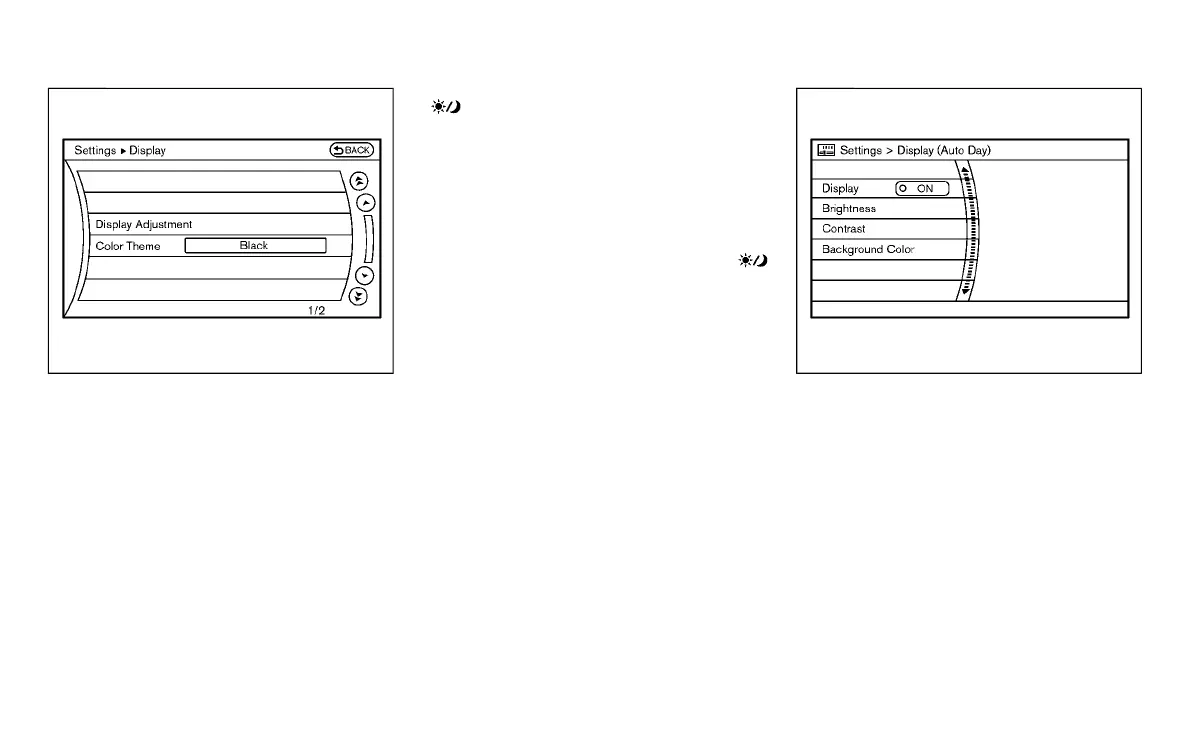
Display settings (models with na-
vigation system)
Y51D-V-E01-F7F17871-0E48-4280-BBB7-EB03904B3F7E
The display as illustrated will appear when
pushing the SETTING button and selecting
the “Others” key, and then selecting the
“Display” key.
Display Adjustment:
Y51D-V-E01-AC92FF83-944C-4BA8-8E31-BFD15816A089
To adjust the display settings, select the
“Display Adjustment” key. The following
settings are available.
. Display
To turn off the screen, push the ENTER
button and turn the “Display” indicator off.
The other method is to push and hold the
“
OFF” button for more than 2 seconds.
When any mode button is pushed with the
screen off, the screen turns on for further
operation. The screen will turn off auto-
matically 5 seconds after the operation is
finished.
To turn on the screen, set this item to the
ON position, or push and hold the “
OFF” button.
. Brightness/Contrast/Background Color
To adjust the brightness and contrast of
the screen.
Then, you can adjust the brightness and
the contrast using the INFINITI controller.
For information on the “Background Color”
key, refer to the separate Navigation
System Owner’s Manual.
Color Theme:
Y51D-V-E01-239882FE-BA0E-4005-A8DC-3979C5495D0E
Choose the theme color of the menu
screen.
SAA2115
Display settings (models without
navigation system)
Y51D-V-E01-6A32B44B-A12A-43FF-A66D-45B9BDCD954C
The “Display” screen will appear when
pushing the DISP button on the control
panel.
Display:
Y51D-V-E01-7F447756-948B-45D3-9786-D66F8349E31D
To turn off the screen, push the ENTER
button and turn the “ON” indicator off.
When any mode button is pushed with the
screen off, the screen turns on for further
operation. The screen will turn off auto-
matically 5 seconds after the operation is
finished.
Condition:


 To Next Page
 Loading...
