[ Edit: 2016/ 8/ 1 Model: 2017MY INFINITI Q70(Y51) OM17E00Y51U0 ]
To turn on the screen, set this item to the
“ON” position or push the “
” button.
Brightness/Contrast/Background Color:
Y51D-V-E01-3C3000FC-D0E0-4A56-AC63-34DF166DC19D
To adjust the brightness, contrast and
background color of the screen, select the
appropriate “Brightness”, “Contrast” or
“Background Color” key and push the
ENTER button.
Then, you can adjust the brightness, and
the contrast using the INFINITI controller.
Switch the background color to the day-
time mode or the nighttime mode by
pushing the ENTER button.
SAA3151
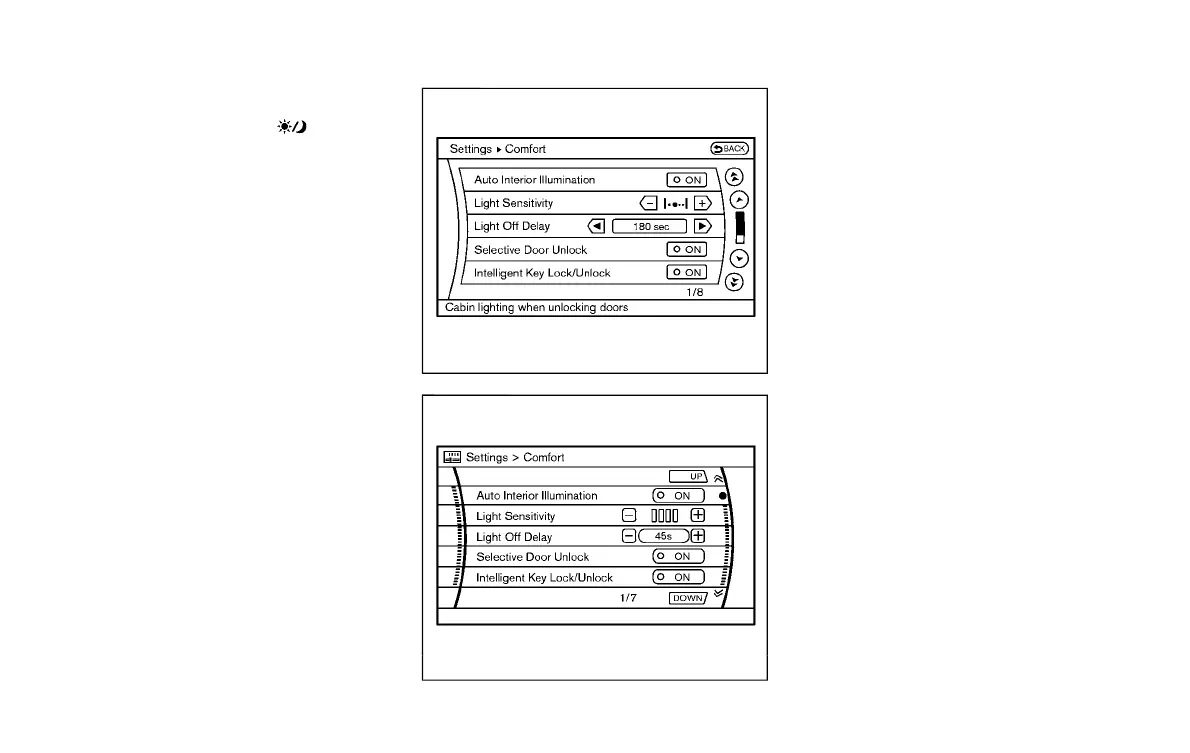
Models with navigation system
JVH0182M
Models without navigation system
Comfort settings
Y51D-V-E01-A36015FC-1163-41D7-A9C8-9288FFB08258
Models with navigation system
The display as illustrated will appear when
pushing the SETTING button and selecting
the “Others” key, and then selecting the
“Comfort” key. This key does not appear on
the display until the ignition switch is
pushed to the ON position.
Models without navigation system
The display as illustrated will appear when
pushing the SETTING button and selecting
the “Comfort” key. This key does not
appear on the display until the ignition
switch is pushed to the ON position.
Auto Interior Illumination:
Y51D-V-E01-52455F7C-90A9-4422-B7BA-01FEF1FCBA03
When this item is turned to ON, the interior
lights will illuminate if any door is un-
locked.
Light Sensitivity:
Y51D-V-E01-737EDBC4-D43B-4EE4-AE13-D702E03254C3
Adjust the sensitivity of the automatic
headlights higher (right) or lower (left).
Lift Steering Wheel on Exit:
Y51D-V-E01-A83A5404-2CAC-4EF3-B103-1A779ABF9445
When this item is turned to ON, the
steering wheel moves upward for easy exit
if the ignition switch is in the LOCK position
and the driver’s door is opened. After
getting into the vehicle and pushing the
Monitor, climate, audio, phone and voice recognition systems 4-21
Condition:


 To Next Page
 Loading...
