[ Edit: 2016/ 8/ 1 Model: 2017MY INFINITI Q70(Y51) OM17E00Y51U0 ]
4-22 Monitor, climate, audio, phone and voice recognition systems
ignition switch to the ACC position, the
steering wheel moves to the previous
position.
Slide Driver Seat Back on Exit:
Y51D-V-E01-432A8EC8-8350-468F-9ABD-6BF929F171F3
When this item is turned to ON, the driver’s
seat moves backward for easy exit if the
ignition switch is in the OFF position and
the driver’s door is opened. After getting
into the vehicle and pushing the ignition
switch to the ACC position, the driver’s seat
moves to the previous position.
Light Off Delay:
Y51D-V-E01-439F0D48-5274-4271-BE39-5FF3A19CCCED
Choose the duration of the automatic
headlight off timer from 0, 30, 45, 60, 90,
120, 150 and 180 second periods.
Selective Door Unlock:
Y51D-V-E01-733C47A2-9C8B-4907-BD1F-EA36B43B3506
When this item is turned to ON, only the
driver’s door is unlocked first after the door
unlock operation. When the door handle
request switch on the driver’s or front
passenger’s side door is pushed to be
unlocked, only the corresponding door is
unlocked first. All the doors can be
unlocked if the door unlock operation is
performed again within 60 seconds.
When this item is turned to OFF, all the
doors will be unlocked after the door
unlock operation is performed once.
Intelligent Key Lock/Unlock:
Y51D-V-E01-362E5F93-BAD1-40BE-A0A3-88C22E518266
When this item is turned to ON, door lock/
unlock function by pushing the door
handle request switch will be activated.
Return All Settings to Default:
Y51D-V-E01-297B049F-2383-4CD3-8923-3EE1637AA531
Select this item and then select “YES” to
return all settings to the default.
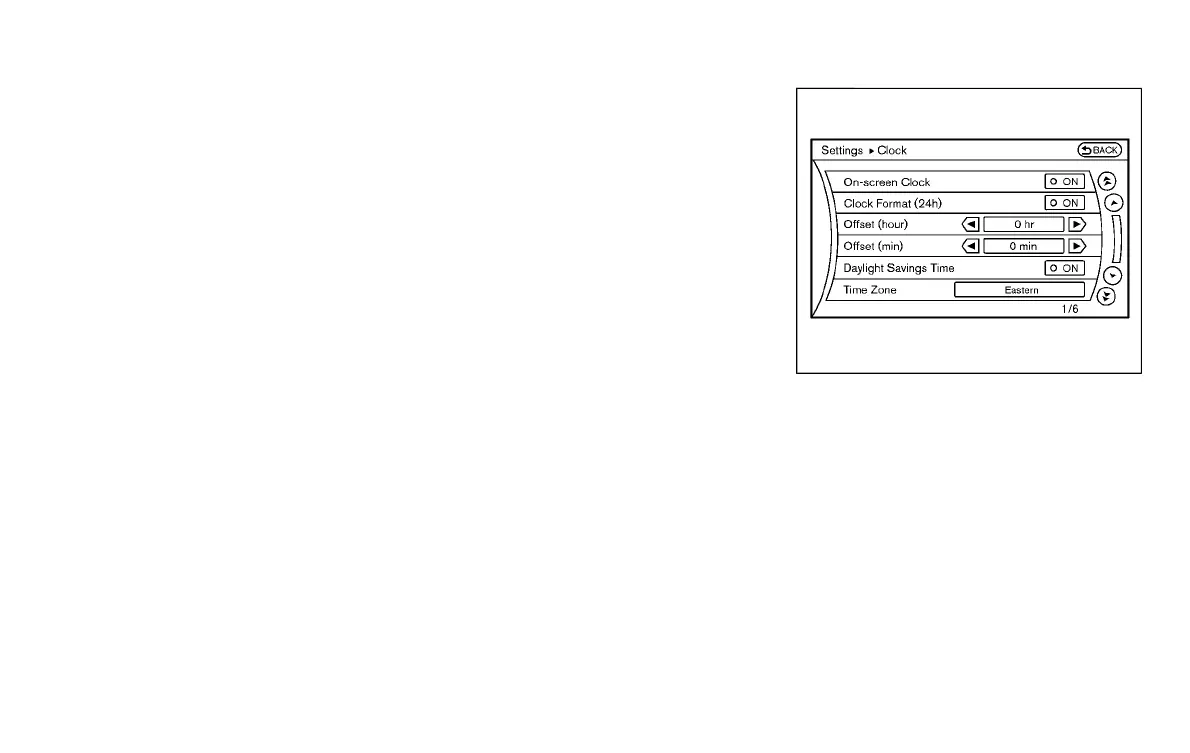
SAA2487
Clock settings (models with navi-
gation system)
Y51D-V-E01-E6FAD8A8-BCC6-475B-8EC5-49DCCF5A5B85
The display as illustrated will appear when
pushing the SETTING button and selecting
the “Others” key, and then selecting the
“Clock” key.
The clock settings display cannot be
operated while driving. Stop the vehicle
in a safe place and apply the parking brake
before setting the clock.
On-screen Clock:
Y51D-V-E01-96E11086-0469-422E-9728-978F7CB34F1D
When this item is turned to ON, a clock is
always displayed in the upper right corner
of the screen.
Condition:


 To Next Page
 Loading...
