[ Edit: 2016/ 8/ 1 Model: 2017MY INFINITI Q70(Y51) OM17E00Y51U0 ]
This clock will indicate the time almost
exactly because it is always adjusted by
the GPS system.
Clock Format (24h):
Y51D-V-E01-BB734EAB-54CA-48F4-A9B0-048A7DD77CE7
When this item is turned to ON, the 24-
hour clock is displayed. When this item is
not turned to ON, the 12-hour clock is
displayed.
Offset (hour)/(min):
Y51D-V-E01-8B6F94F6-6755-4039-8AA5-4334E0B41FCF
Adjust the time by increasing or decreasing
per hour or per minute.
Daylight Saving Time:
Y51D-V-E01-E3AE0CCB-5E52-498A-AA11-CEAA64724A3F
Turn this item to ON for daylight saving
time application.
Time Zone:
Y51D-V-E01-E5A685BF-E038-4D52-8410-AFEADDD60A91
Choose the time zone from the following
. Pacific
. Mountain
. Central
. Eastern
. Atlantic
. Newfoundland
. Hawaii
. Alaska
SAA3007
Models with navigation system
JVH0252X
Models without navigation system
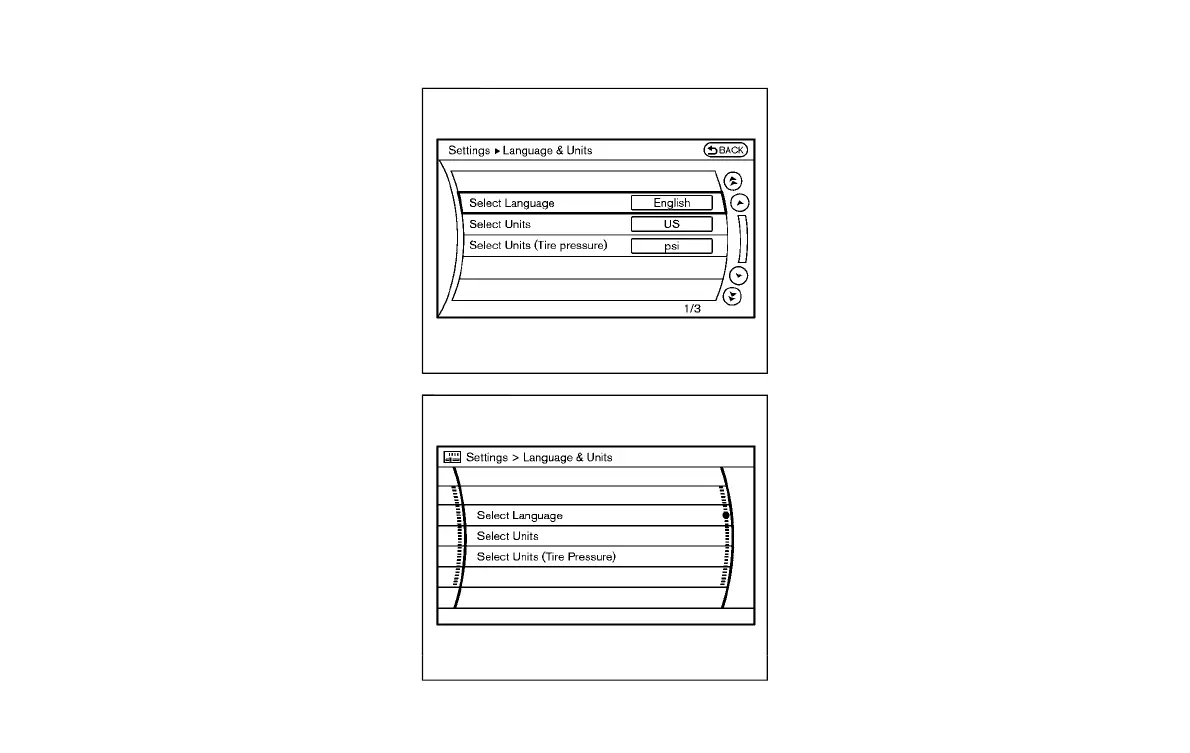
Language & Units settings
Y51D-V-E01-FBC62E90-06CF-4243-A640-AD24151C5FF8
The Language & Units settings display will
appear when pushing the SETTING button,
selecting the “Language & Units” key with
the INFINITI controller and pushing the
ENTER button.
For models with the navigation system,
select the “Others” key to show the
“Language & Units” key.
Select Language:
Y51D-V-E01-D0B07492-3F84-4808-BBCC-30BE3081F227
Select the “Select Language” key. Choose
“English”, “Français” or “Español” for your
favorite display appearance.
If you select the “Français” key, the French
language will be displayed, so please use
the French Owner’s Manual. To obtain a
French Owner’s Manual, see “Owner’s
Manual/Service Manual order information”
(P.10-24).
Select Units:
Y51D-V-E01-69C4AED4-C554-475E-8FF1-8DD928794244
Select the “Select Units” key. Choose “US”
(Mile, 8F, MPG) or “Metric” (km, 8C, L/100
km) for your favorite display appearance.
Select Units (Tire Pressure):
Y51D-V-E01-464CD60A-0BD9-447F-8BA1-C8ED421E4C40
Choose the “Select Units (Tire Pressure)”
key and push the ENTER button. From the
following display, select “kPa” or “psi”.
Monitor, climate, audio, phone and voice recognition systems 4-23
Condition:


 To Next Page
 Loading...
