[ Edit: 2016/ 8/ 1 Model: 2017MY INFINITI Q70(Y51) OM17E00Y51U0 ]
4-26 Monitor, climate, audio, phone and voice recognition systems
Y51D-V-E01-271DBDA3-B643-4EE3-8C00-86C5980EDFB3
WARNING
Failure to follow the warnings and instruc-
tions for proper use of the RearView Monitor
system could result in serious injury or
death.
. The RearView Monitor is a convenience
but it is not a substitute for proper
backing. Always turn and look out the
windows, and check mirrors to be sure
that it is safe to move before operating
the vehicle. Always back up slowly.
. The system is designed as an aid to the
driver in showing large stationary ob-
jects directly behind the vehicle, to help
avoid damaging the vehicle.
. The distance guide line and the vehicle
width line should be used as a reference
only when the vehicle is on a level paved
surface. The distance viewed on the
monitor is for reference only and may
be different than the actual distance
between the vehicle and displayed ob-
jects.
CAUTION
Do not scratch the camera lens when
cleaning dirt or snow from the front of the
camera.
The RearView Monitor system automati-
cally shows a rear view of the vehicle when
the shift lever is placed in the “R” (Reverse)
position.
The radio can still be heard while the
RearView Monitor is active.
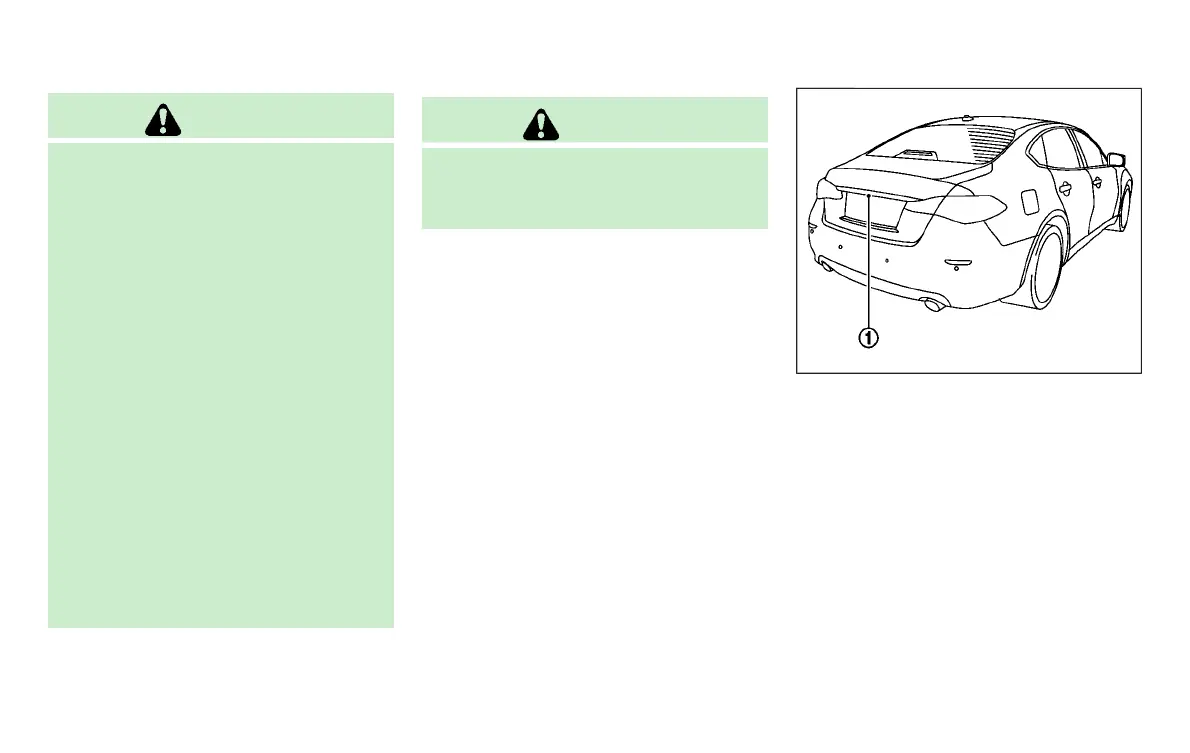
JVH1267X
To display the rear view, the RearView
Monitor system uses a camera located just
above the vehicle’s license plate
*
1
.
REARVIEW MONITOR SYSTEM OP-
ERATION
GUID-1DAF2BD7-F327-4291-AB2A-526540EAF772
With the ignition switch in the ON position,
move the shift lever to the “R” (Reverse)
position to operate the RearView Monitor.
REARVIEW MONITOR (if so equipped)
Condition:



 To Next Page