[ Edit: 2016/ 8/ 1 Model: 2017MY INFINITI Q70(Y51) OM17E00Y51U0 ]
The four corners of the vehicle in
particular, are areas where objects do
not always appear in the bird’s-eye,
front, or rear views. Always check your
surroundings to be sure that it is safe to
move before operating the vehicle. Al-
ways operate the vehicle slowly. Always
look out the windows and check mirrors
to be sure that it is safe to move.
. The driver is always responsible for
safety during parking and other maneu-
vers.
CAUTION
Do not scratch the lens when cleaning dirt or
snow from the front of the camera.
The Around View
®
Monitor system is
designed as an aid to the driver in
situations such as slot parking or parallel
parking.
The monitor displays various views of the
position of the vehicle in a split screen
format. All views are not available at all
times.
Available views:
. Front view
An approximately 150-degree view of
the front of the vehicle.
. Rear view
An approximately 150-degree view of
the rear of the vehicle.
. Bird’s-eye view
The surrounding view of the vehicle
from above.
. Front-side view
The view around and ahead of the front
passenger’s side wheel.
. Front-wide view
An approximately 180-degree view of
the front of the vehicle.
. Rear-wide view
An approximately 180-degree view of
the rear of the vehicle.
JVH1271X
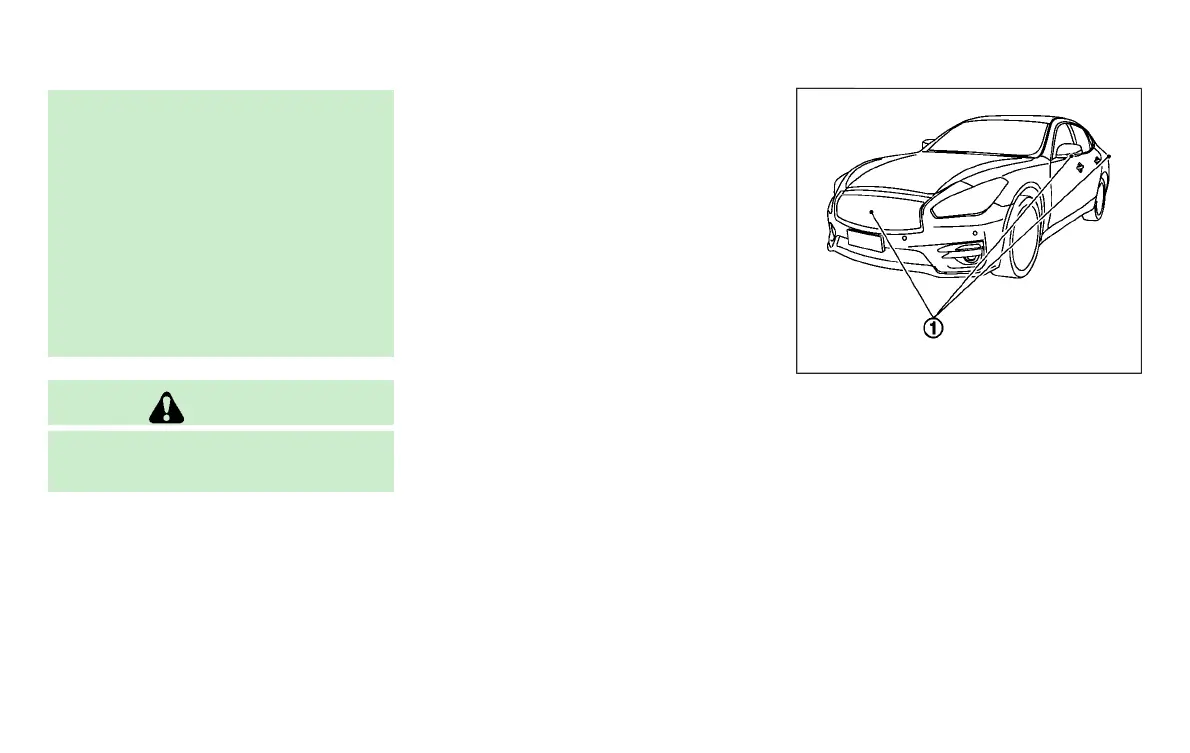
To display the multiple views, the Around
View
®
Monitor system uses cameras
*
1
located in the front grill, on the vehicle’s
outside mirrors and one just above the
vehicle’s license plate.
AROUND VIEW
®
MONITOR SYSTEM
OPERATION
GUID-2144C27A-684B-4102-AD2D-8F4B5963A9FA
With the ignition switch in the ON position,
move the shift lever to the “R” (Reverse)
position or press the CAMERA button to
operate the Around View
®
Monitor.
Monitor, climate, audio, phone and voice recognition systems 4-33
Condition:


 To Next Page
 Loading...
