versing featureisonlyanaid and is no substi-
tute for your attention when closing aside win-
dow.
WARNING
The reversing function does not react:
•
To soft, light and thin objects, e.g. smallfingers
•
While resetting
This meansthatthe reversing featurecannot prevent
someonebeing trapped in these situations. There is a
risk of injur y.
When closing. make sure that no parts of the body are
in the closing area.Ifsomeone becomes trapped,
pressthe switch to open the side window again.
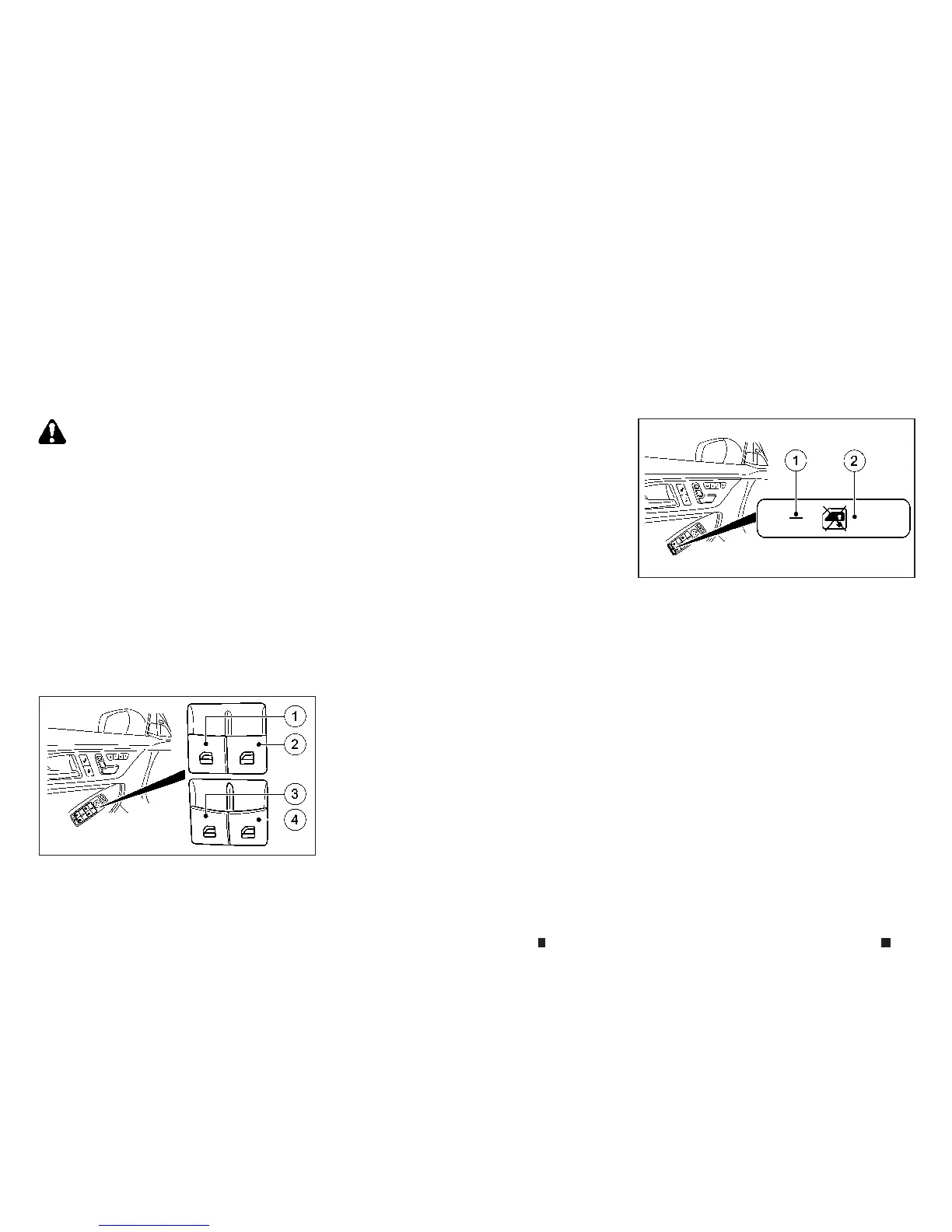
Driver’s window switch
The power windows operate when the ignition
switch is in the ON position.
1.
Front left side window
2.
Frontright side window
3.
Rearleft side window
4.
Rearright side window
The driver’s switch,the main switch,can control
allwindows.
•
To open manually: pressand hold the correspond-
ing button.
•
To open fully: pressthe button beyond the point of
resistancetothe second detent and releaseit. Au-
tomatic operationisstarted.
•
To close manually: pullthe corresponding button
and hold it.
•
To close fully: pullthe button beyond the point of
resistanceand releaseit. Automatic operation is
started.
•
To interrupt automatic operation: press/pullthe
corresponding switch again.
NOTE
•
If youpress/pullthe switch beyond the point of
resistance, automatic operation is started in the
corresponding direction. Youcan stop automatic
operation by pressing/pulling again.
•
Youcan continue to operate the side windows af-
ter switching off the engine or removing the key.
Thisfunction remainsactive forfive minutesor un-
til the driver’s or front-passenger door is opened.
•
Theside windowscannotbeoperated from therear
when the override feature forthe side windows is
activated.
Locking rear side windows:
To enable/disablethe override feature forthe
rearside windows, pressbutton
j
2.If indicator
lamp
j
1islit, operation of the rear side win-
dowsisdisabled. Operation is only possibleus-
ing the switches in the driver’s door.Ifindicator
lamp
j
1isoff,operation is possibleusing the
switches in the rear compartment.
NIC2715
NIC2716
2-66 Instruments and controls


 To Next Page
 Loading...