Acheckwhichperiodically establishes aradio
connection between the vehicle and the keyde-
termines whetheravalid keyisinthe vehicle.
Thisoccurs, for example:
•
When starting the engine.
•
Whilst driving.
•
When external door handles are touched.
•
During convenienceclosing
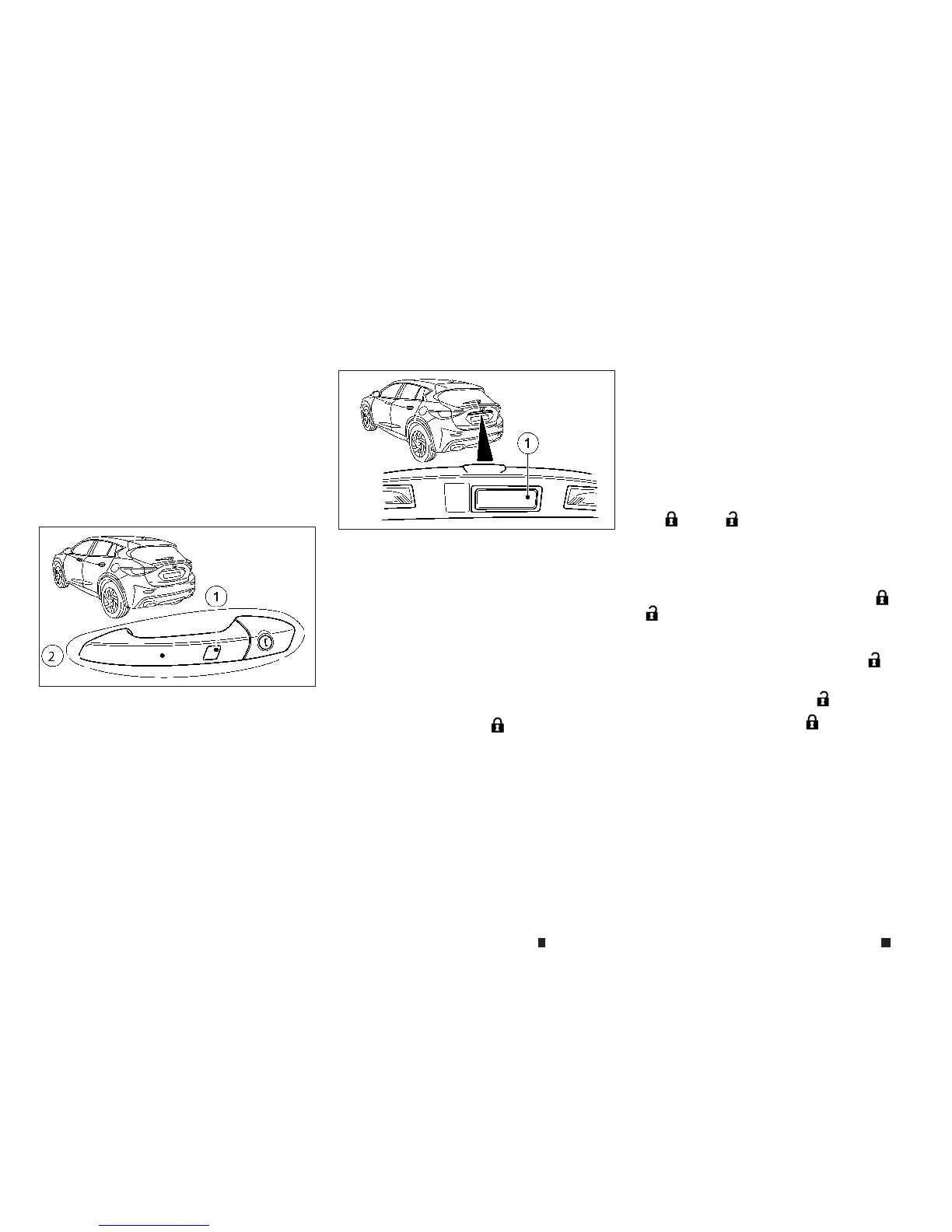
To unlockthe vehicle: touch the inner surface of
the doorhandle.
To lockthe vehicle: touch sensor surface
j
1.or
j
2.
Makesure that youdonot touchthe inner sur-
face of the door handle.
Convenienceclosingfeature: touchrecessed
sensor surface
j
1for an extended period. (See
“Convenienceclosing feature” in the “2. Instruments
and controls” section
).
To unlockthe backdoor:pressthe backdoor
switch
j
1.
Deactivating and activating
If youdonot intend to usethe vehicle for an
extended period of time, youcan deactivate the
Intelligent Key. The keywillthen useverylittle
power, therebyconserving batterypower.For
the purposes of activation/deactivation, the ve-
hicle does not
ha
ve to be nearb
y.
To
deactivate:
pres
st
he
m
button on thekey
twiceinrapid successionThe batterychecklamp
of the keylights up twicebriefly and Intelligent
Keyisdeactivated.
To activate: pressany button on the keyorin-
sert the keyinto the ignition lock. The Intelli-
ge
nt
Ke
ya
nd al
lofi
ts
ass
ociated
fe
ature
sa
re
availableagain.
CHANGING THE SETTINGS OF THE
LOCKING SYSTEM
Youcan changethe settings of the locking sys-
tem. This meansthatonlythe driver’s door and
thefuel-fillerlid are unlockedwhen the vehicle
is unlocked. Thisisuseful if youfrequently travel
alone.
To changethe setting: simultaneously press
the
m
and
m
buttons forapproximately 6
seconds.
NOTE
If the setting of the locking system is changed within
the signal rangeofthe vehicle, pressing the
m
and
m
button will lockorunlockthe vehicle.
Thekey nowfunctionsasfollows:
To unlockthe driver’s door: pressthe
m
but-
ton once.
To unlockcentrally:pressthe
m
buttontwice.
To lockcentrally: pressthe
m
button.
TheIntelligent keyfunction is changed as fol-
lows:
To unlockthe driver’s door: touch the inner sur-
face of the door handle on the driver’s door.
To unlockcentrally: touchthe inner surface of
thedoor handle on the front passenger door or
the rear door.
NPA1489
NPA1479
3-4 Pre-driving checks and adjustments


 To Next Page
 Loading...