•
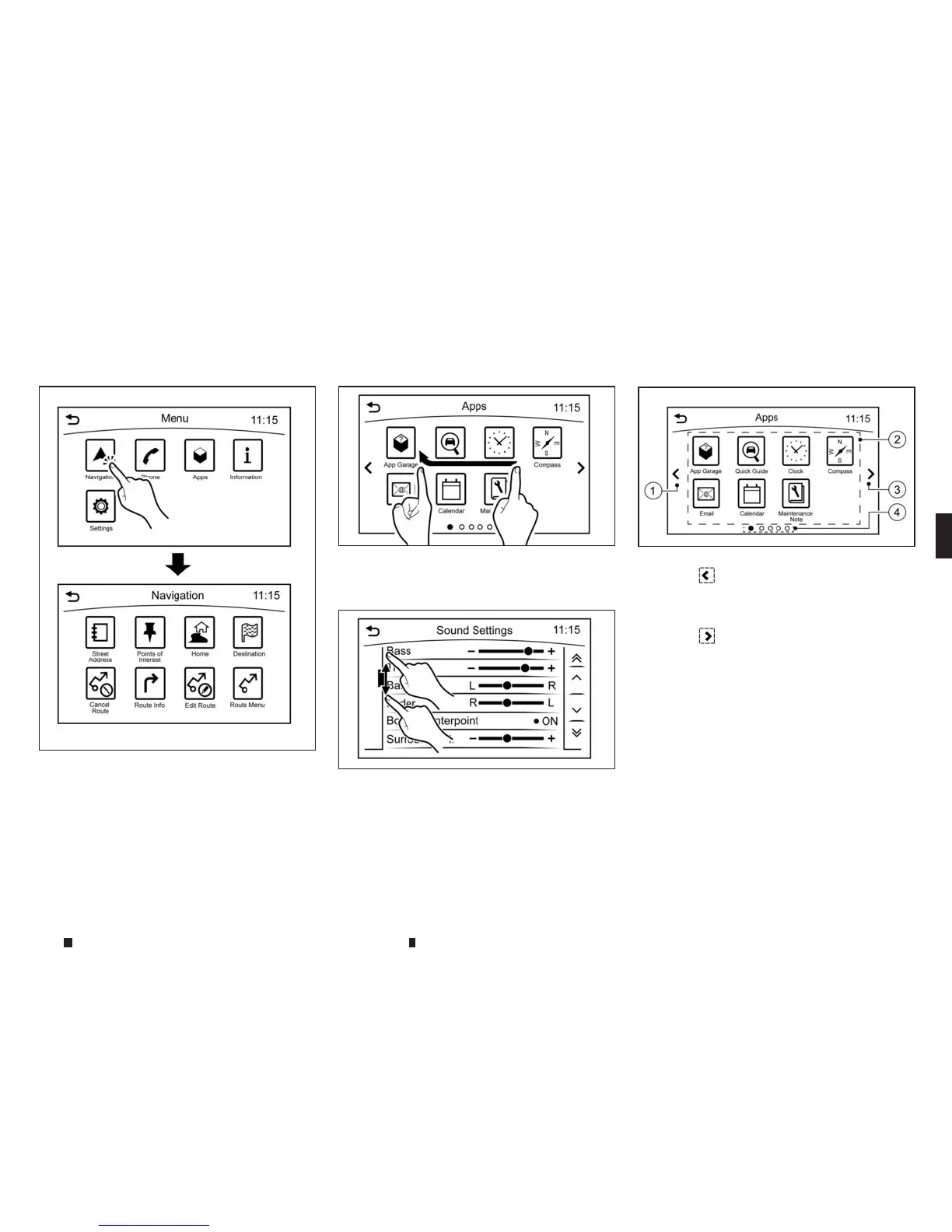
Touch
Select andexecute the selected keyonthe
screen.
•
Swipe
Menu screen pageswillskiptothe next page.
•
Drag
Drag the scrollbar upor down to scrollthe menu
screen.
OPERATING MENU SCREEN
j
1Touch
m
to scroll to the previous page.
j
2
Touchthe preferred icon to execute afunc-
tion and display the next screen.
j
3
Touch
m
to scroll to the next page.
j
4
Indicates the position of the currently
displayed page out of the totalnumber of
availablepages.
Aswipe gesture canalso be used to move
quicklybetween screens.
NAA1647
NAA1648
NAA1649
NAA1629
Display screen, heater and air conditioner,and audio system 4-5


 To Next Page
 Loading...