SCROLLING MESSAGE OR LIST
j
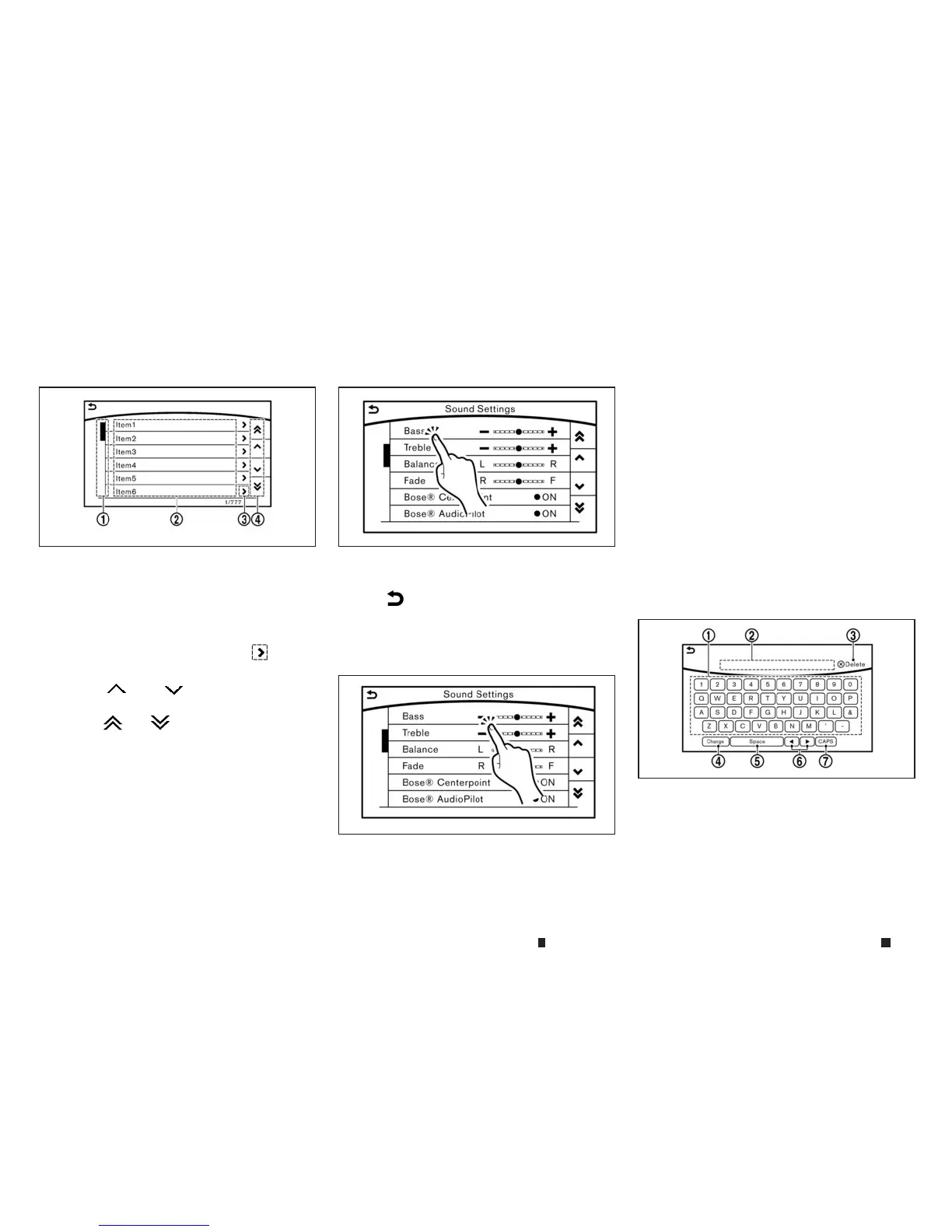
1Drag the scroll barupordown to scroll the
messageorlistupordown.
j
2
Touchthe preferred item.
j
3
If alisted item name is not completely
displayed (due to length), touch
m
to
display the hidden partofthe name.
j
4
Touch[
m
]or[
m
]toscroll the mes-
sage or list one item at atime.
Touch[
m
]or[
m
]toskiptothe next
page.
SELECTING ITEM
Touchanitem to select it.
Touch[
m
]toreturn to the previousscreen.
ADJUSTING VOLUME AND SETTINGS
Level of volume, brightness, etc. canbe
adjusted.
Touchadjustment keys,suchas[+]/[-], [L]/[R],
etc.,toadjust each item. Eachtime akey is
touched, the indicator moves along the bar.
HOWTOINPUT LETTERS AND
NUMBERS
The keyboard screen differs depending on the
modeland specification.
Character(lettersand numbers) input
screen
Alphanumeric characters canbeentered using
the keyboard.
The designsand the displayed items mayvary
depending onthe type of screen.
j
1
Touchacharacter on the displayed
keyboard. The selected character is
entered.
j
2
Enteredcharacters aredisplayed.
5GH0030XZ 5GH0228XZ
5GH0229XZ
5GH0130XZ
4-6 Displayscreen, heater and air conditioner,and audio system


 To Next Page
 Loading...