j
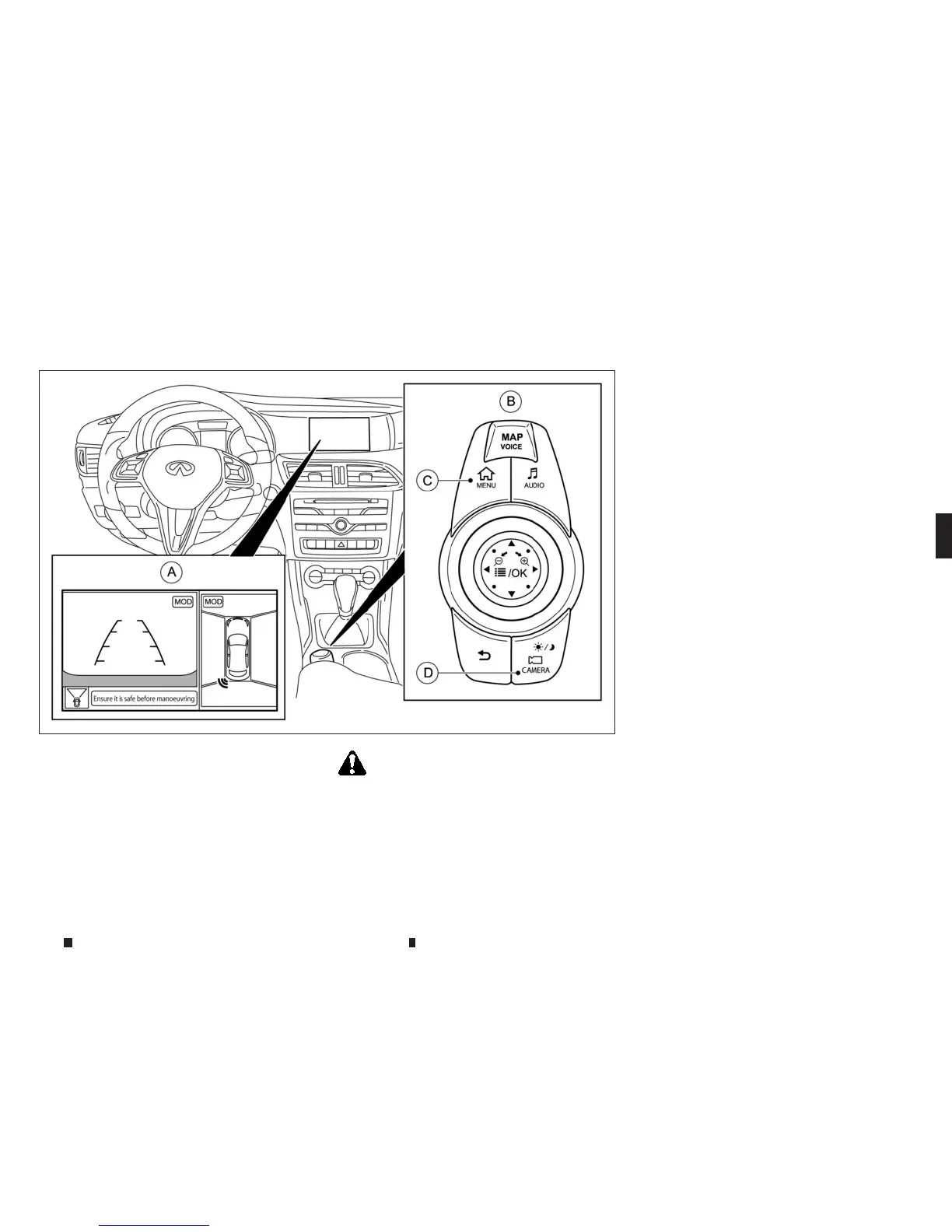
AAround View Monitor display
j
B
INFINITI controller
j
C
<MENU> button
j
D
<CAMERA> button
WARNING
Failure to follow the warnings and instructionsfor the
proper useofthe Around View Monitor system could
result in serious injuryordeath.
•
The Around View Monitor is aconvenient feature
but it is not asubstitute forproper vehicle opera-
tion because it has areas where objects cannot be
viewed. The four corners of the vehicle in particu-
lar, are areas where objects do not alwaysappear
in thebird’s-eye, front,or rearviews. Alwayscheck
your surroundingsto be sure thatit is safe to move
before operatingthe vehicle. Always operate the
vehicle slowly. Always look out the windows and
checkmirrors to be sure that it is safe to move.
•
The driver is alwaysresponsiblefor safety during
parking and other manoeuvres.
CAUTION
Do not scratch the lenswhen cleaning dirtorsnow
from thefront of the camera.
The AroundView Monitor system is designedas
an aid to the driver in situationssuchasslot
parking or parallel parking.
The monitor displaysvariousviews ofthe posi-
tion of the vehicle in asplit screen format.All
views are not availableatall times.
Availableviews:
•
Front View
An approximately 150-degree view of the
frontofthe vehicle.
•
RearView
An approximately150-degree viewof the rear
of the vehicle.
•
Bird’s-EyeView
The surrounding view of the vehicle.
NSD622
AROUND VIEWMONITOR (where fitted)
Displayscreen, heater and air conditioner,and audio system 4-21


 To Next Page
 Loading...