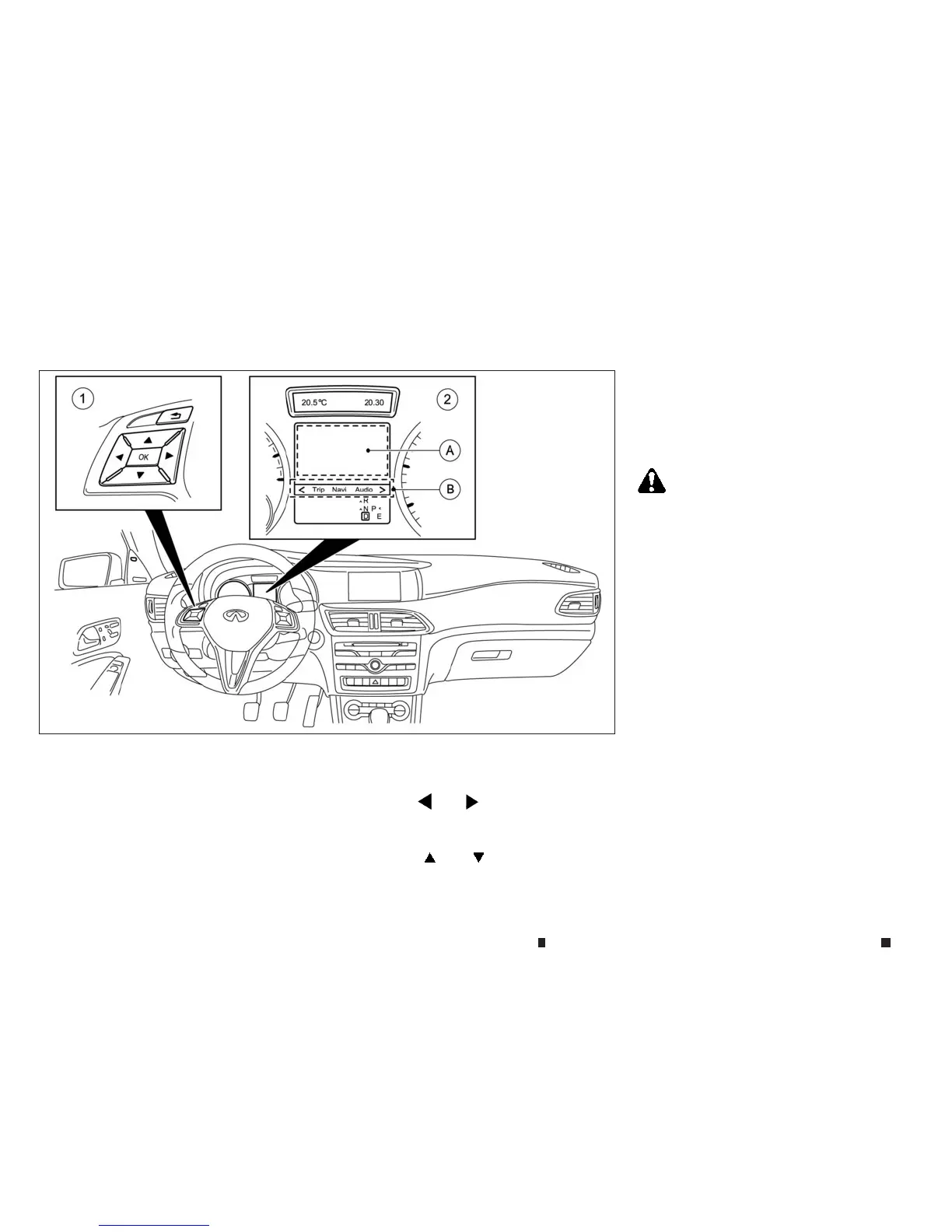
HOWTOENABLE/DISABLE THE BSW
SYSTEM
j
1
Steering wheelmounted controls (leftside)
j
2
Vehicle information display
j
A
Display area
j
B
MENU bar
To enable/disablethe BSWsystem, usethe fol-
lowing procedure:
1. Pressthe
m
or
m
buttononthe steering
wheel
j
1toselect the [Assist.]menu on the
Menu bar
j
B.
2. Pressthe
m
or
m
button
j
1toselect
Blind Spot Warning.
3. Pressthe <OK> button on thesteering wheel
j
1.The current selection is displayed.
4. To activate/deactivate BSW: pressthe <OK>
button
j
1again.
BSWSYSTEM LIMITATIONS
WARNING
Listed beloware the system limitationsfor the BSW
system.Failure to operate the vehicle in accordance
with these system limitationscould result in serious
injuryordeath.
•
TheBSW system cannot detect allvehicles under
allconditions.
•
The radar sensors maynot be able to detect and
activate BSWwhen certain objects are present
suchas:
– Pedestrians, bicycles, or animals.
– Vehicles suchasmotorcycles, lowheight
vehicles,orhigh ground clearance
vehicles.
– Oncoming vehicles.
– Vehicles remaining in the detection zone
when youacceleratefrom astop.
– Avehicle merging into anadjacent lane
at aspeed approximately the same as
yo
ur vehicle.
–
Av
ehicle that
is
too
cl
ose to
yo
ur vehicle.
NSD626
5-32 Startingand driving



 To Next Page