The [Audio] and [Navi] menusdiffer slightly in
vehicles with an audio system and in vehicles
with anavigation system.The examples given in
thisOwner’s Manual applyto vehicles equipped
with navigation.
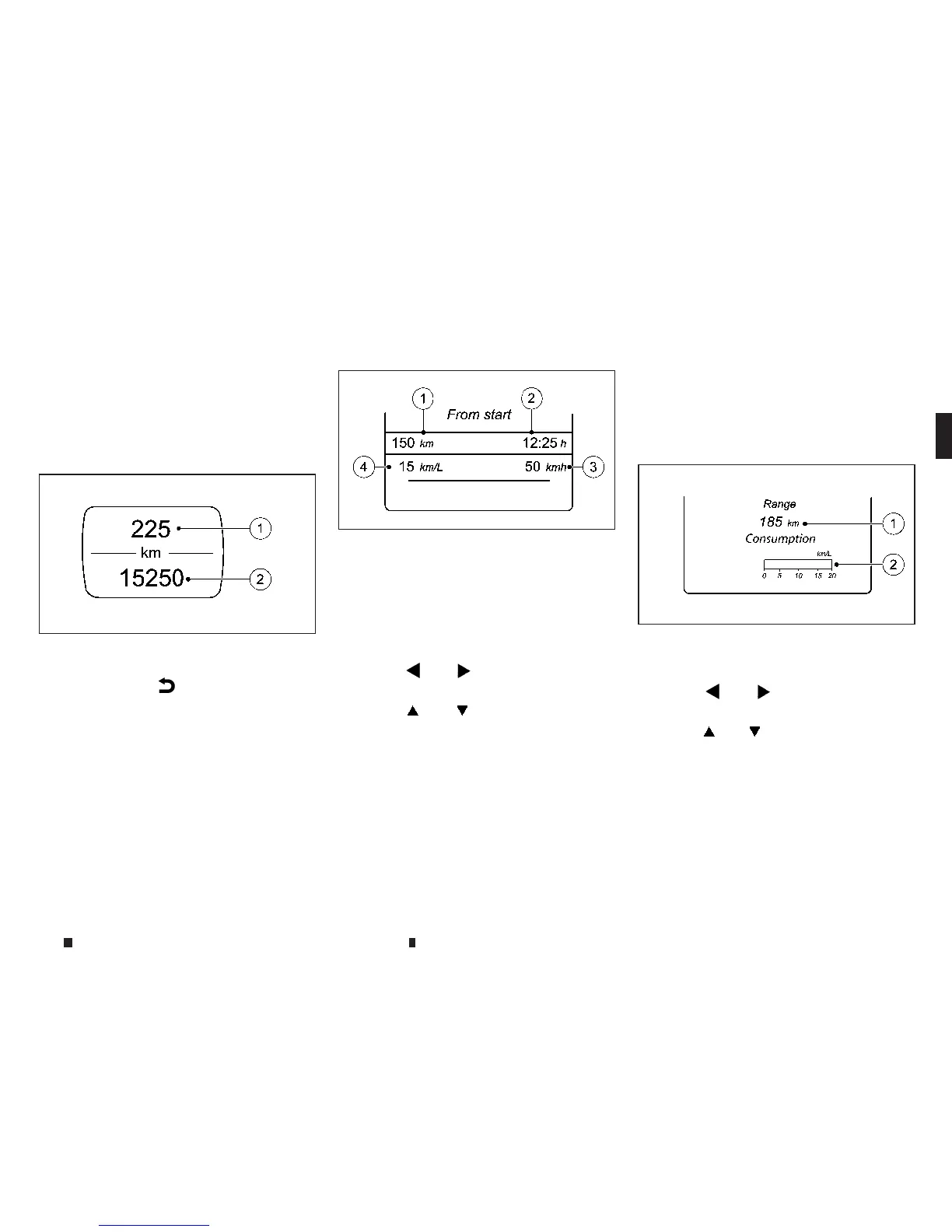
[Trip] menu
Standard display:
Press and hold the
m
button on thesteering
wheeluntil the [Trip] menu with trip meter
j
1
and total distancerecorder
j
2isshown.
Trip computer [From start] or [From reset]:
j
1
Distance
j
2
Drivingtime
j
3
Average speed
j
4
Averagefuel consumption
Pressthe
m
or
m
buttononthe steering
wheeltoselect the [Trip] menu.
Pressthe
m
or
m
button to select [From
start] or [Fromreset].
The values in the [From start] submenu are cal-
culatedfrom the startofajourney whilst the val-
ues in the [From reset] submenu are calculated
from thelasttime the submenu was reset.
The [From start] trip computer is automatically
reset when:
•
The ignition has been switched off for more than
four hours.
•
999 hours have been exceeded.
•
9999 kilometres have been exceeded.
The[From reset] trip computer is automatically
resetifthe value exceeds 9999 hours or 99999
kilometres.
Displaying the rangeand current fuel
consumption:
Pressthe
m
or
m
buttononthe steering
wheeltoselect the [Trip] menu.
Pressthe
m
or
m
button to select approxi-
mate range
j
1and current fuel consumption
j
2.
Approximate range
j
1thatcan be covered is
calculated according to your current driving
styleand the amount of fuel in the tank. If there
is only asmall amount of fuel left in the fuel
tank,the displayshowsavehicle beingrefuelled
instead of approximate range
j
1.
NIC2753
NIC2711
NIC2713
Instrumentsand controls 2-13


 To Next Page
 Loading...