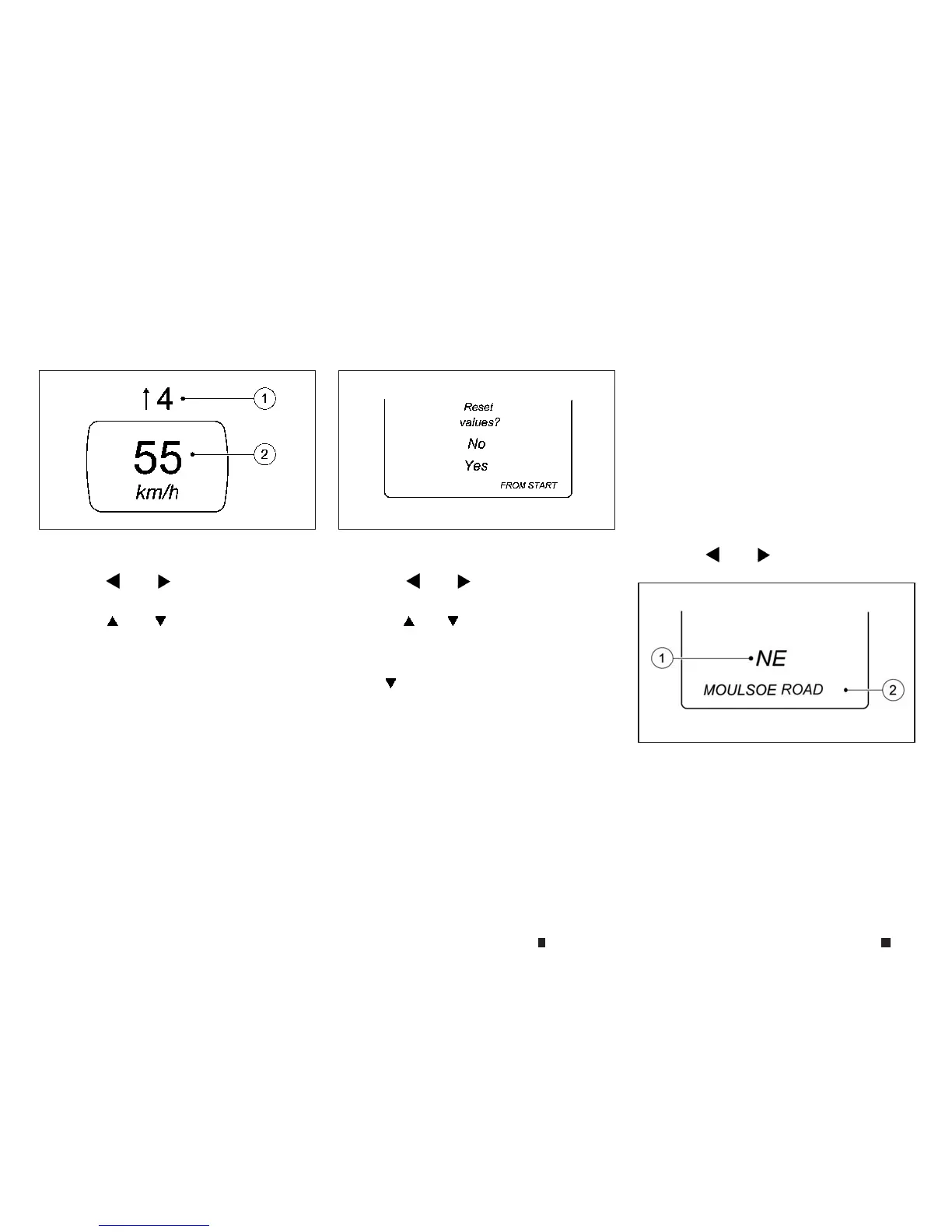
Digital speedometer:
Pressthe
m
or
m
buttononthe steering
wheeltoselect the [Trip] menu.
Pressthe
m
or
m
button to select digital
speedometer
j
2.
Agearshift recommendation
j
1can also be dis-
played.
Observe the information on gearshift recom-
mendation
j
1for manual transmission (see
“Driving with manual transmission” in the “5. Starting
and driving” section
)orfor automatic transmis-
sion (shifting manually) (see
“Driving with Auto-
matic Transmission” in the “5. Starting anddriving”
section
).
Re
setting values:
Press the
m
or
m
buttononthe steering
wheeltoselect the [Trip] menu.
Pressthe
m
or
m
button to select the func-
tionthatyou wishtoreset.
Pressthe <OK> button.
Select
m
[Yes] and press<OK> to confirm.
Youcan reset the values of the followingfunc-
tions:
•
Trip meter
•
[From start] tripcomputer
•
[From reset] trip computer
Navigation menu ([Navi])
Displaying navigation instructions:
In the [Navi]menu, the vehicle information dis-
play showsnavigation instructions.
Youcan find further information on navigation
in the audiosystem or navigation system oper-
atinginstructions.
Switch on the audio system or navigation sys-
tem.
Pressthe
m
or
m
buttononthe steering
wheeltoselect the [Navi] menu.
Route guidancenot active:
j
1
Direction of travel
j
2
Current road
NIC2714 NIC2718
NIC2719
2-14 Instrumentsand controls



 To Next Page