49
42
35
28
21
Know your phone
1.Power o mobile.
2.To pop open the SIM tray, insert the provided SIM-eject tool
into the hole beside the tray.
3.Insert the SIM card into the SIM card slot.
4.Insert the SIM card slot and nd it in place.
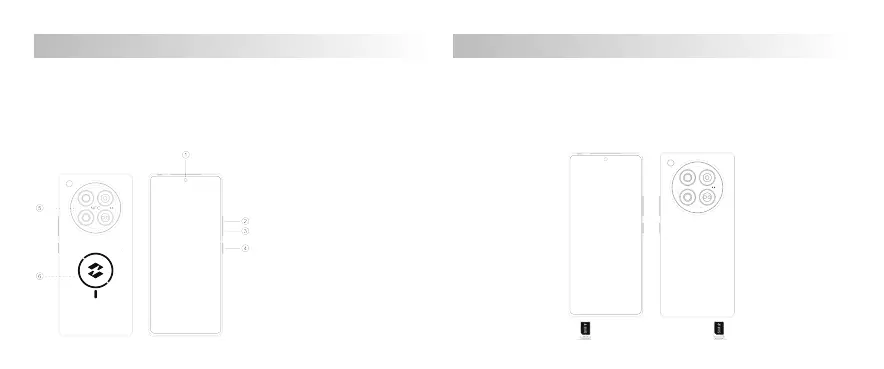
5.Refer to the following picture for SIM card installation.
1.Press and hold the power button until the display lights up to
turn on the device.
2.To turn o the device, press and hold the power button, tap
"Power O", and tap "Power O" again on the next screen.
3.To restart the device, press and hold the power button, tap
"Restart", and tap "Restart" again on the next screen.
1. Front camera
2. Volume + button
3. Volume - button
4. Power button
5. NFC
6. Wireless charging
SIM card installation
01 02 03 04 05 06
07
08 09 10 11 12 13
14
15 16 17 18 19 20
22 23 24 25 26 27
29 30 31 32 33 34
36 37 38 39 40 41
43 44 45 46
47
48



 To Next Page