Need help?
Do you have a question about the InfiRay AFFO Series and is the answer not in the manual?
Warnings about pointing the lens at heat sources to prevent damage.
Advice to take breaks and keep away from children due to swallowing risk.
Guidelines for careful handling, avoiding high temperatures, and power supply safety.
Information on proper disposal of batteries and electronic devices.
Defines the device's purpose for nature/hunting observation and clarifies it's not a toy.
Instructions to ensure the device is damage-free and displays a clear image before use.
States the battery is built-in and the eyeshade allows use with or without glasses.
Details detector type, resolution, pixel size, NETD, frame rate, lens, FOV, zoom, and range.
Covers display type, resolution, battery, operating time, ingress protection, weight, and dimensions.
Lists all components included in the AFFO series package.
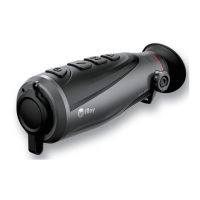
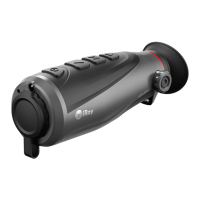
Overview of the AFFO series' outdoor capabilities, portability, and key features.
Identifies buttons like Power, Menu, Up, and Down for operation.
Describes ports (Type C, HDMI), indicators, lens cover, eyeshade, and diopter adjustment.
Details power on, power off, and standby modes for the power button.
Explains the Up, Down, and Menu buttons for navigation and menu interaction.
Covers combined button presses for specific features like zoom and rangefinder.
Step-by-step guide on how to charge the device using the USB Type-C port.
Crucial safety advice regarding battery voltage, charging temperature, and handling.
How to turn the LED light on/off when the device is powered off.
Steps to turn on the device, adjust diopter, and set image mode/brightness.
Details the three calibration modes: Automatic, Manual, and Background.
Instructions for powering off the device and putting it into standby mode.
How to use digital zoom (1x, 2x, 4x) and model-specific zoom capabilities.
Instructions on how to take a photo and understand related icons and memory status.
How to start, stop, and save video recordings, including taking photos during recording.
Steps for connecting the device to a computer for data transfer and charging.
How to connect the device via Micro HDMI to an external display for video output.
Instructions on how to enter and navigate through the device's menu system.
How to turn the Wi-Fi function on or off.
How to enable and use the PIP function for magnified views.
Steps to adjust the screen brightness from level 1 to 5.
How to select between Automatic, Manual, and Background calibration modes.
How to set the device's date in YY.MM.DD format.
How to set the device's time in HH:MM (24-hour) format.
How to select language and reset the device to factory settings.
How to view product model, SN, hardware/software versions, and core version.
How to use the rangefinder to estimate distance to objects of known size.
How to turn on and use the hotspot tracking function to find the hottest object.
How to enable and use the PIP function for magnified views.
Introduction to the built-in Wi-Fi module for mobile communication.
How to set the Wi-Fi name (SSID) and password via the InfiRay Outdoor app.
Information on updating the device software via the InfiRay Outdoor app or website.
How to download, install, and use the InfiRay Outdoor application for device management.
Recommended checks before using the monocular, including appearance and battery status.
Statement of compliance with EU directives for the AFFO series.
FCC compliance information, including ID and operating conditions.
Notes on changes, modifications, and user authority regarding FCC rules.
Guidelines for body-worn operation to comply with RF exposure limits.
The InfiRay Outdoor AFFO Series Thermal Imaging Monocular is a versatile device designed for outdoor use, capable of displaying heat signatures for nature observation, remote hunting observations, and general civil use, day or night, and in harsh weather conditions such as rain, snow, fog, and haze. It operates without requiring an external light source and can even detect targets hidden behind obstacles like branches, grass, and shrubs. The monocular is lightweight, compact, and designed for single-hand operation, offering a comfortable user experience and a rich set of functions.
The AFFO Series monocular captures thermal images using an uncooled Vox detector. It offers various image palette modes including white hot, black hot, red hot, pseudo color, and target highlight, allowing users to select the most suitable display for different scenarios. The device supports digital zoom, with the AP13 model offering 1x and 2x zoom, while the AL19 and AL25 models provide 1x, 2x, and 4x zoom.
A stadiametric rangefinder function is integrated, enabling users to estimate the approximate distance to objects of known size. Pre-defined target values for deer (1.7m high), wild boar (0.9m high), and hare (0.2m high) are provided to assist with rangefinding.
The monocular also features hotspot tracking, which automatically identifies and tracks the hottest object in the image with a blue box indicator. The Picture-in-Picture (PIP) function displays a magnified image (2x) in a separate window, allowing for detailed observation of a specific area while maintaining a view of the main image.
For documentation, the device includes a built-in 32GB memory card, supporting both photo taking and video recording. Photos and videos are saved with time-based naming, making it advisable to set the correct date and time in the menu. The device can be connected to a computer via a Type-C data cable for memory access, functioning as a flash memory card. It supports analog video output for connection to an external display via a Micro HDMI port.

 To Next Page
 General