19
Source Troubleshooting
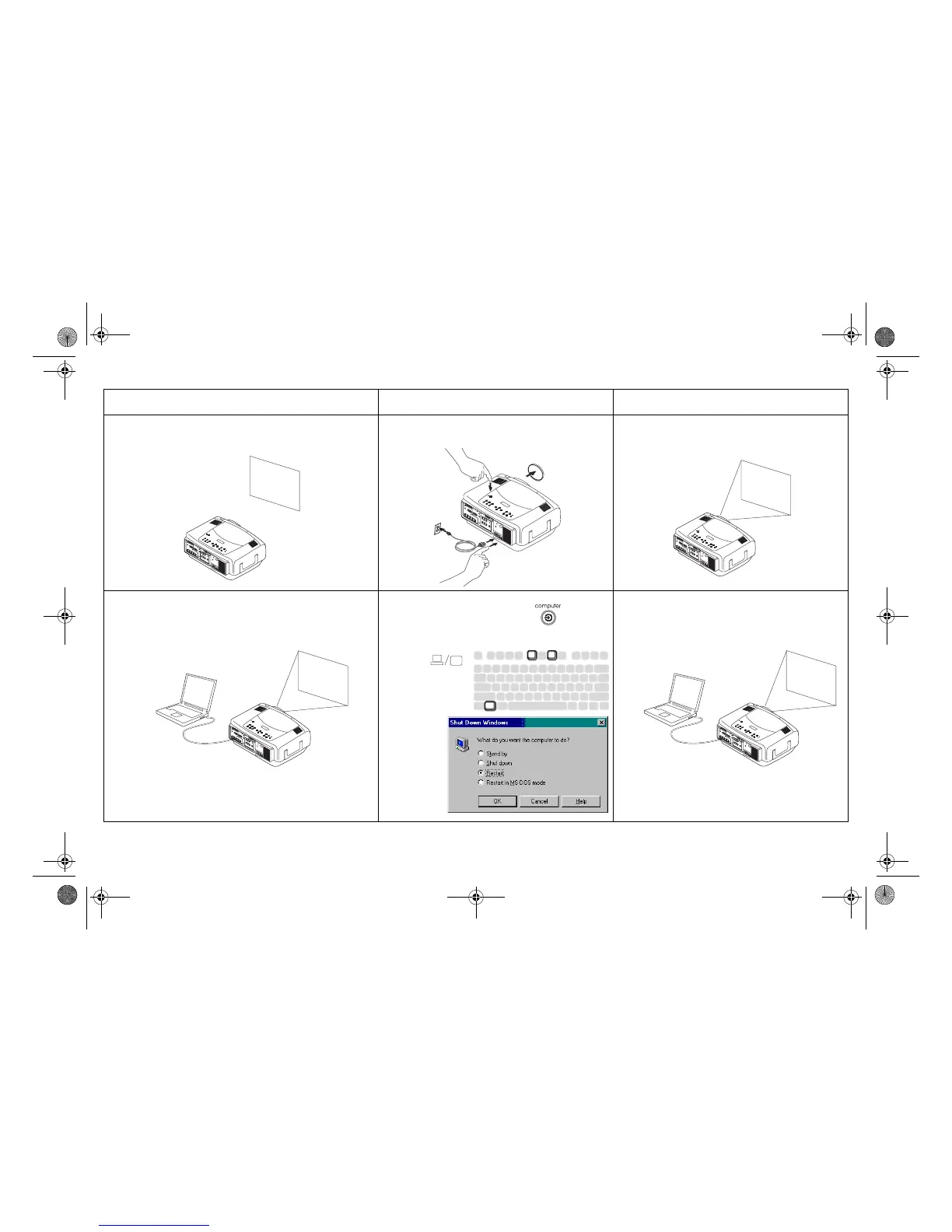
Problem Solution Result
No startup screen
Plug power cable in, press power switch,
press power button. Remove lens cap.
Correct image
Only startup screen appears
Press the Computer button
Activate laptop’s external port
Computer image projected
1
2
3
startup
screen
startup
screen
A
or restart
laptop
A
A
LP840-850-860 User's Guide-02.fm Page 19 Friday, February 25, 2005 12:58 PM



 To Next Page