6
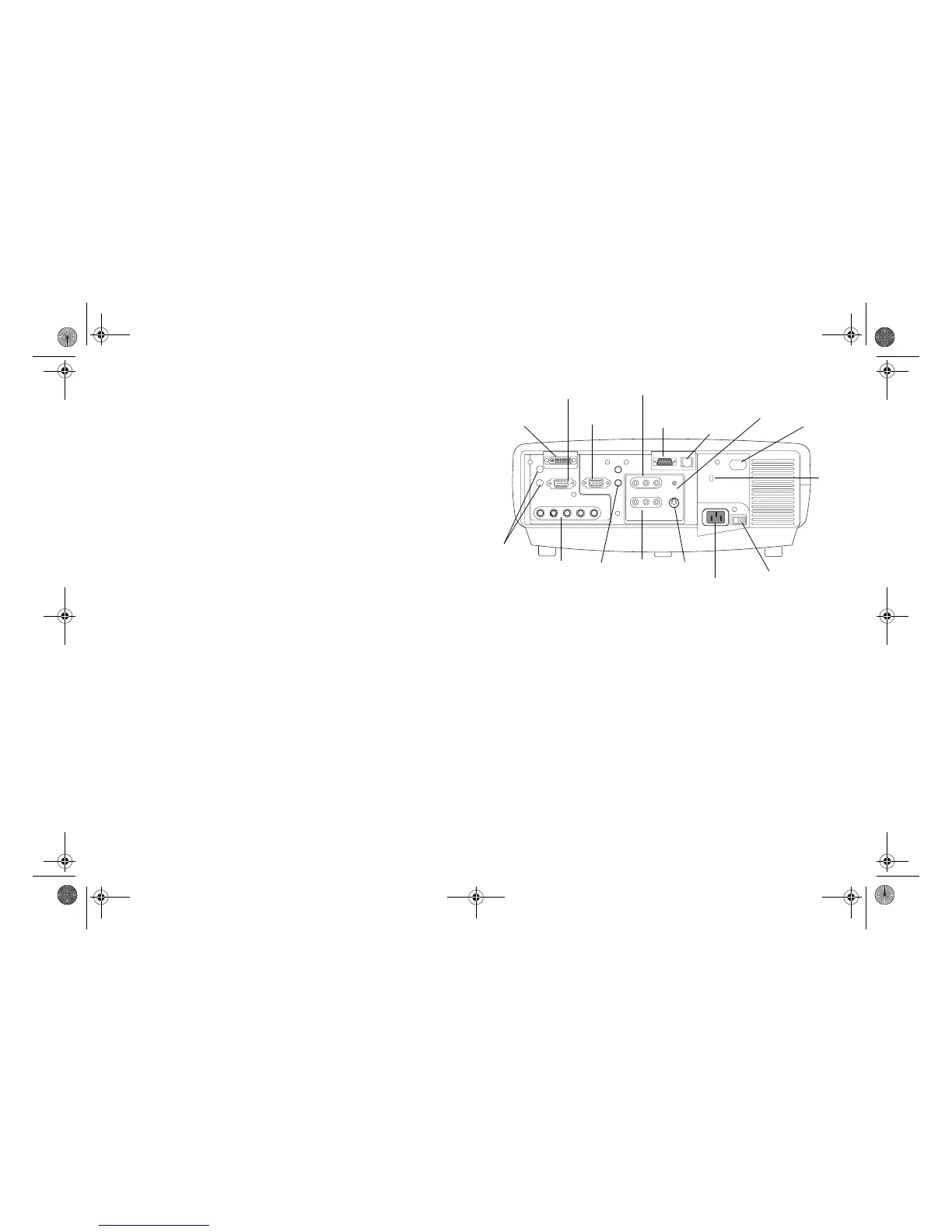
Connector Panel
The projector provides three computer and three video connection options:
• one M1-D (DVI with USB)
• one VESA computer
• one BNC (RGBHV and Pr, Pb, Y)
• one component RCA video (Pr, Pb, Y)
• one S-video
• one composite RCA video
The projector provides computer and video connectors for audio support:
• two composite RCA stereo audio (L, R)
• one audio out
• two audio ins for computer
The projector also provides the following connectors:
• one wired remote
• one monitor out
• RS-232 serial connector (for serial control)
• RJ-45 connector (for networked control via ProjectorNet software)
The RS-232 Command Line Interface (CLI) specifications and commands
are available on our website. See the back inside cover of this User’s Guide
for website information.
lock
power
connector
M1-D computer
monitor
s-video
composite
computer
audio
external
speakers
(audio out)
RJ-45
VESA computer
component video
video
power switch
BNC
RS232
serial control
wired
remote
remote
control
receiver
(IR)
LP840-850-860 User's Guide-02.fm Page 6 Friday, February 25, 2005 12:58 PM



 To Next Page