Need help?
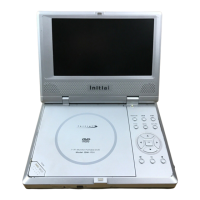
Do you have a question about the Initial IDM-830 and is the answer not in the manual?
Guidelines for connecting and using the unit with AC adaptors and batteries.
Recommendations for positioning the unit to prevent damage or malfunction.
Essential safety advice, including laser ray warnings and servicing.
Details the MPEG2 coding format and horizontal resolution capabilities.
Highlights multi-angle, multi-language, and parental lock features.
Describes the device's ability to zoom playback 2X, 3X, or 4X.
Lists various playback controls like fast forward, slow play, and frame play.
Explains how to search for specific parts on a disc.
Mentions the 8" TFT LCD and English OSD for clear content viewing.
Details analog and digital audio output connections for amplifiers.
Highlights TFT color LCD, rechargeable batteries, and headphone output.
Defines a title as the largest unit of content on a DVD.
Defines a chapter as a smaller unit within a DVD title.
Defines a track as music on a CD, searchable by number.
Pre-connection checks for power and cable security.
Instructions for connecting the unit to power via AC adapter.
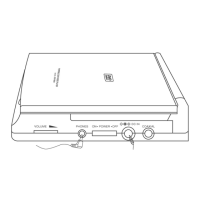
Steps for connecting headphones to the unit's jack.
Steps for connecting the player to a TV using AV cables.
Guide for connecting the player to a TV and amplifier.
Instructions on removing the shipping strap and operating the remote.
Lists types of discs (DVD, CD, MP3) and their playing times.
Steps to power up the unit and adjust volume.
Instructions on opening the disc tray and loading a disc.
Guide to adjusting brightness, color, and display mode.
Basic steps to play, stop, and remove discs.
Explains how to use the OSD for playback features.
How to change audio/subtitle language, select titles and chapters.
Changing camera angles, setting title/chapter time, and repeat features.
Cancelling repeat, shifting time display, selecting tracks, and repeat options.
How to navigate DVD menus and select titles/chapters.
How to select tracks on a CD using number buttons.
Guide to navigating player menus like General, Audio, and Preferences.
Settings for TV display, SPDIF output, captions, and screen saver.
Options for normal and wide-screen TV display modes.
Configuration for digital audio output modes.
Options to show or hide subtitles.
How to enable or disable the screen saver feature.
Access point to audio configuration options.
Settings for speaker output modes like LT/RT and STEREO.
How to select graphic equalizer patterns for music genres.
Settings for dual mono and DRC (Dynamic Range Compression).
Settings for virtual surround and reverb modes.
How to set and change the player's password for parental control.
Settings for language, subtitle, disc menu, and parental control rating.
How to output spoken languages and display subtitles.
How to set playback restrictions based on media rating.
How to restore factory default settings.
How to select audio language for DVDs and channel mode for CDs.
How to fast forward or fast reverse playback.
How to slow down the playback speed.
How to set the disc, title, chapter, or track to repeat playback.
How to set a start and end point for playback repetition.
How to select the desired subtitle language from a disc.
How to select different camera angles on multi-angle discs.
How to skip to a specific time, title, or chapter.
How to save and recall specific playback points on a disc.
How to enlarge the playback image (2X, 3X, 4X, etc.).
How to create a playback sequence of titles/chapters or tracks.
How to play tracks or chapters in a random order.
How to preview content by displaying starting scenes of titles/chapters.
How to select tracks and use functions for MP3 discs.
Lists included accessories such as cables, remote control, and manuals.
Guidelines for keeping discs clean and preventing damage.
Solutions for problems like no sound, no image, or remote control issues.
Detailed specifications including laser, frequency response, power, and dimensions.
Step-by-step guide to connect the battery pack to the player.
Instructions on how to charge the battery pack and indicators.
Steps to remove the battery pack from the player.
Information on the expected continuous playing time with the battery.
Important notes on battery usage, temperature, and care.
 General
| Brand | Initial |
|---|---|
| Model | IDM-830 |
| Category | Portable DVD Player |
| Language | English |


 To Next Page