● Calibration: Hold the button and unfold the
probe at the same time to enter the calibration status.
Then LCD screen will display CA character, short press
the button to enter setting status, short press
button again to set your calibration value, or you can
hold the button to set your calibration value
quickly. The settings will be saved automatically 10
seconds later. The Calibration range is -3.0℃~3.0
℃/-5.0℉~5.0℉.
● LCD Screen (Liquid Crystal Display): Display the
measured temperature, battery capacity levels.
● Backlight: Convenient for check. Pull out the probe
to turn on the thermometer, the backlight of the LCD
screen will light up, and the LCD screen will display the
measured temperature. If there is no operation on the
thermometer, the backlight will turn off 20 seconds
later in the normal mode or 60s later in the HOLD
mode.
● Rechargeable Lithium Battery: The voltage of the
USB adapter should be 5V and the current electric of
USB adapter should higher than 500mA.
● Auto-on/off: Unfold the probe, the thermometer will
be turned on automatically, and it will be turned off
when you fold the probe back.
● Auto Restart: If there is no operation on the
thermometer and the measured temperature has not
02 Features
01 Specifications
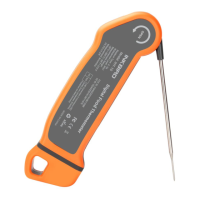
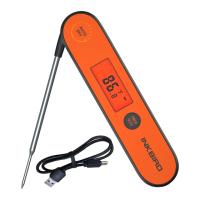
● Device Name: Digital Food Thermometer
● Model: IHT-1P
● Measurement Mode: immersion/penetration probe
● Product Usage: measuring the temperature of food,
liquid, pastes and semi-solid materials
● Measurement Range:
-58.0℉~572℉ (-50.0℃ to 300℃)
● Measurement accuracy: ±1℃/±2℉
● Resolution of Display:
0.1℃/℉ (<100℃/℉), 1.0℃/℉ (>=100℃/℉)
● Waterproof level: IPX5
● Measuring Rate: 0.5s
● Warranty: 2 years


 To Next Page