HOW TO SET
PANEL INSTRUCTION
6 of 15
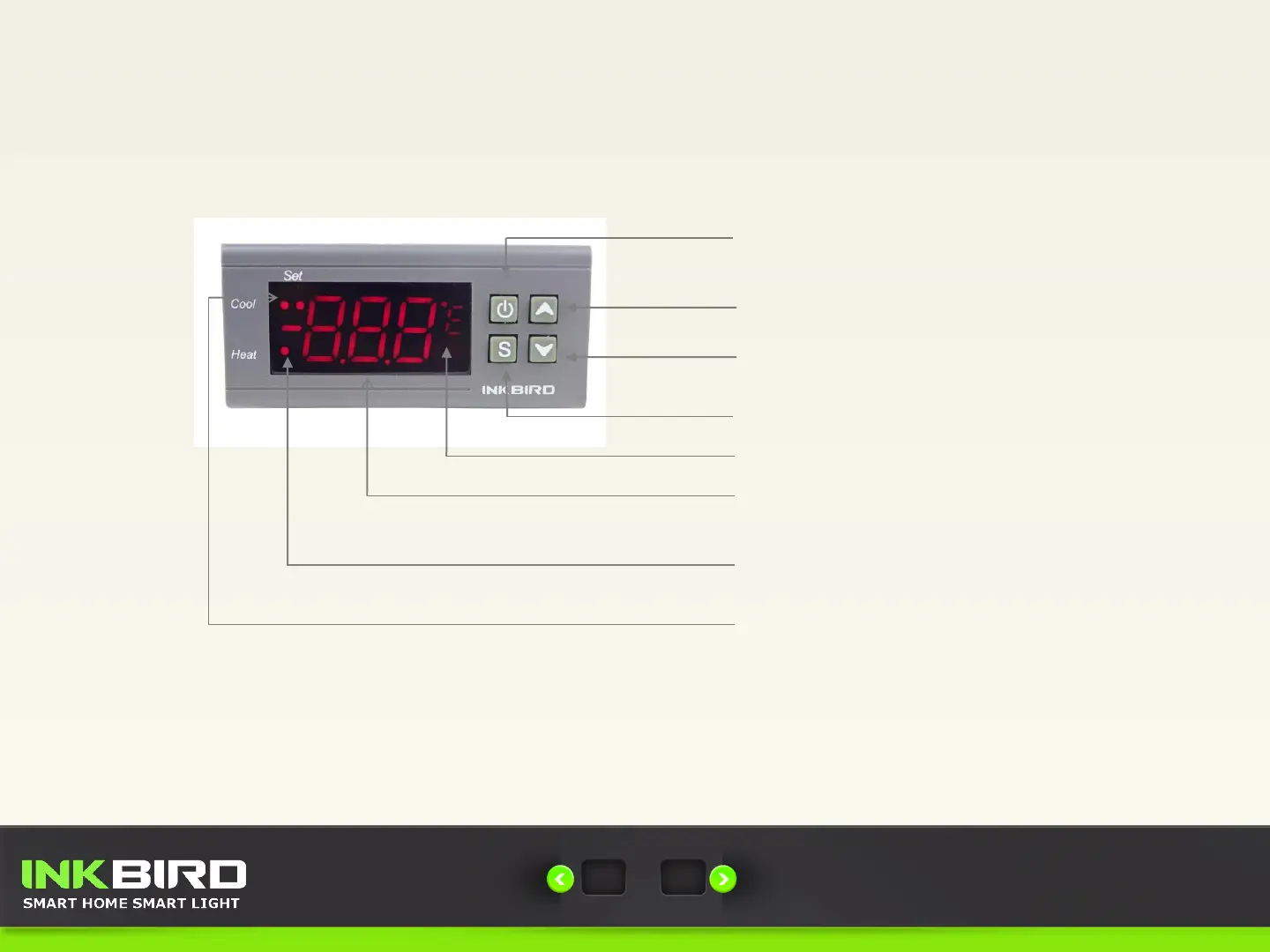
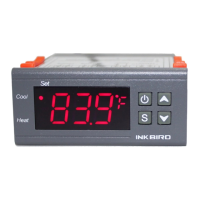
Up Key: Choose Parameter, Increase Value and
Check the Setting Temperature Value
Down Key: Choose Parameter, Decrease Value and
Check the Setting Difference Value
Set Key: Entry, Exit and Set Parameters
Power Key: Power On and Off, Confirm the
Setting Value, Save and Exit Function
C/F Display: Degrees Celsius or degrees Fahrenheit
PV/SV Display: Display Process Value,
Set Value and Parameter Menu
Set Indicator Lamp: On: Parameter Setting
Status
Heat Indicator Lamp: On: Heating Start
Off: Heating Stop
Cool Indicator Lamp: On: Refrigerating Start
Off: Refrigerating Stop
Flash: Compressor Delay
(Left lamp)
(Right lamp)
Contact Us
Email: cs@ink-bird.com , www.ink-bird.com
INKBIRD Tech. C. L.


 To Next Page