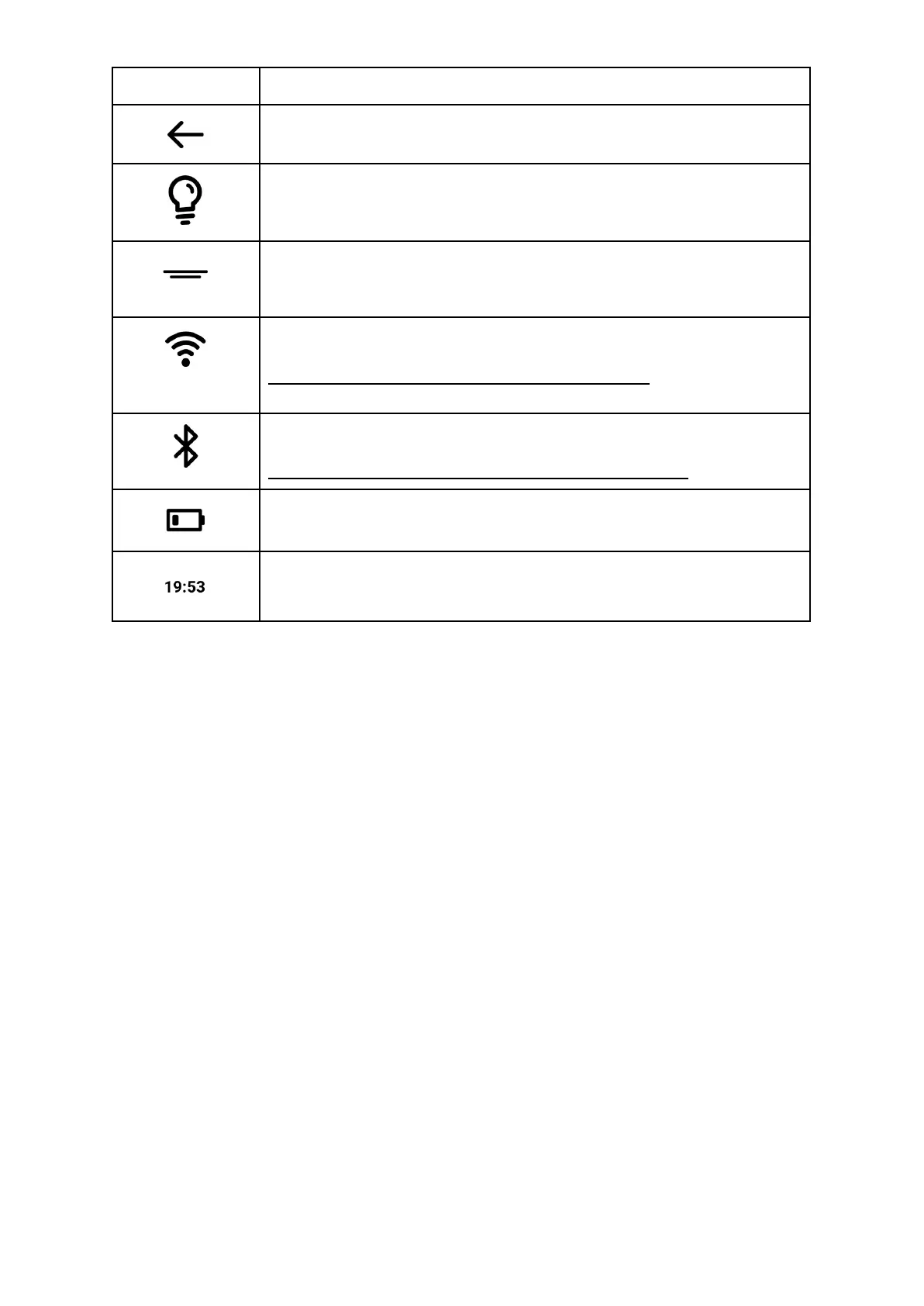
Return to previous screen.
Built in Light is On.
Tap on Status Bar to adjust Light Brightness and Colour.
Open status bar for more options.
Unread notifications available (updates or so).
Tap on Status Bar to reveal them.
WiFi module is active. Icon indicates signal strength.
Remark: active WiFi will increase battery drainage.
Bluetooth icon indicates that the BT module is active.
Remark: active Bluetooth will increase battery drainage.
Battery status indicator.
Displays current amount of power remaining in battery.
Keyboard
The screen based keyboard will appear when you need it for programming, searching,
browsing internet, filling in forms, making annotations or so.


 To Next Page