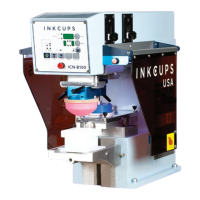
INKCUPS PAD PRINTERS ICN-B100
¤ All rights reserved by Inkcups Now Corporation Page 1 V:91719
Table of Contents
Chapter 1: Learning about Pad Printing
Applications of pad printing……………………………………………………….……..…. 3
Principles of pad printing……………………………………………………………………. 3
Inking the plate……..………………………………………………...……………………... 3
Ink pick up and transfer……………………………………………………………………... 4
Thin film process…………………………………………………………………………….. 4
Items to start a pad printing job…………………………………………………………….. 4
The etched plate…………………………………………………………………………. 5
Silicone rubber pad..…………………………………………………………………….. 5
Ink..………………………………………………………………………………………… 6
Pad printing machine..…………………………………………………………………... 6
Chapter 2: A Quick Review on Your Pad Printer
Features………………………………………………………………………………………… 7
Specifications…………………………………………………………………………………... 7
Illustration of main components (left view)……….…………………………………………. 8
Illustration of main components (right view)…...……….……………………...…………… 9
Illustration of ink cup system…………………….…………………………………………… 10
Wiring diagram for main circuit board……………………………………………..………… 11
Wiring diagram for lighting lamps………………………………………………….………… 12
Chapter 3: Installation, Setting & Adjustment
Install the machine & initial
setup…………………………………………………….……… 13
Install ink cup & steel plate……………………………………………………………….….. 14
Tune up the ink cup…….…………..………………………………………………………… 15
Dismount ink cup & steel plate………………………………………………………………. 16
Install & set the printing pad…………………………………………………………………. 17
Install moulds………………………………………………………………………………….. 17
Set & adjust the worktable...…………………………………………………………………. 18


 To Next Page