EasyManua.ls Logo

Inkel MX995 - Page 2

Inkel MX995
8 pages
Print Icon
To Next Page IconTo Next Page
To Previous Page IconTo Previous Page
Loading...
1
Unpacking
and
Installation
Although
it
is
neither
complicated
to
install
nor
difficult
to
operate
your
Audio
Mixer,
a
few
minutes
of
your
tim
is
re-
quired
to
read
this
manual
for
a
properly
wired
installation
and
becoming
familiar
with
its
many
features
and
how
to
use
them.
Please
take
a
great
care
in
unpacking
your
mixer
and
do
not
discard
the
carton
and
other
packing
materials.
They
may
be
needed
when
moving
your
set
and
are
required
if
it
ever
becomes
necessary
to
return
your
set
for
service.
Never
place
the
unit
near
raditors,
in
front
of
heating
vents,
to
direct
sun
light,
in
excessively
humid
or
dusty
location
to
avoid
early
damage
and
for
your
years
of
quality
entertainment.
Connect
your
complementary
components
as
illustrated
in
the
following
page.
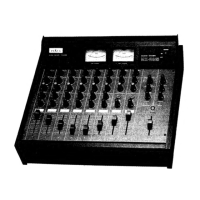
Features
of
Audio
Mixer
MX-995
10
channel
input
and
2
channel
output
amplifiers
are
incorporated.
Any
sound
source
of
microphone,
turntable,
cassette
deck
and
electric
guitar
can
be
applied
to
this
10
channel
in-
puts
and
newly
developed
circuitry
is
providing
low
distortion
(THD
1KHz
0.03%)
and
high
signal
to
noise
(S/N)
ratio.
Tone
Control
System
Adjustment
of
BASS
and
TREBLE
controls
for
the
accoustic
characteristics
of
microphone,
speakers
and
room
Structure.
Panpot
for
Stereo
Effect
You
can
distribute
the
signal
level
from
microphone
and
electric
guitar
as
monophonic
sources
between
left
and
right
channels
to
make
a
stereo
sound
effect.
Function
of
Echo
To
make
natural
and
wide
effect
of
echo
sound,
this
mixer
employs
BBD
(Bucket
Brigade
Devices)
IC.
You
can
ad-
just
the
time
interval
of
echo
(40m
Sec
~
0.4
Sec),
frequency
and
the
level
of
echo
volume
from
each
channel
to
make
sufficient
echo
effect
as
you
want.
Input
and
Output
Monitoring
You
can
monitor
the
input
and
output
signals
by
headphone
with
MONITOR
SELECTOR
switch
very
conve-
niently.
Function
of
Electro-Start
Channel
7,
8
and
9,
10
input
volumes
are
provided
with
electro-start
function
to
control
AC
power
automatically
to
the
AC
outlet
on
the
rear
panel.