3
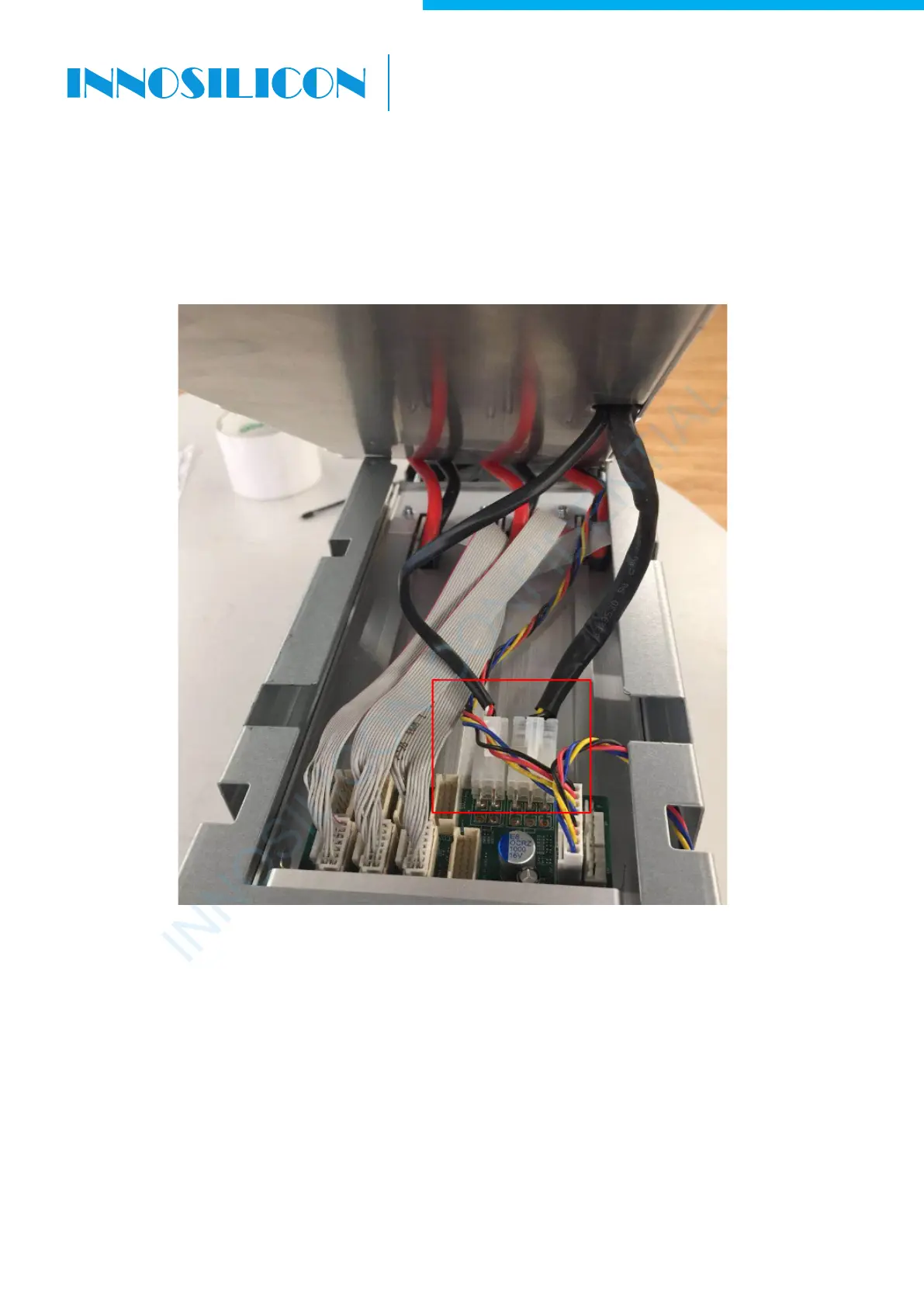
3. Disassemble the connectors between PSU and control board
Attention! Do not tug the PSU after disassembling the screws which fix it, there are still two
connectors between PSU and control board as you can see in Figure-4.
INNOSILICON CONFIDENTIAL
T2T PSU
Figure 4
4. Disassemble the control board
Please remove the connectors on control board before you disassemble the control board, there are
seven connectors as you can see in Figure-5. Among them, 1-5 are designed with buckles, you should
press the buckles before you pull out the connector.



 To Next Page