EasyManua.ls Logo

Innotech SENW51 - User Manual

Innotech SENW51
6 pages
Print Icon
To Next Page IconTo Next Page
Loading...
© MASS ELECTRONICS Pty Ltd 2014
MODELS:
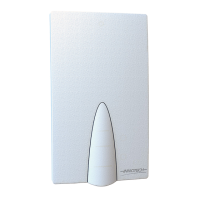
SENW51: Temperature Detector
SENW58F: Fahrenheit model, with display, setpoint adjustment and override
SENW58C: Celsius model with display, setpoint adjustment and override
Overview
The SENW5x Wall Mounted Temperature Detector is a wall mounted
sensing element used for the monitoring of temperature in a
controlled space.
DS 1.29
December 2015
SENW5x
Wall Mounted Temperature Detector
Applications
The Innotech SENW5x is designed to provide simple but accurate
sensing of air-conditioned spaces.
The detector provides an easy to read visual display of temperature,
and allows programming modifications using the intuitive LCD and
push button interface (SENW58 model only).
Features
Icon based backlit Liquid Crystal Display (LCD)
Modern, attractive enclosure design
Wall mounted
Displays Temperature and Setpoint at a glance
Onboard temperature sensor
Displays Fahrenheit (°F) or Celsius (°C)
Push button interface for:
a. Temperature setpoint adjustment
b. Occupancy override
• Display available on SENW58 model only
• Temperature setpoint adjustment and override available on
SENW58 model only.
Installation / Wiring
The SENW5x detector should be installed in an environment that
does not exceed the maximum operating parameters of the device.
It should be mounted in a clean and dry environment free of
vibration, and properly ventilated.
The SENW5x should be mounted with a standard vertical C-Clip,
or on a standard wall enclosure. Maximum terminal cable entry is
2.5mm² (stranded conductor).
Wiring should be done in accordance with Innotech connection
diagrams and local bylaws or refer to your local distributor.
Connect the power supply to the correct terminals on the detector,
observing the correct polarity of the connections.
SENW58F
SENW51
Question and Answer IconNeed help?

Do you have a question about the Innotech SENW51 and is the answer not in the manual?

Summary

Overview

Features

Applications

Installation; Wiring

Specifications

Power Supply Requirements (SENW58 Only)

Details power input, consumption, and polarity for SENW58 model.

Environmental

Covers operating and storage temperature ranges.

Enclosure

Describes housing material, design, and dimensions.

Approvals

Lists certifications like CE, RCM, and FCC.

Onboard Sensor

Details the temperature sensor type and accuracy.

Inputs and Outputs

Lists available outputs like Temperature and Setpoint.

Controls and Display

Controls (SENW58 Only)

Explains setpoint and override/select buttons for SENW58.

Display (SENW58 Only)

Details LCD features like primary/secondary display, icons, and resolution.

SENW5 x Dimensions and Identification

Shows device dimensions and identifies key components.

Setpoint Indicator

Illustrates how setpoint and override status are displayed.

Operation Sequence and Display (SENW58 Only)

Power

Explains power connection and segment test procedure.

Sensors

Describes the temperature sensor and display.

Temperature Setpoint

Details setpoint adjustment via buttons and signal output.

Override

Explains the override function via pushbutton and its effect on display.

Display

Describes primary/secondary display behavior, modes, and error indications.

Parameters (SENW58 Only)

Enter the Parameter Menu

Step-by-step guide to access the device’s parameter menu.

Setting Parameters

Process for selecting, modifying, and saving parameter values.

Exiting the Parameter Menu

Methods for leaving the parameter menu.

Parameter 1: Set Temperature Display Units

Parameter 2: Temperature Setpoint Type

Parameter 3: Temperature Setpoint Minimum Value

Parameter 4: Temperature Setpoint Maximum Value

Parameter 5: Temperature Setpoint Lockout

Parameter 6: Occupancy Lockout

Parameter 7: Set Primary Display Mode

Parameter 8: Set Secondary Display Mode

Parameter 9: Display Resolution

Parameter 10: Backlight Duration

Parameter 11: Temperature Sensor Calibration

Parameter 12: Sensor Firmware Version

Parameter 13: Reset to Factory Defaults

SENW5 x Detector Connection Identification

SENW51 Detector

Lists connector and description for the SENW51 model.

SENW58 Detector

Lists connector and description for the SENW58 model.

SENW58 x Connection Diagram - 24 VDC

SENW58 x Connection Diagram - 24 VAC

FCC Class A Notice

Typical Configuration Example - SENW58 F

Override - When pressed on the SENW58

Illustrates override logic and control signals.

Temperature Input - Thermistor

Shows thermistor input and setpoint configuration.

Setpoint Input - 0-10 vdc

Details the 0-10VDC setpoint input configuration.

Over-ride - When pressed on the SENW58

Shows the override function and related control signals.

Analogue Output

Details analogue output configuration for the SENW58.

Innotech SENW51 Specifications

General IconGeneral
CategorySecurity Sensors
Operating Frequency433MHz
Battery LifeUp to 2 years
TypeWireless PIR Motion Detector
Detection Range12 meters
Detection Angle110°
Operating Temperature-10°C to +50°C