Version 1.0 Preliminary 14
Un-Learn
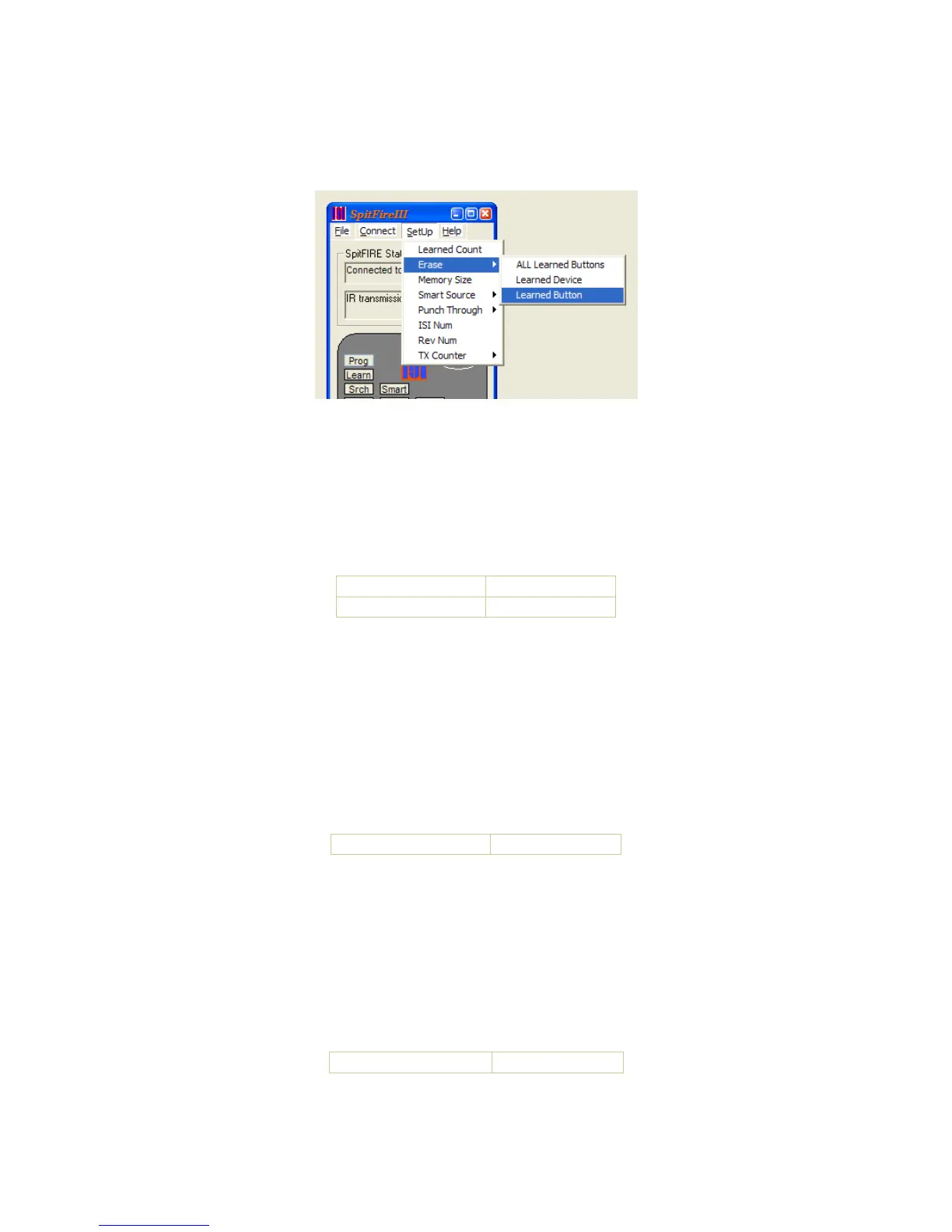
The Spitfire has three methods to un-learn IR codes. Un-learning can be accomplished one button
at a time, one device at a time, or all learned buttons at one time.
Manually Erase A Learned Button
o Press a Slot button (TV, AUX1, AUX2) (1 flash)
o Press LEARN (2 flashes)
o Press PROGRAM (2 flashes)
o Press any learned button that you want to un-learn (4 flashes) - or -
o Any button with no learned code (2 flashes)
Erase a Learned Button
Send Erase 2 Flash
Button to be erased
Erase_Complete
Manually Erase a Device
o Press a Slot button (TV, AUX1, AUX2) (1 flash)
o Press LEARN (2 flashes)
o Press PROGRAM (2 flashes)
o Press any Slot button (TV, AUX1, AUX2) which you want to un-learn (4 flashes)
Note that re-programming a device from the library also erases all learned codes for that device
slot.
Erase a Device slot command
Send ErDevSelected Erase_Complete
Manually Erase All Learned Buttons
o Press a Slot button (TV, AUX1, AUX2) (1 flash)
o Press LEARN (2 flashes)
o Press PROGRAM (2 flashes)
o Press PROGRAM (4 flashes)
Erase All Learned Buttons command
Send ClearEEPROM
Erase_Complete


 To Next Page
 Loading...

