Actions
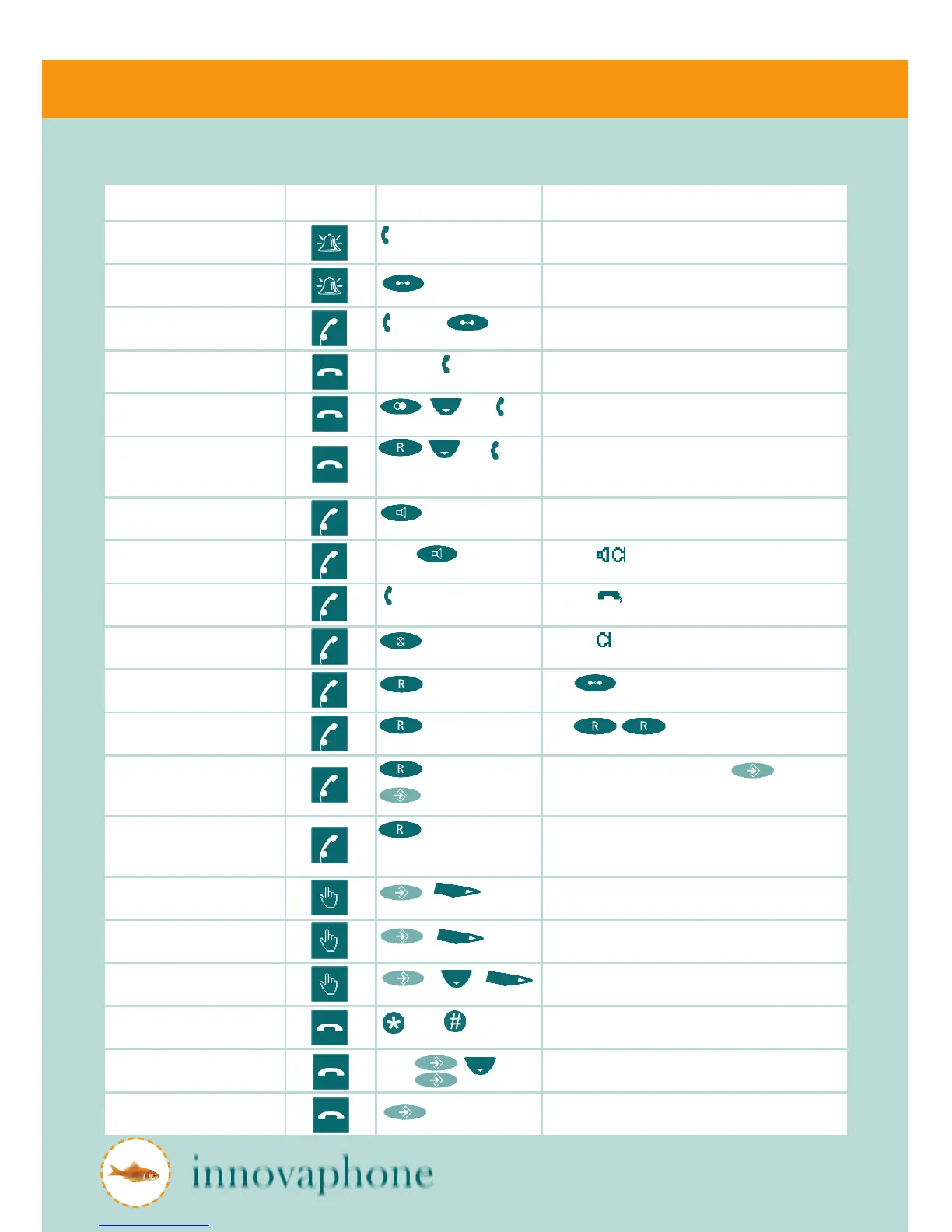
Action Status Key combination Description
Accept call pick up The display shows caller and called party
Reject call Caller gets a busy tone
Terminate call hang up, The active call is terminated
Make call 0...9, then Dialling can also take place after picking up handset
Redial , then Displays the most recent in-coming calls, use arrow
keys to select number desired for redialling
Call-back , then Displays the most recent in-coming calls - select
number desired for call-back
Speaker on Switches speaker on during call
Switch to hands-free mode Press and hang up Symbol shown on display
Switch to handset mode pick up Symbol shown on display
Mute Symbol blinks on display
Consultation call , dial 1...9 Use to terminate consultation call and
return to first connection
Switch between calls , dial 1...9 Use to switch between two calls as
often as necessary
Conference call , dial 1...9, To cancel the conference, press again.
One subscriber is put on hold, the other remains
active
Transfer call , dial 1...9 and
hang up
To transfer call without consultation, hang up before
the second subscriber picks up call
Call completion on busy
subscriber
, Telephone rings as soon as call-back is possible
Call completion on no answer , Telephone rings as soon as remote telephone is
active again
Automatic redial , , Redials the last call every 30 seconds for 20 minutes
Pick-up , 1...9, Enter the number of the call to be picked-up
Send message 1...9, , ,
a...Z,
"Message sent" indicator appears. Device returns
to idle state
Set status In menu change to user settings and availability,
then select status



 To Next Page