INSTALLATION
TRANSMITTER
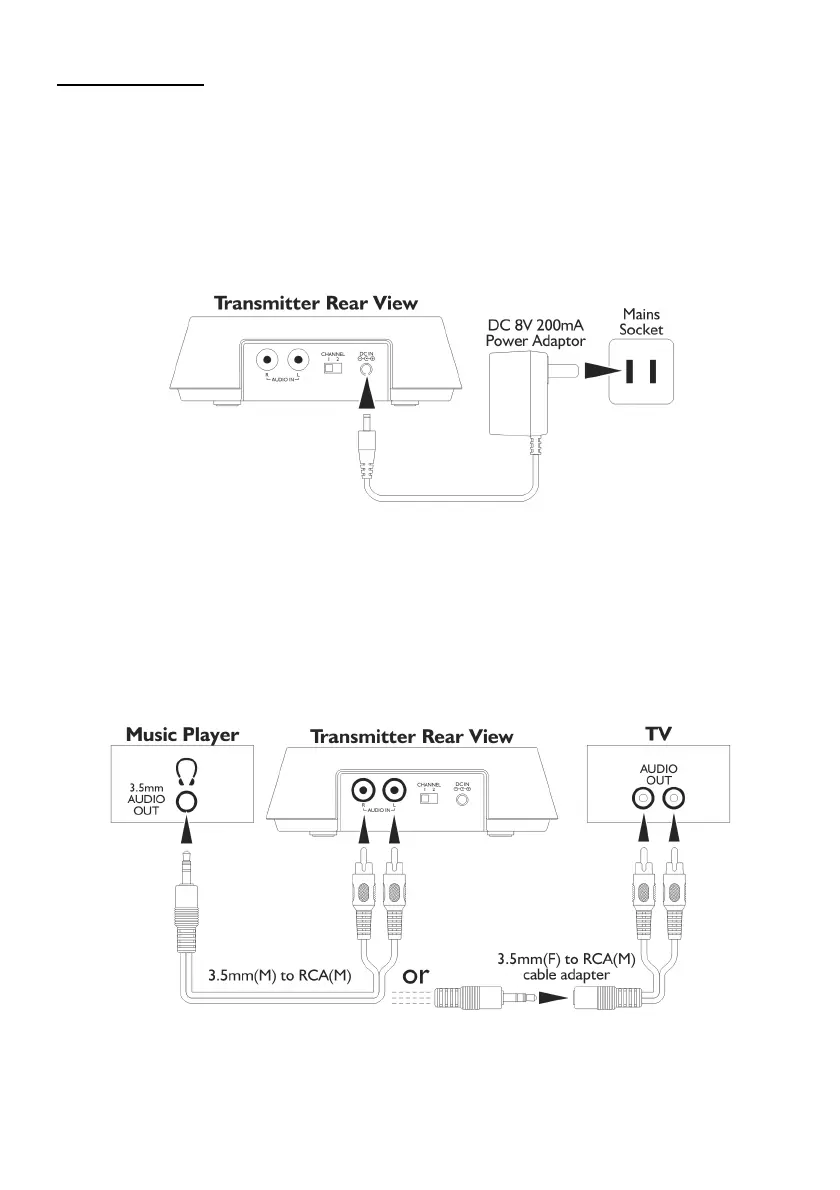
1. Plug the supplied 8V AC/DC power adaptor in the DC jack located on the rear of the transmitter.
2. Connect the supplied 8V AC/DC power adaptor to an electrical wall outlet.
The Power LED then glows.
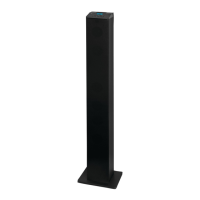
3. The transmitter can be connected to the audio output jack of a TV, Monitor, VCR, Radio, CD,
MP3 Player, iPod, iPhone, iPad, smartphone, tablet, VCD or DVD player with the cables
provided.
Once you have connected your audio device, the Signal LED will glow when the
transmitter detects an audio input signal played from the source.



 To Next Page