7
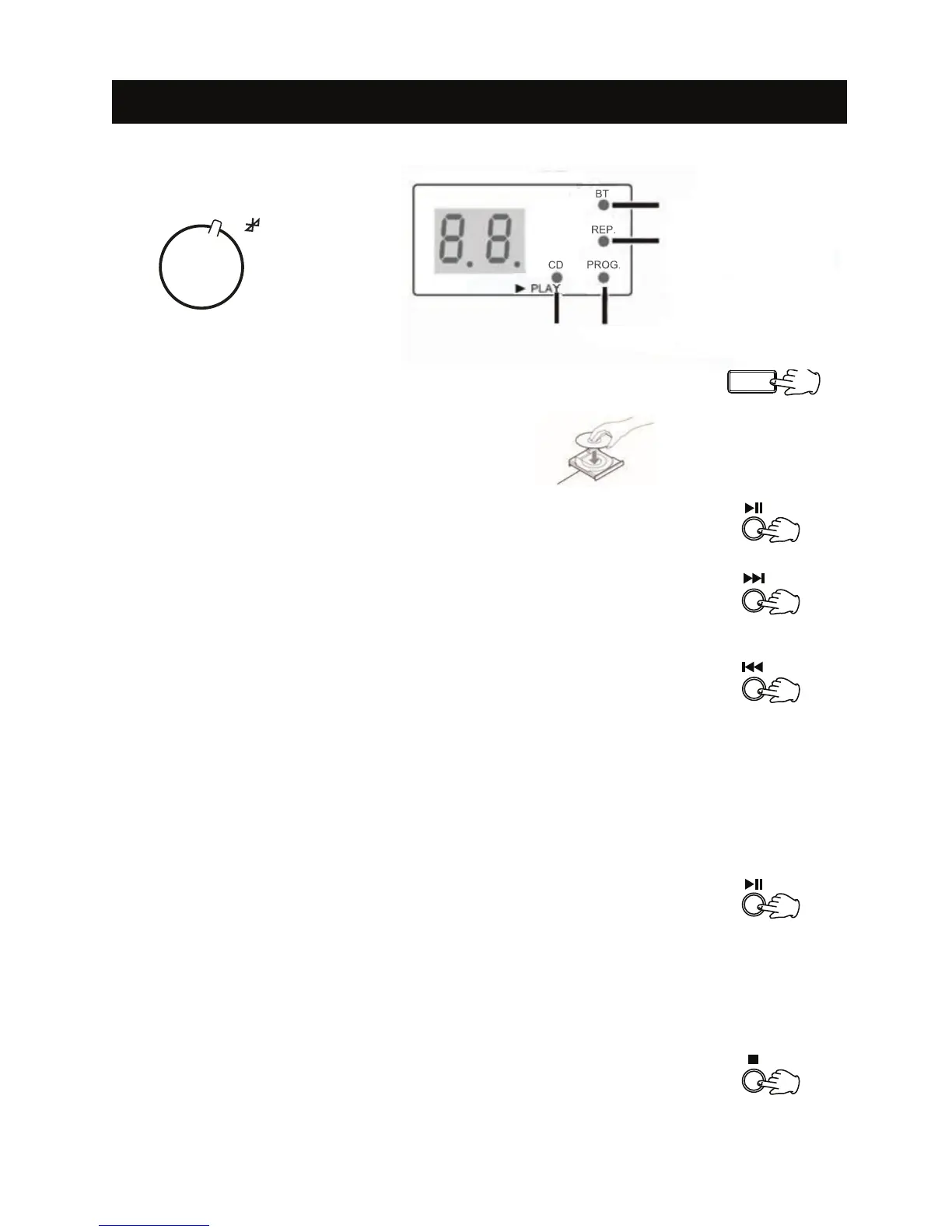
2. Press the OPEN/CLOSE button to open the tray, and place the CD on the tray.
Press the OPEN/CLOSE button again to close the tray.
CD should be placed on the tray with the label side up.
F
M
A
M
CD
LISTENING TO A CD
1. Rotate the FUNCTION knob to select the CD function.
3. The CD will start playing from the first track.
Or press PLAY/PAUSE button to start playback.
OPEN/CLOSE
4. Press the Fast Forward button once to go to the next track.
5. Press the REWIND button once to go back to the start of the current track.
Press the REWIND button twice to go back to the start of the previous track.
6. You can rewind or fast forward to any point in a selected track by pushing
and holding the REWIND or FAST FORWARD button.
NOTE: Do not push both buttons together as this may damage the unit. As the unit is tracking
quickly forward or backward, you will hear your selection playing at a distorted speed. Simply
release the depressed button to continue playing at normal speed at the desired position in
t
he selected track.
7. Press the PLAY/PAUSE button to pause the CD.
(The CD indicator will not illuminate.)
Press the PLAY/PAUSE button again to resume playback.
(The CD indicator will remain lit.)
NOTE: Do not switch the unit off while playing a CD as this will damage the unit.
8. Press the STOP button to stop the CD from playing.
Bluetooth
Repeat 1: Flashing
Repeat All: Lit
ProgramCD



 To Next Page