11
LISTENING TO THE RADIO
1. Turn the unit ON by pressing the POWER button.
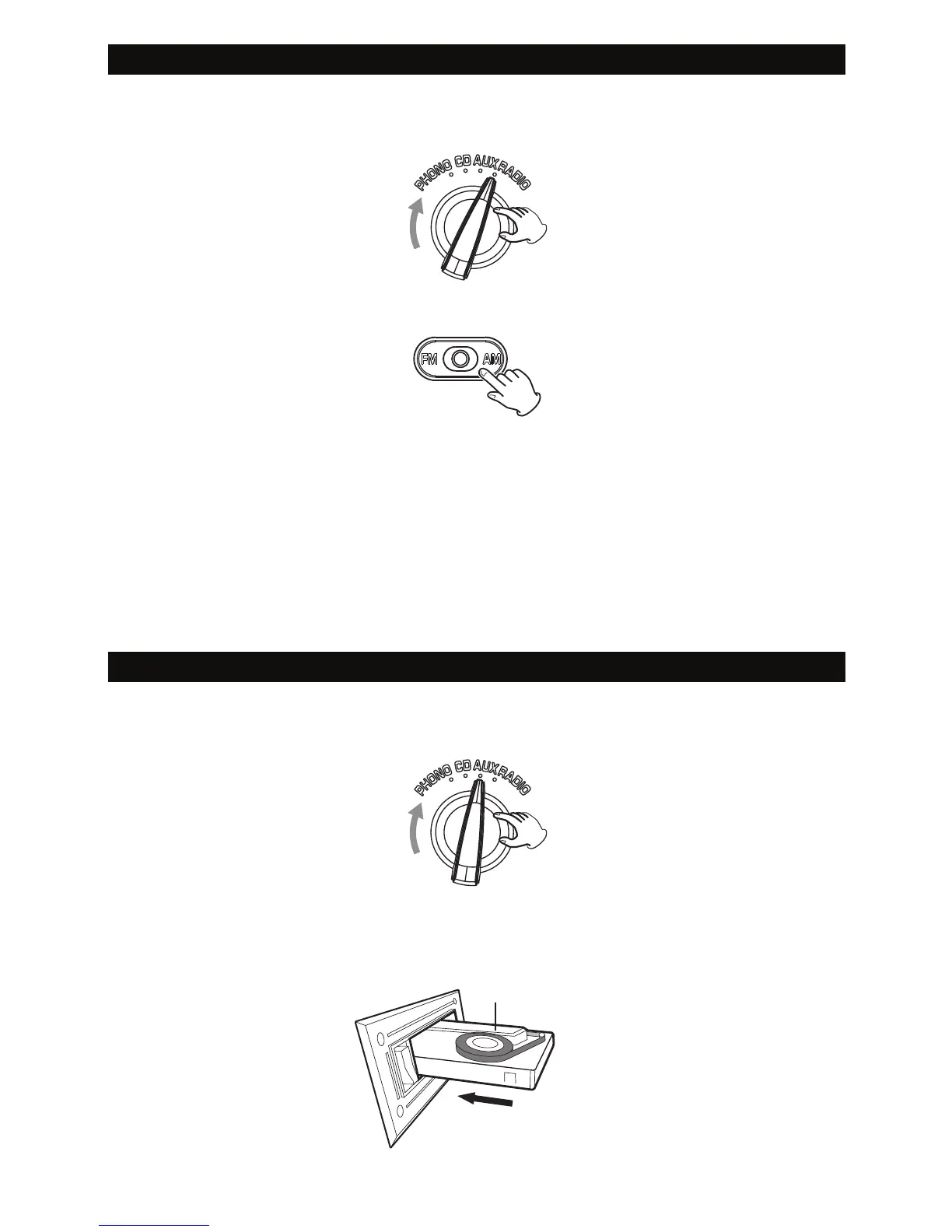
2. Set the FUNCTION KNOB (PHONO/CD/AUX/RADIO) to the RADIO position.
3. Select AM or FM using the band switch.
4. Turn the TUNING KNOB to tune to a station.
5. Turn the VOLUME KNOB to adjust the volume.
If reception is poor:
• AM broadcast
Rotate the unit to find the best position for AM stations.
• FM broadcast
Extend and move the FM antenna until you receive the station clearly.
LISTENING TO A CASSETTE TAPE
1. Turn the unit ON by pressing the POWER button.
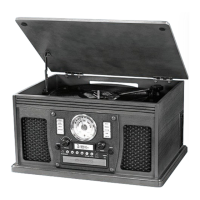
2. Set the FUNCTION KNOB (PHONO/CD/AUX/RADIO) to the AUX position.
3. To insert a cassette tape, push a tape into the CASSETTE TRAY until a “click” is
heard. The cassette tape will only fit in one way. Never force a tape in. Playback
starts automatically. When the tape reaches the end, playback will stop.
exposed side


 To Next Page