EasyManua.ls Logo

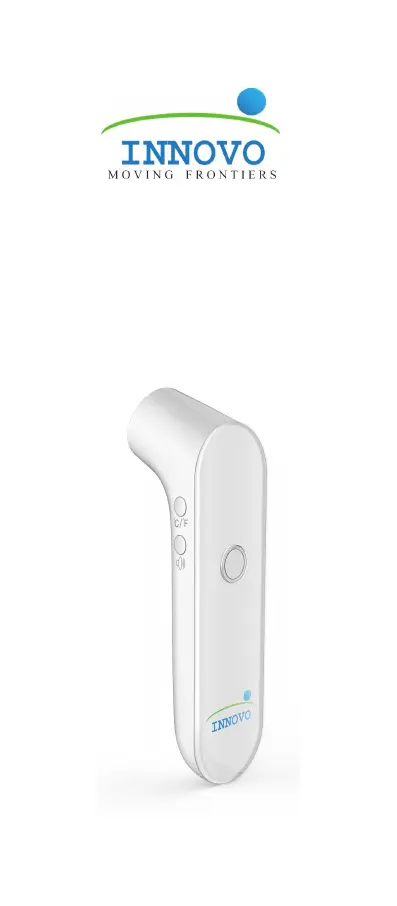
Innovo iF100B - User Manual

Innovo iF100B
34 pages
Print Icon
To Next Page IconTo Next Page
Loading...
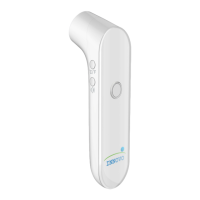
iF100B
Non-contact Digital
Infrared Forehead
Thermometer
User Manual Ver 1.0

Questions and Answers

  • J
    Jasmine ReedAug 10, 2025
    Why my Innovo Thermometer won't turn on?
    • A
      Andre MortonAug 10, 2025
      If your Innovo Thermometer isn't turning on, there could be several reasons. First, the batteries may be exhausted, so replace them with new ones of the same model. Second, check that the batteries are correctly installed, matching the polarity symbols in the battery compartment. Third, the sensor lens might be dirty or obstructed, clean it to ensure it's reflective. Finally, if none of these steps work and the device is still under warranty, contact the manufacturer.
  • R
    Randy KempAug 17, 2025
    How to fix distance error on Innovo iF100B?
    • H
      Hunter CrawfordAug 17, 2025
      If you're getting a distance error with 3 short beeps and a red ring on your Innovo Thermometer, it means the device isn't positioned correctly. Make sure the thermometer is within 2 inches or 5cm of the forehead. When the distance is right, the " " symbol will appear on the screen, you'll hear a beep (if sound is on), and the blue tracking light will activate. Then, press the Power/Measure button to get a reading.
  • P
    paul42Aug 25, 2025
    What to do if Innovo Thermometer is out of operating temperature range?
    • V
      valerie90Aug 25, 2025
      If your Innovo Thermometer shows an error with 3 short beeps, a red ring for 3 seconds, and then shuts off, it's likely because the ambient temperature is too high. The thermometer should be used in an environment where the temperature is between 59.0°F to 104.0°F / 15.0°C to 40.0°C.
  • M
    mirandamariaSep 2, 2025
    Why Innovo iF100B reads too high?
    • M
      Michael PalmerSep 2, 2025
      If your Innovo Thermometer is giving high readings without a fever, it might be due to a few reasons. First, the environment may be too brightly lit; try using the thermometer in a moderately lit area. Second, if you've just brought the thermometer from a hot environment, wait at least 30 minutes for it to adjust to room temperature before taking another measurement. If the issue persists and the device is under warranty, contact the manufacturer.

Summary

2. Features of the iF100 B Forehead Thermometer

3. Important Warnings and Safety Precautions

Warning

Crucial warnings about medical advice, self-diagnosis, and seeking professional help.

Caution

Cautions regarding operating temperature, water immersion, and handling.

5. Elements of the Thermometer

Screen display and symbol designation

6. Battery Installation

7. Measuring Forehead Temperature

Step 1: Power on

Instructions on how to turn on the thermometer and initial display.

Step 2: Ready to measure

Details on setting units, auto distance indicator, and sound.

Step 3: Position

Guidance on correctly positioning the thermometer for accurate readings.

Step 4: Taking temperature

Instructions on how to take the actual temperature measurement.

Temperature interpretation

8. Temperature Taking Tips for Accurate Measurement

10. Care and Cleaning

11. Errors and Troubleshooting

Auto distance sensor blocked (Error E-2)

Identifies an error message and its cause/solution.

Innovo iF100B Specifications

General IconGeneral
BrandInnovo
ModeliF100B
CategoryThermometer
LanguageEnglish

Related product manuals