
 Need help?
Do you have a question about the innuos ZEN Mk3 and is the answer not in the manual?
Connects the device to the mains electrical supply.
Contains the protective fuse for the electrical circuit.
The primary switch to turn the system on or off.
A dedicated HDMI port intended solely for service use.
USB 3 port for connecting external backup storage devices.
USB 2 port for connecting a Digital-to-Analog Converter.
Ethernet port for connecting to the home network router.
Ethernet port for connecting network audio streamers.
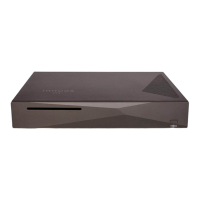
The main music server unit included in the package.
The power cable for connecting the server to an electrical outlet.
A 2-meter Ethernet cable for network connectivity.
How to operate the front power button to turn the system on.
Understanding the LED indicators for system status (White, Blue).
Instructions on accessing the Innuos web interface for updates.
Steps to follow within the web interface to update the system software.
Guide on how to rip music from CDs using the optical drive.
Connecting the Innuos system to a DAC or amplifier using a USB cable.
Overview of recommended control applications for various devices.
Instructions for launching player apps and browsing music libraries.
Steps to integrate the Innuos system with a Sonos setup.
How to play music from the Innuos system using the Sonos app.
Guide to enabling Roon functionality within the innuOS system.
Steps to configure the system as a Roon Core or player.
 General
| Model | ZEN Mk3 |
|---|---|
| Category | Stereo System |
| CD Ripping | Yes |
| RAM | 4GB |
| Operating System | InnuOS |
| DAC | No |
| Ethernet | Gigabit Ethernet |
| Type | Music Server |
| Storage Capacity | 2TB |
| Storage Type | HDD |
| Processor | Quad-core Intel |
| Supported Formats | WAV, AIFF, FLAC, ALAC, AAC, MP3 |
| Streaming Services | TIDAL, Qobuz, Spotify |
| Connectivity | USB, Ethernet |
| Power Supply | Internal |

 To Next Page
