ZOOM ROOMS WITH INOGENI CAPTURE CARDS USER GUIDE 2
CAMERAS VS HDMI SCREENSHARING DEVICES
Inside Zoom Rooms, there are two types of video devices: cameras and HDMI screen-sharing devices.
Cameras are used to film the audience, while capture devices can be used for HDMI screen sharing.
HDMI screen sharing is useful if you want to share content from another HDMI source, such as a
laptop. Capture devices behave differently from cameras since the audio of capture devices are mixed
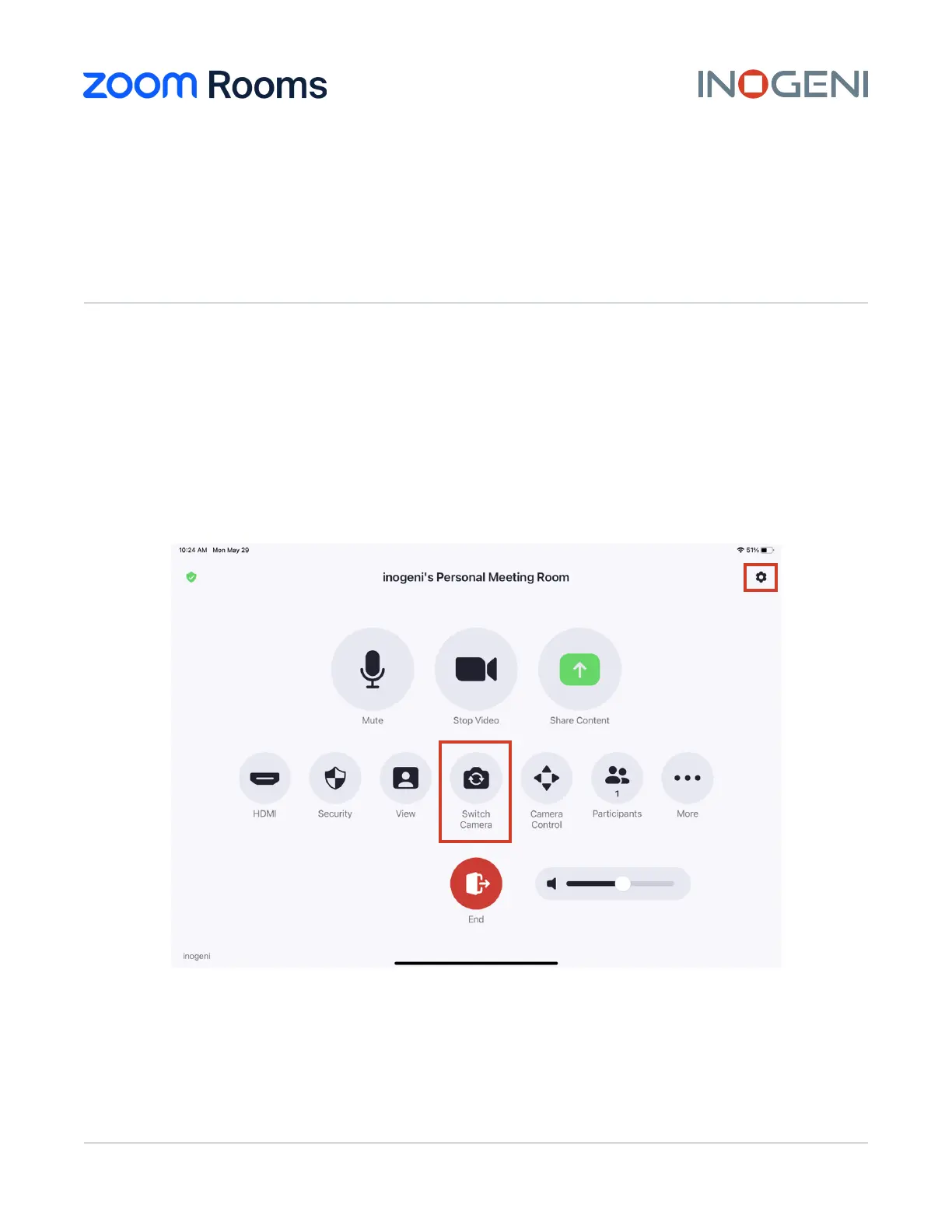
with the primary audio source of the room. Also, the “Switch Camera” button inside the meeting
control panel of your controller can only be used to switch between cameras.
Figure 1: Zoom Rooms Meeting Configuration panel
ZOOM ROOMS
USER GUIDE
INOGENI 4K2USB3, 4KXUSB3 AND SDI2USB3


 To Next Page