USING THE 4K2USB3 WITH ZOOM ROOMS
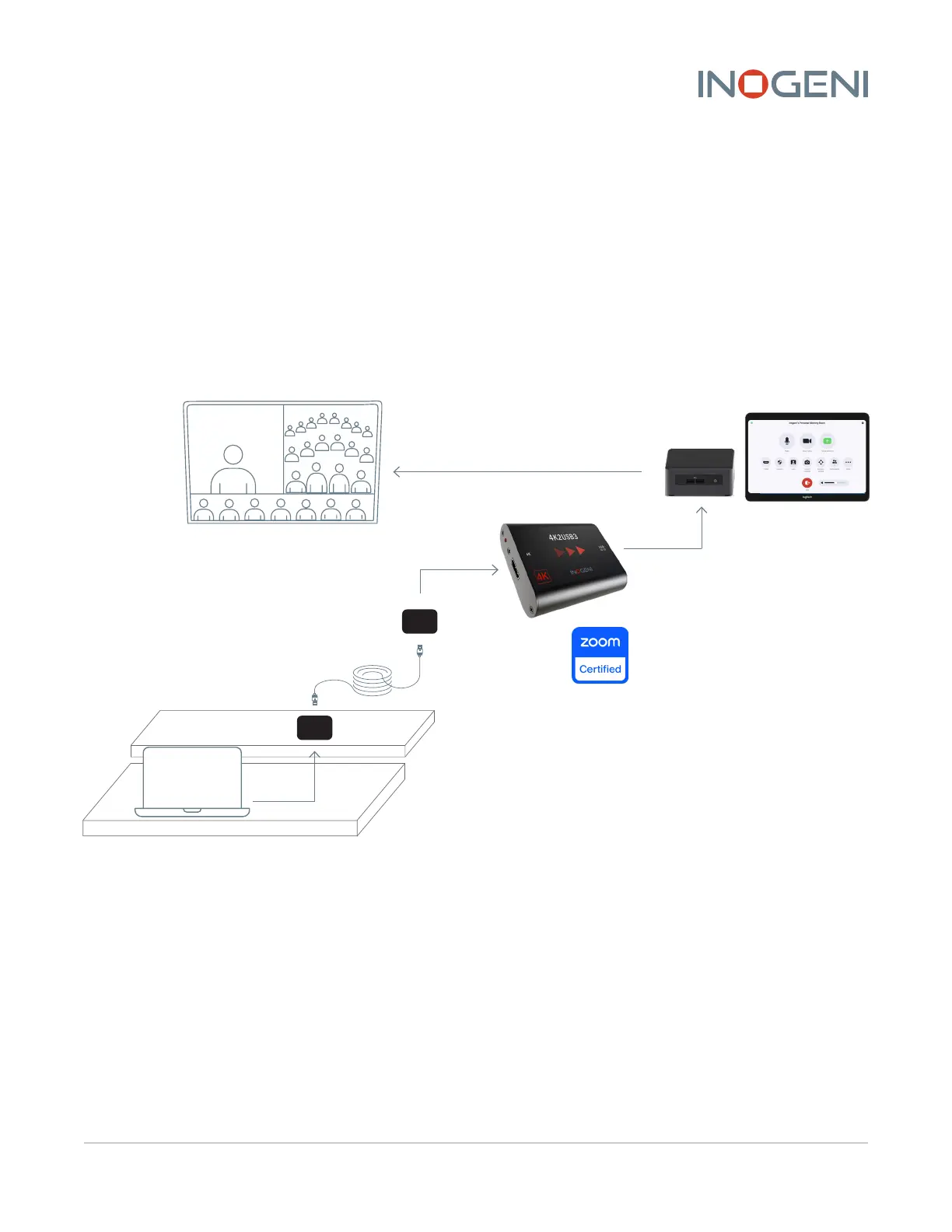
Inside Zoom Rooms, the 4K2USB3 devices are not seen as cameras by default. They are seen as HDMI
screen-sharing devices:
One typical setup would be to use two cameras to film the audience and the 4K2USB3 devices to
share content from a laptop inside the conference room. Depending on your Zoom Rooms settings,
connecting any valid HDMI source to your device will automatically share its content while you are in
a meeting.
If not enabled, you can click on the “Share Content” icon on the controller. Then, click on “Share to
Meeting.”
Table
Under table
HDMI TX
HDMI RX
CAT 6
4K HDMI
4K HDMI
USB 3.0/2.0
Zoom Rooms PC
(Mac mini, NUC or standard PC)
Extend your HDMI content
to Zoom Rooms by using the 4K2USB3
ZOOM ROOMS WITH INOGENI CAPTURE CARDS USER GUIDE 3
4K2USB3, 4KXUSB3 AND SDI2USB3 ZOOMCERTIFIED



 To Next Page