INOGENI SHARE2 User Guide
Version 1.1
7/22/16
INOGENI SOFTWARE SUITE
Eager to try it now? Simple as 1-2-3!
1- Connect the USB 3.0 cable to your computer
2- Connect any type of video source
3- Run your App or Download INOGENI Software Suite
You can use our INOGENI Software Suite in order to preview and record your video
sources.
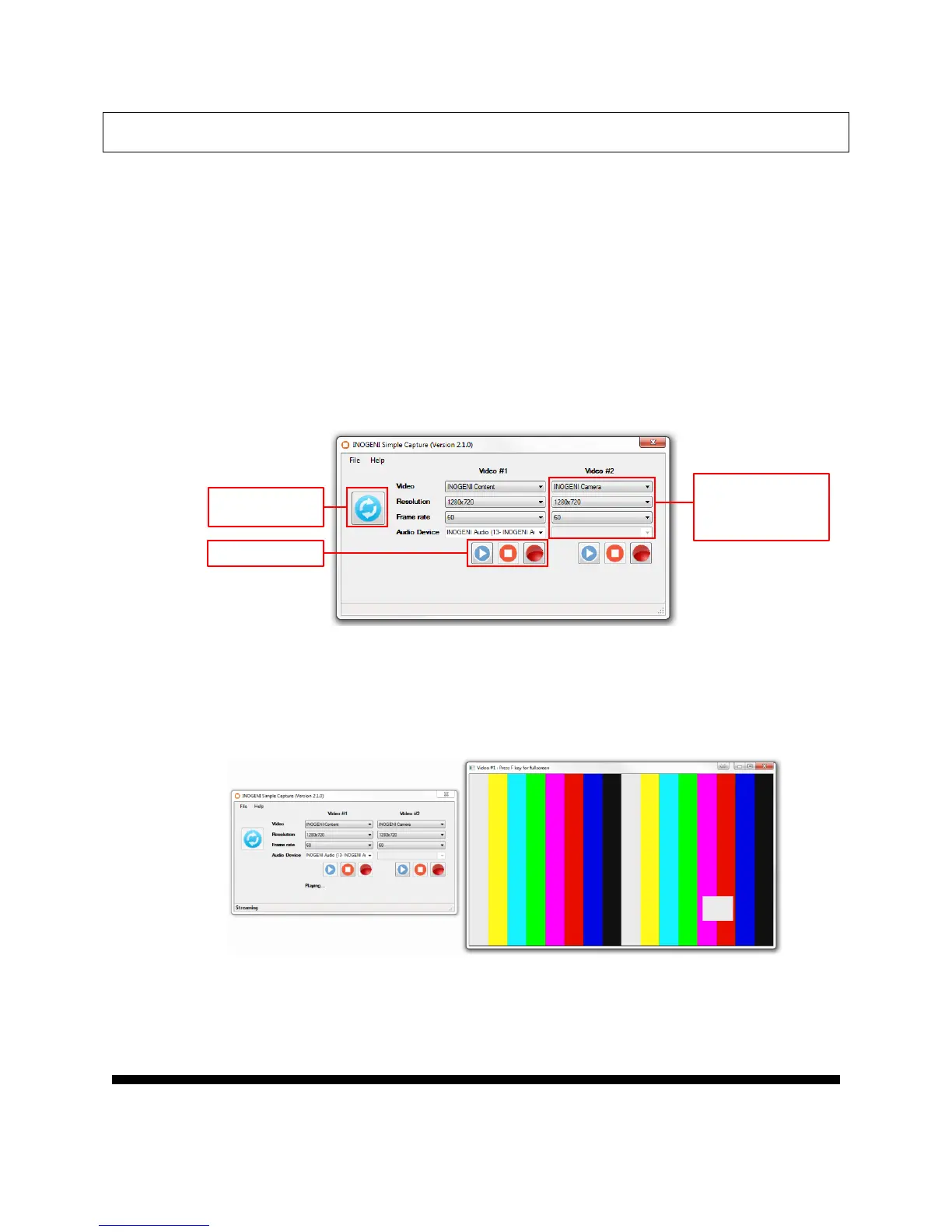
1. You can open the INOGENI Simple Capture application.
You will then have to use which video device, the resolution and the frame rate to
use for the preview/capture. Optional audio source can be selected.
2. To preview, you can click on the Play button and a window will appear with the
video content.
You can click the Stop button to quit the preview mode or close the preview
window.
Refresh the list of
detected devices
Selected video device
Selected resolution
Selected frame rate
Selected audio device



 To Next Page