08
09
Accessories Installation
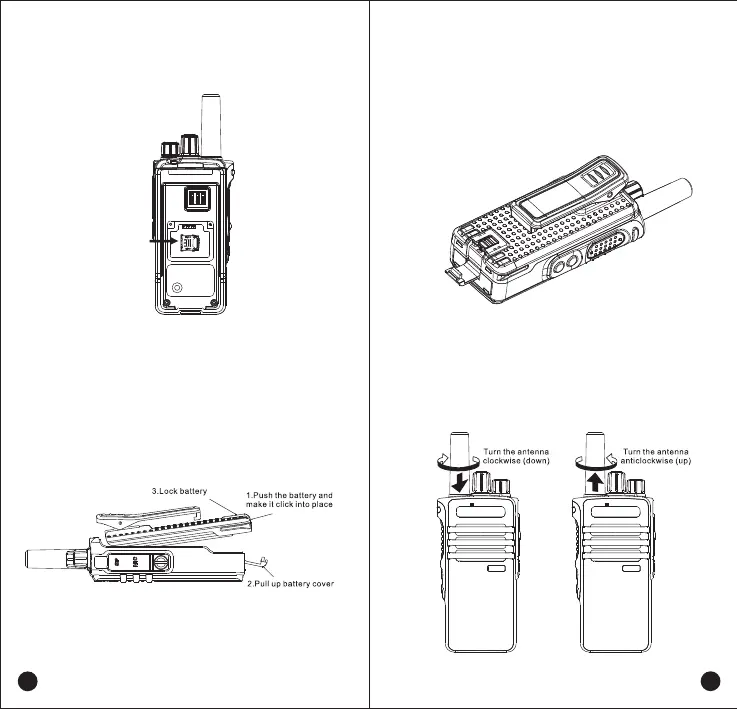
1.Insert SIM Card or TF Card.
2.Attaching the Battery
Insert the battery properly and press down on the other end of
the battery. Then Pull up the battery cover with a“click”.
3.Removing the battery
To remove battery,turn off the radio and push upward
the lock
catch of battery Then push the battery as arrow
pointedand take off the battery.
4.Installing Antenna
Screw the antenna into the connector on the top of radio
and turn the antenna clockwise to fasten itTurntheanten-
naanticlockwise to remove it.
SIM Card



 To Next Page