Need help?
Do you have a question about the INSE N5 and is the answer not in the manual?
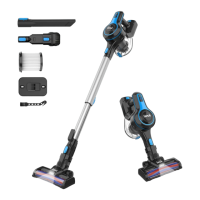
Lists all included components of the vacuum cleaner with their respective images for easy recognition.
Visual representation showing how the different parts of the vacuum cleaner connect and assemble.
Step-by-step visual guide on how to assemble the cordless stick vacuum cleaner correctly.
Guidance on connecting different attachments for various cleaning situations.
Instructions for checking battery power and initial charging before first use.
Details on how to turn on/off and adjust suction modes using power and +/- buttons.
Procedure for emptying the dust cup when it reaches the MAX fill line.
Describes two methods for charging the battery pack, with or without the main motor.
Explanation of LED indicators for battery status during charging and on work.
Illustrates two methods for storing the vacuum cleaner, likely wall mounting or standing.
Instructions for removing tangled hair from the roller brush using cleaning tools.
Guide on cleaning the dust cup, strainer, and filter for optimal performance.
Steps for cleaning the handheld part of the main motor with a cloth.
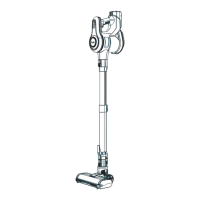
The INSE Cordless Stick Vacuum Cleaner is a versatile and powerful cleaning appliance designed for domestic use. It offers a convenient and efficient way to maintain a clean home, featuring a lightweight design and multiple attachments to tackle various cleaning tasks.
The primary function of the INSE Cordless Stick Vacuum Cleaner is to provide strong suction for cleaning dust, dirt, and debris from different surfaces. It operates as a cordless device, offering freedom of movement without being tethered to a power outlet. The vacuum can be used in various configurations, transforming from a full-sized stick vacuum to a handheld unit for more targeted cleaning. Its motorized cleaner head is equipped with a roller brush, making it effective on both hard floors and carpets. The vacuum also features LED lights on the cleaner head to illuminate dust in dimly lit areas, ensuring thorough cleaning.
The INSE vacuum is designed for user-friendly operation. To begin, users should ensure the battery is sufficiently charged, with a recommended initial charge of 5-6 hours for optimal performance. The vacuum offers two power modes: standard and high-suction. Users can easily switch between these modes using the power switch or the +/- button on the handle, allowing for adjustment based on the cleaning intensity required.
Assembly and disassembly are straightforward, with parts clicking securely into place. The retractable metal tube allows for adjustable length, catering to different user heights and storage needs. For specific cleaning scenarios, the vacuum comes with several attachments: a 2-in-1 brush for versatile cleaning, a long crevice tool for tight spaces, and a 2-in-1 cleaning tool for maintenance. These attachments can be easily connected to the main motor or the metal tube, expanding the vacuum's utility.
The dust cup has a generous capacity, reducing the frequency of emptying. An indicator helps users know when the -MAX- sign is approached, signaling it's time to empty the dust cup. Emptying is simple: turn off the machine, then press the dust cup open button to release the contents.
Charging the vacuum can be done in two ways:
Regular maintenance is crucial to ensure the vacuum's maximum performance and longevity. The manual outlines several key maintenance tasks:
Cleaning the Handheld Part of the Main Motor:
Cleaning the Detachable Roller Brush:
Cleaning the Dust Cup, Strainer, and Filter:
The manual also provides troubleshooting tips for common issues such as the vacuum not working, weak suction power, strange motor sounds, or the roller brush stopping. These tips guide users through simple solutions like checking battery charge, cleaning blockages, or untangling hair from the brush. For more complex issues or warranty claims, users are directed to contact customer support.
 General
| Model | INSE N5 |
|---|---|
| Charging Time | 4-5 hours |
| Dust Capacity | 1.2 L |
| Battery Capacity | 2200 mAh |
| Filtration System | HEPA Filter |

 To Next Page