EasyManua.ls Logo

Insignia NS-24D310CA21 - User Manual

Insignia NS-24D310CA21
2 pages
Print Icon
To Next Page IconTo Next Page
Loading...
AUDIO/VIDEO OUT
SOUNDBAR
SOUNDBAR
DIGITAL
COAXIAL
INTPUT
AUDIO IN
L
R
H
D
MI
O
PTI
O
N
S
TV stands
STANDS
1 Align the TV stand screw holes with the holes on your TV's bottom.
2 Use a Phillips screwdriver and the two provided screws to secure the stands to your TV.
WALL MOUNT
Before you mount your TV, make sure that:
• You remove the stands.
• The wall-mount bracket supports the weight of your TV.
See the instructions that came with your wall mount for more information
about how to correctly mount your TV.
WARNING: Your TV has four VESA mounting holes on the back. You must secure a wall-mount
bracket to all four holes. If you do not use all four holes, your TV may fall and cause property
damage or personal injury.
Note: Wall-mount screws are not included.
VESA Mounting Pattern
75 × 75 mm
Screws: type M4, 10 mm minimum
length depending on the wall-mount.
HDMI (best video quality)
AV (good video quality)
You can use the DIGITAL
COAXIAL OUTPUT
jack or
the HDMI1 (ARC) jack.
Note: If you need to change
the digital audio format:
From your TV's Audio menu,
select Audio Format/Audio
Delay, then press ENTER.
Set Audio Format to PCM.
1
QUICK SETUP GUIDE
ANALOG AUDIO
INSTALLING THE STANDS OR A WALL MOUNT
Place your TV face-down on a cushioned, clean surface.
Note: Images do not necessarily represent the exact design of your television.
DIGITAL AUDIO
2
Remote control
sensor
Coaxial (good video quality)
Connect an antenna to access
live over-the-air TV.
HD
HD
MAKING CONNECTIONS
FEATURES
ANT/CABLE
HDMI2
HDMI1 (ARC)
ACCESSORIES
Remote control and two AAA batteries
G
A
M
E
A
S
P
E
C
T
C
C
A
C
C
AAA
+
AAA
+
G
A
M
E
A
S
P
E
C
T
C
C
A
C
C
AUDIO OUT
VIDEO L
- AUDIO -
AV IN
R
STOP
Before using your new product, please read
these instructions to prevent any damage.
Do not plug your power cord in until all
other devices have been connected.
M3 screws (14 mm length) (2 pcs.)
VESA Mounting Pattern
100 × 100 mm
Screws: type M4, 10 mm minimum
length depending on the wall-mount.
19"
24"
19"/24" 720p
LED TV
19" TV shown
HDMI 2 USB
HDMI 1(ARC)
DIGITAL COAXIAL
OUTPUT
19"
24"
19" TV shown
M3 screw
(14 mm length)
19" TV shown
M3 screw (14 mm length)
Power/Input button
Press to turn your TV on or o manually.
When your TV is on, a short press changes
inputs and a long press turns o your TV.
NS-19D310NA21 / NS-24D310NA21 /
NS-24D310CA21
19"
24"
NS-19D310NA21_24_NS-24D310CA21_20-0851_QSG_V3_EN_Final.ai 1 1/6/2021 4:22:05 PM
Question and Answer IconNeed help?

Do you have a question about the Insignia NS-24D310CA21 and is the answer not in the manual?

Summary

Installing the Stands or a Wall Mount

TV Stands

Instructions for attaching TV stands to the TV using screws and a Phillips screwdriver.

Wall Mount

Guidelines for wall mounting, including VESA patterns and necessary precautions.

Making Connections

HDMI Connection

Connect devices via HDMI for the best video and audio quality.

AV Connection

Connect devices using AV inputs for good video and audio quality.

Coaxial Connection

Connect an antenna or cable for live over-the-air TV reception.

Turning On Your TV

Using Your Remote Control

Finding Your User Guide Online

Overview

This document describes the Insignia 19"/24" 720p LED TV (models NS-19D310NA21, NS-24D310NA21, NS-24D310CA21), providing instructions for setup, connections, remote control usage, and troubleshooting.

Function Description:

The Insignia 19"/24" 720p LED TV is a television designed for home entertainment, offering a 720p resolution display. It supports various input sources including HDMI, AV, and antenna/cable for live over-the-air TV. The TV can be set up using either included stands or a wall mount. It features digital and analog audio outputs for connecting to external sound systems like soundbars. The included remote control allows for comprehensive control over TV functions, including power, input selection, channel navigation, volume adjustment, picture and audio mode selection, and accessibility features. The TV also includes a sleep timer and media controls for HDMI-CEC devices and USB photo slideshows.
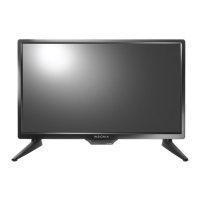
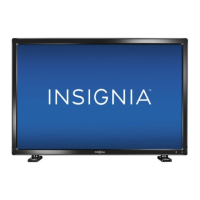
Important Technical Specifications:

  • Display Resolution: 720p
  • Screen Sizes: 19 inches and 24 inches
  • VESA Mounting Patterns:
    • 19" TV: 75 x 75 mm (Screws: type M4, 10 mm minimum length)
    • 24" TV: 100 x 100 mm (Screws: type M4, 10 mm minimum length)
  • Inputs:
    • HDMI (multiple ports, including one ARC-enabled port)
    • AV (composite video and stereo audio)
    • ANT/CABLE (for antenna or cable connection)
    • USB (for photo slideshows)
  • Outputs:
    • Digital Coaxial Audio Output
    • HDMI1 (ARC) for digital audio output
    • Analog Audio Out (L/R)
  • Audio Technology: DTS TruSurround (as indicated by the DTS logo and patent information)
  • Power: Requires connection to a standard power outlet.
  • Remote Control: Insignia NS-RC4NA-18, powered by two AAA batteries.

Usage Features:

  • Installation Flexibility: Can be installed on a tabletop using the included stands or wall-mounted. Wall mounting requires removal of stands and a VESA-compatible bracket (screws not included). All four VESA mounting holes must be used for safety.
  • Easy Setup: A quick setup guide facilitates initial installation of stands and connections. On-screen instructions guide users through the initial setup process, including language selection.
  • Multiple Connectivity Options:
    • HDMI: Provides the best video quality for connecting devices like Blu-ray players, gaming consoles, or streaming boxes. HDMI1 supports Audio Return Channel (ARC) for simplified audio connections to soundbars or AV receivers.
    • AV: Offers good video quality for older devices with composite video and stereo audio outputs.
    • ANT/CABLE: Allows connection to an antenna for free over-the-air TV channels or a cable TV service.
    • USB: Enables viewing of photo slideshows from a USB drive.
    • Digital Audio Output: Digital Coaxial Output and HDMI1 (ARC) provide options for connecting to external digital audio systems. The digital audio format can be set to PCM via the TV's Audio menu.
    • Analog Audio Output: L/R audio output for connecting to analog sound systems.
  • Comprehensive Remote Control:
    • Power/Input: Turns the TV on/off and selects input sources.
    • Numbers: Direct channel selection and parental control password entry.
    • Menu Navigation: Dedicated MENU button and arrow keys for navigating on-screen menus.
    • Volume/Channel: Dedicated buttons for adjusting volume and changing channels.
    • Quick Access Buttons: INFO* for status banner, CC for closed captioning, MUTE for muting sound, RECALL for previous channel, FAVORITE for favorite channel list.
    • Picture/Audio Modes: Dedicated buttons for ASPECT (picture display mode), GAME (picture settings for gaming), PICTURE (video modes), and AUDIO (audio modes).
    • Sleep Timer: Sets a timer for the TV to turn off automatically.
    • Media Controls: INlink for controlling HDMI-CEC devices and USB for photo slideshows.
  • Universal Remote Compatibility: A comprehensive list of universal remote control codes is provided for various cable providers and universal remote brands (e.g., AT&T U-verse, Cablevision, Charter, Comcast, Cox, DirecTV, Dish Network, RCA, Rogers, Time Warner, Verizon), allowing users to program their existing universal remotes to control the Insignia TV.
  • Accessibility: Includes an ACC button on the remote to open the Accessibility menu.
  • Manual Controls: A Power/Input button on the TV itself allows manual power on/off and input changes.

Maintenance Features:

  • Cleaning: The initial setup instructions advise placing the TV face-down on a cushioned, clean surface during stand installation to prevent damage.
  • Battery Replacement: The remote control requires two AAA batteries, and instructions for their installation are provided.
  • Firmware/Software Updates: While not explicitly detailed in this quick setup guide, Insignia TVs typically support firmware updates to improve performance and add features.
  • Troubleshooting/Support: The document directs users to the Insignia Support Community (http://community.insigniaproducts.com/) for helpful information and provides customer service contact details (1-877-467-4289 for U.S./Canada).
  • User Guide Access: Instructions are provided to find the full user guide online at www.insigniaproducts.com by searching for the specific model number.
  • Warranty: A one-year limited warranty is mentioned, with details available at www.insigniaproducts.com.
  • Safety Warning: Emphasizes the importance of securing a wall-mount bracket to all four VESA mounting holes to prevent property damage or personal injury.
  • Power Cord: Advises not to plug in the power cord until all other devices have been connected to prevent damage.

Insignia NS-24D310CA21 Specifications

General IconGeneral
BrandInsignia
ModelNS-24D310CA21
CategoryLED TV
LanguageEnglish

Related product manuals