EasyManua.ls Logo

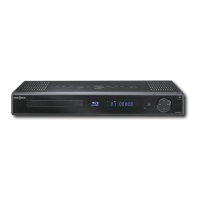
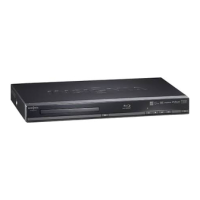
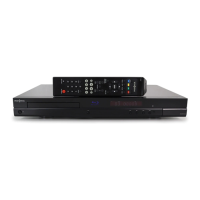
Insignia NS-2BRDVD - Blu-Ray Disc Player - User Manual

Insignia NS-2BRDVD - Blu-Ray Disc Player
3 pages
Print Icon
To Next Page IconTo Next Page
Loading...
Firmwareupdate:Download/InstallinstructionsforNS2BRDVD&NSBDLIVE01
BlurayDVDplayers.
Systemrequirements:acomputerwithanopenUSBport,USBflashdrive(stick),broadbandinternet
accessandoperatingsoftwareofWindowsXPandnewerorMacOS10.3ornewer.Thisoptionisnot
recommendedwithdialuporDSLservicewithabitratelowerthan256kbps.Iftheinstructions
providedbelowdonothelp,callInsigniaCustomerS upportat(877)4674289forassistance.
First:Downloadthecompressedupdatefile
1. Clickonthelinktothefile:ifandsavethefiletoyourdesktop.
Note:Filesizeisapproximately37MB.Estimateddownloadtimeis34minutes(downloadtime
willvarybasedonyourconnectionspeed).
2. InsertablankUSBflashdrive(stick)thatisformattedinFAT32intotheopenUSBportonyour
computer(USBflashdrivemustnotcontainanyotherfilesetc.).
3. Uncompressthefilefromyourdesktop,andthensavetheuncompressedfilestoyourUSBflash
drive(stick).
4. AftersavingthefirmwaretoyourUSBflashdrive;removetheUSBflashdrivefromyour
computer.
Second:UpgradingthePlayerSoftwarewithaUSBFlashDrive(Stick)
1. Turnontheplayerandejectanydisksthatmaybeintheplayer,andremoveanyUSBflashdrive
alreadyinsertedintheplayer.
2. InserttheUSBflashdrivecontaining thefirmwarethatwasdownloadedintotheplayer’sUSB
portlocatedonthebackoftheplayer.
3. AftertheplayerhasrecognizedtheUSBflashdrive(stick),ascreensimilartotheonebelowwill
appear:

Other manuals for Insignia NS-2BRDVD - Blu-Ray Disc Player

Question and Answer IconNeed help?

Do you have a question about the Insignia NS-2BRDVD - Blu-Ray Disc Player and is the answer not in the manual?

Summary

Download the compressed update file

Save update file to desktop

Save the compressed firmware update file to your computer's desktop.

Prepare USB flash drive

Insert a blank USB flash drive formatted in FAT32 into your computer.

Transfer uncompressed files to USB

Uncompress the downloaded file and save its contents to the USB flash drive.

Remove USB drive from computer

Safely remove the USB flash drive containing the firmware from your computer.

Upgrade Player Software via USB

Prepare player for update

Turn on the player, eject any disks, and remove any existing USB flash drives.

Insert firmware USB into player

Insert the USB flash drive containing the firmware into the player's USB port.

Select USB for update

Highlight 'USB' on the player's screen using the remote and press enter.

Initiate software update

Confirm the update by highlighting 'OK' and pressing enter on the remote.

Update process and precautions

Do not turn off power during update; a timer will show remaining time.

Complete update and restart

Remove the USB drive after success message, press enter, and player restarts.

Post-update recommendations

Erase update file from USB drive and contact support if issues arise.

Insignia NS-2BRDVD - Blu-Ray Disc Player Specifications

General IconGeneral
BrandInsignia
ModelNS-2BRDVD
TypeBlu-Ray Disc Player
Resolution1080p
HDMI OutputYes
USB PortYes
Ethernet PortYes
Wi-FiNo
Composite Video OutputYes
Dolby Digital DecodingYes
DTS DecodingYes
Supported Disc FormatsBD, DVD, CD
BD ProfileProfile 2.0
Audio OutputStereo

Related product manuals