EasyManua.ls Logo

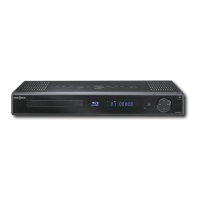
Insignia NS-BRDVD3 - Blu-Ray Disc Player - User Manual

Insignia NS-BRDVD3 - Blu-Ray Disc Player
2 pages
Print Icon
To Next Page IconTo Next Page
Loading...
Firmwareupdate:Download/InstallinstructionsforBlurayDVDplayers
releasedafterAugust2009
Systemrequirements:acomputerwithanopenUSBport,USBflashdrive(stick),broadbandinternet
accessandoperatingsoftwareofWindowsXP,WindowsVistaorMacOS10.3ornewer.Thisoptionis
notrecommendedwithdialuporDSLservicewithabitratelowerthan256kbps.Iftheinstructions
providedbelowdonothelp,callInsigniaCustomerS upportat(877)4677289forassistance.
First:Downloadtheupdatefile
1. InsertUSBflashdriveintotheopenUSBportonyourcomputer.
2. Downloadfirmware;ifapopupwindowopenstellingyoutoopen,saveorcancel,clickSave
andsavethefiletoyourUSBflashdrive.
Note:Filesizeisapproximately47MB.Estimateddownloadtimeis45minutes(witha1.5
Mbpsbroadbandconnection).
3.AftersavingthefirmwaretoyourUSBflashdrive;removetheUSBflashdrivefromyour
computer.
Second:UpgradingthePlayerSoftwarewithaUSBFlashDrive(Stick)
1. Ejectanydisksthatmaybeintheplayer,andremoveanyUSBflashdrivealreadyinsertedinthe
player.
2. Turntheplayeroff;inserttheUSBflashdrivecontainingthefirmw a rethatwasdownloadedinto
theplayer’sUSBport.
3. Turntheplayeron
4. Afteroneortwominutes,ascreensimilartotheonebelowwillappear:

Other manuals for Insignia NS-BRDVD3 - Blu-Ray Disc Player

Question and Answer IconNeed help?

Do you have a question about the Insignia NS-BRDVD3 - Blu-Ray Disc Player and is the answer not in the manual?

Summary

Download Firmware Update File

Insert USB Drive into Computer

Insert the USB flash drive into an available USB port on your computer for the download process.

Save Firmware to USB Drive

Download the firmware file and save it directly to your USB flash drive when prompted.

Remove USB Drive from Computer

After successfully saving the firmware, safely remove the USB flash drive from your computer.

Upgrade Player Software via USB

Prepare Player and Insert USB

Eject disks, remove existing USBs, turn player off, then insert the firmware USB drive.

Initiate Software Update

Turn the player on, wait for the update screen, select 'Ok' with remote to start.

Monitor Update Process

Do not power off the player; a timer will show progress during the software update.

Complete Update and Restart

After success, remove the USB. The player will restart automatically to finalize the update.

Post-Update Recommendation

It is recommended to erase the firmware file from the USB drive after the update is complete.

Insignia NS-BRDVD3 - Blu-Ray Disc Player Specifications

General IconGeneral
BrandInsignia
ModelNS-BRDVD3 - Blu-Ray Disc Player
CategoryBlu-ray Player
LanguageEnglish

Related product manuals