
 Need help?
Do you have a question about the Insignia NS-32D311NA17 and is the answer not in the manual?
Attach the TV stand to the TV base using provided screws and a screwdriver.
Prepare the TV for wall mounting by following provided instructions and ensuring proper hardware.
Connect external audio and video devices, such as cable boxes, game consoles, or players, using various ports.
Connect external speakers to the TV using digital optical or analog audio outputs.
Program a universal remote control to operate the TV using common manufacturer codes.
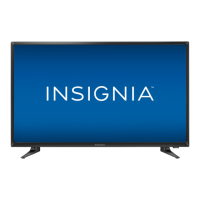
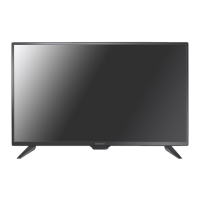
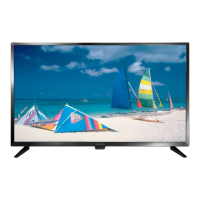
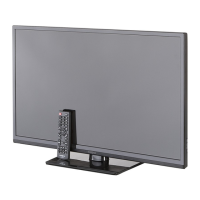
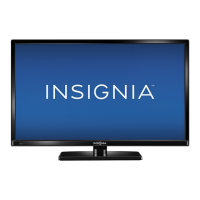
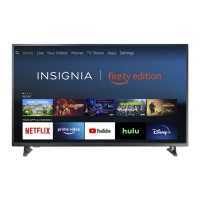
This document provides a comprehensive guide for setting up and using an Insignia NS-32D311NA17 32" 720p 60Hz LED TV. It covers everything from initial physical setup and connections to remote control operation and troubleshooting.
The TV can be set up in two primary ways: with a stand or wall-mounted. For stand setup, the process involves placing the TV face-down on a cushioned, clean surface. The stand requires attaching two stand legs to the bottom of the TV using four M4 x 12 mm screws for each leg, totaling eight screws. It's crucial to align the holes correctly before tightening the screws. For wall mounting, the document emphasizes the importance of consulting the wall mount instructions for detailed information on how to safely mount the TV. It also advises placing the TV face-down on a cushioned, clean surface before proceeding with any wall mount installation. The TV is a 32" 720p 60Hz LED TV, which implies a relatively compact size suitable for various room settings.
The TV offers a variety of input options for connecting external devices such as cable/satellite boxes, antennas, DVD/Blu-ray players, game consoles, or tablets.
The manual details how to connect the TV to external speakers or soundbars.
Once all physical connections are made and the TV is in place, the power cord should be plugged into an outlet. The remote control requires two AAA batteries, which are installed by removing the back cover. The TV is then turned on by pressing the power button on the remote. The initial setup involves following on-screen instructions, including choosing a menu language (English, Français, Español).
The remote control is a standard Insignia NS-RC4NA-18 model with a comprehensive set of buttons for various functions.
For users who already own a universal remote, the document provides a list of common codes for various cable providers and universal remote brands. This list includes codes for AT&T U-verse, Cablevision, Charter, Comcast, Cox, DirecTV, Dish Network, RCA, Rogers, Time Warner, and Verizon. It also directs users to www.insigniaproducts.com/remotecodes for an up-to-date list.
The TV comes with a one-year limited warranty. Users can find details at www.insigniaproducts.com. For additional help, the online User Guide is available at www.insigniaproducts.com under Support & Service, by entering "NS-32D311NA17" in the search box. A Support Community is also available at http://community.insigniaproducts.com/ for helpful information. Customer service can be reached at 877-467-4289 (U.S./Canada).
This comprehensive guide ensures that users have all the necessary information to set up, operate, and troubleshoot their Insignia NS-32D311NA17 TV effectively.




 To Next Page
 General