EasyManua.ls Logo

Insignia NS-55L780A12 - User Manual

Insignia NS-55L780A12
12 pages
Print Icon
To Next Page IconTo Next Page
Loading...
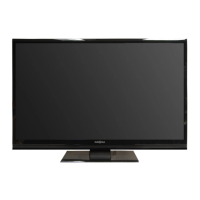
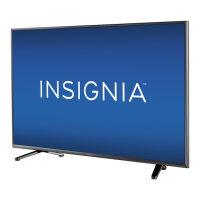
42"/46"/55" LCD TV
NS-42L780A12/NS-46L780A12/NS-55L780A12
Important Information Document
NS-42L_46L_55L780A12_11-0179_IMP INFO_V2_English.book Page i Monday, February 14, 2011 1:06 PM

Other manuals for Insignia NS-55L780A12

Questions and Answers

  • L
    Lisa LloydAug 16, 2025
    What to do if my Insignia TV has no picture and sound?
    • B
      barnesjasonAug 16, 2025
      If your Insignia TV shows no picture and no sound, try these steps: First, press the power button on the TV or remote. Ensure the power cord is plugged in securely. Check that the correct video input source is selected. Make sure the video cables are properly connected. Adjust the contrast and brightness settings. Also, verify that the Audio Only option is set to Off. Try another channel to rule out station issues. Confirm that the incoming signal is compatible and that the antenna or cable TV connection is secure. Finally, check the closed caption settings, as some TEXT modes can block the screen.
  • S
    Scott WilliamsAug 19, 2025
    Why does my Insignia NS-55L780A12 TV have picture but no sound?
    • P
      peter41Aug 19, 2025
      If your Insignia TV has good picture but no sound, first, increase the volume and make sure that the sound is not muted. Then, ensure the correct audio mode is selected and the audio cables are securely connected to your TV. Also, make sure that the antenna or cable TV is connected correctly and securely. If you're using an antenna, a low digital channel signal might be the cause. Finally, the audio cables you are using may be faulty, try a new set.
  • J
    Jessica NavarroAug 21, 2025
    What to do if my Insignia NS-55L780A12 TV has sound but no picture?
    • D
      Danielle Sandoval MDAug 21, 2025
      If your Insignia TV displays a dark, poor, or no picture but the sound is good, try switching to another channel to rule out station issues. Ensure that your antenna or cable TV is connected correctly and securely. Adjust the brightness and select the correct picture mode. If you're using an antenna, the digital channel signal may be weak, so adjust the antenna or use a more powerful one. Also, check that the video cables are connected securely, or try a new set of cables in case the current ones are faulty.
  • K
    Kathleen MasonAug 25, 2025
    Why does my Insignia NS-55L780A12 screen show only static?
    • V
      Valerie YoungAug 25, 2025
      If your Insignia TV only shows snow (noise) on the screen, try switching to another channel to rule out station issues. Ensure that the antenna or cable TV is connected correctly and securely. If you are using an antenna, the digital channel signal may be low. In this case, adjust the antenna or use a highly directional outdoor antenna or set-top antenna with a built-in amplifier.
  • M
    Marcus WrightAug 27, 2025
    How to fix Insignia NS-55L780A12 TV control buttons not working?
    • A
      Alexis MatthewsAug 28, 2025
      If the control buttons on your Insignia TV are not working, first ensure that the Button Lock option is set to Off. If that doesn't work, unplug the TV's power cord, wait a few seconds, then plug it back in and turn the TV on.
  • R
    Robert Williams Jr.Aug 31, 2025
    Why are there lines on my Insignia NS-55L780A12 TV screen?
    • L
      Linda SilvaAug 31, 2025
      If you see dotted lines or stripes on your Insignia TV screen, first, ensure that the antenna or cable TV is connected correctly and securely. If you're using an antenna, the digital channel signal may be low; try adjusting the antenna or using a more powerful one. Check that the video cables are connected securely, or try a new set of cables. Also, other devices may be causing interference. Try turning off one device at a time to find the source, and then move it further from the TV.
  • W
    Wayne KellySep 3, 2025
    Why is the color wrong on my Insignia NS-55L780A12?
    • A
      Angela MartinSep 3, 2025
      If your Insignia TV displays no color, has a dark picture, or the color is incorrect, try switching to another channel to rule out station problems. Adjust the color settings in the TV menu. Make sure the video cables are connected correctly and securely to your TV. Also, ensure that the antenna or cable TV is connected correctly and securely. If you're using an antenna, the digital channel signal might be low. In this case, adjust the antenna or use a highly directional outdoor antenna or set-top antenna with a built-in amplifier.
  • J
    Joanna MercadoSep 5, 2025
    How to remove black bars on Insignia TV?
    • J
      Jack SanchezSep 6, 2025
      If your Insignia TV picture does not fill the screen and there are black bars around the picture, change the aspect ratio. An increasing amount of digital TV and movies are presented in wide screen (16:9).
  • M
    Michael SmithSep 9, 2025
    How to resolve double images on Insignia NS-55L780A12 TV?
    • G
      gregorysuarezSep 9, 2025
      If your Insignia TV is showing double images, use a highly directional outdoor antenna, cable TV, or satellite TV.
  • S
    Steven RollinsSep 12, 2025
    Why does my Insignia TV cabinet creak?
    • S
      stewartderekSep 12, 2025
      When the Insignia TV is in use, the temperature rises naturally and may cause the cabinet to expand or contract which can cause a creaking noise. This is not a malfunction.

Summary

Child Safety

Tune Into Safety

Provides tips on safe TV placement and securing the unit to prevent tip-overs.

Wall Mounting Safety

Guidelines for safe wall mounting of the TV, including bracket selection and installation.

Important Safety Instructions

Hazard Warnings

Details critical hazards like electric shock, lightning, power lines, and panel damage.

Troubleshooting Guide

Video and Audio Issues

Resolves common problems like no picture, poor picture, no sound, or incorrect color.

Screen Display Problems

Addresses issues such as lines, stripes, double images, or bright/dark spots on the screen.

Remote Control Operation

Troubleshooting steps for when the remote control is not working.

Product Specifications

Warranty Information

Insignia NS-55L780A12 Specifications

General IconGeneral
BrandInsignia
ModelNS-55L780A12
CategoryTV
LanguageEnglish

Related product manuals