EasyManua.ls Logo

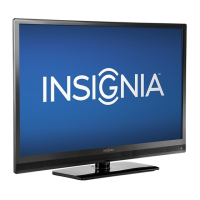
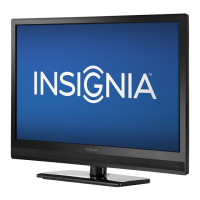
Insignia NS-39L240A13 - User Manual

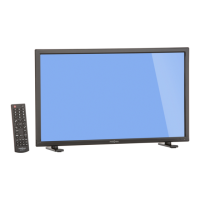
Insignia NS-39L240A13
66 pages
Print Icon
To Next Page IconTo Next Page
Loading...
NS-39L240A13
GUIDE DE L'UTILISATEUR
léviseur ACL de 39 po

Table of Contents

Other manuals for Insignia NS-39L240A13

Questions and Answers

  • C
    christophercameronSep 23, 2025
    Why does my Insignia LCD TV cabinet creak?
    • A
      Ann SmithSep 23, 2025
      When the Insignia LCD TV is in use, the temperature rises naturally and may cause the cabinet to expand or contract, which can cause a creaking noise. This is not a malfunction.
  • J
    John JohnsonAug 25, 2025
    What to do if my Insignia LCD TV has no picture and sound?
    • L
      Linda ThomasAug 25, 2025
      If your Insignia LCD TV has no picture and no sound, try the following: * Press on the TV or the remote control. * Ensure the Audio Only option is set to Off. * Verify the video cables are securely connected. * Adjust the contrast and brightness. * Confirm the power cord is plugged in. * Select the correct video input source. * Try another channel in case the station is experiencing problems. * Ensure the incoming signal is compatible. * Check that the antenna or cable TV is correctly and securely connected. * Check the closed caption settings, as some TEXT modes can block the screen.
  • A
    Adam Lee MDAug 25, 2025
    How to fix sound on Insignia LCD TV but picture is fine?
    • H
      hrossAug 26, 2025
      If your Insignia LCD TV has a good picture but no sound, first increase the volume and make sure that the sound is not muted. Ensure that headphones are not connected, as this will prevent sound from coming from the TV speakers. Check that the correct audio mode is selected and that the audio cables are securely connected to your TV. Also, verify that the antenna or cable TV is connected correctly and securely. If you're using an antenna, check the digital channel signal strength. Finally, the audio cables you are using may be bad, so try a new set.
  • G
    George JonesAug 27, 2025
    Why my Insignia LCD TV has no power?
    • H
      hsimpsonAug 27, 2025
      If your Insignia LCD TV has no power, ensure the power cord is correctly connected to the TV and a power outlet. If it's connected, unplug the power cord, wait 60 seconds, then plug it back in and turn on your TV. Also, other devices (such as a surround sound receiver, external speakers, fans, or hair dryers) may be interfering with your TV. Try turning off one device at a time to determine which device is causing interference, then move it further from the TV to eliminate the interference.
  • R
    Ruth JacksonAug 27, 2025
    What to do if Insignia LCD TV has sound but no picture?
    • J
      Jesse SmithAug 27, 2025
      If your Insignia LCD TV screen is lit but the picture is dark, poor, or nonexistent while the sound is good, try another channel to rule out station issues. Ensure the antenna or cable TV is connected correctly and securely. Adjust the brightness and make sure the correct picture mode is selected. If using an antenna, check the digital channel signal strength and adjust the antenna or use a high-directional outdoor antenna or set-top antenna with a built-in amplifier if the signal is low. Also, make sure the video cables are connected securely, and try a new set of video cables in case the current ones are faulty.
  • B
    Brandon ThomasSep 14, 2025
    How to prevent after images on Insignia LCD TV?
    • L
      Leslie KentSep 14, 2025
      To prevent after images from appearing on your Insignia LCD TV, avoid displaying a still image, such as a logo, game, or computer image, for an extended period of time. This can cause a permanent after-image to be burned into the screen.
  • Y
    youngpatriciaSep 12, 2025
    What to do if one speaker isn't working on Insignia LCD TV?
    • A
      akimSep 12, 2025
      If there is no output from one of the speakers on your Insignia LCD TV, adjust the audio balance. Also, make sure that the audio cables are connected correctly and securely to your TV.
  • O
    ohowardSep 13, 2025
    How to reset parental control password on Insignia LCD TV?
    • C
      Carol AndersonSep 13, 2025
      If you have lost the password for your Insignia LCD TV, enter 9999 to access parental controls, then set a new password.
  • D
    Dana PerkinsSep 5, 2025
    How to fix dotted lines on Insignia LCD TV screen?
    • J
      jessicamoralesSep 5, 2025
      If dotted lines or stripes appear on your Insignia LCD TV screen, ensure the antenna or cable TV is connected correctly and securely. If you're using an antenna, the digital channel signal may be low. If so, adjust the antenna or use a highly directional outdoor antenna or set-top antenna with a built-in amplifier. Also, make sure the video cables are connected securely to your TV and try a new set of video cables in case the current ones are bad. Other devices may be interfering with your TV. Try turning off one device at a time to determine which device is causing interference, then move it further from the TV.
  • J
    juliabellSep 2, 2025
    How to fix snow noise on Insignia LCD TV?
    • A
      Alyssa KlineSep 2, 2025
      If only snow (noise) appears on your Insignia LCD TV screen, try changing to another channel to rule out issues with the current station. Make sure that the antenna or cable TV is connected correctly and securely. If you are using an antenna, the digital channel signal may be low. If it is low, adjust the antenna or consider using a highly directional outdoor antenna or a set-top antenna with a built-in amplifier.

Insignia NS-39L240A13 Specifications

General IconGeneral
BrandInsignia
ModelNS-39L240A13
CategoryTV
LanguageEnglish

Related product manuals