EasyManua.ls Logo

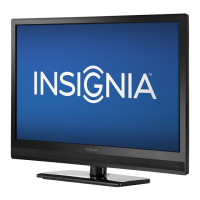
Insignia NS-32D310NA15 - User Manual

Insignia NS-32D310NA15
8 pages
Print Icon
To Next Page IconTo Next Page
Loading...
IMPORTANT INFORMATION
32" LED TV
NS-32D310NA15
FIND YOUR USER GUIDE ONLINE!
We are going green so a copy of your
User Guide is not provided in the box
but is available online.
Go to www.insigniaproducts.com,
then click Support & Service.
Enter your model number in the box under
Manual, Firmware, Drivers & Product Information, then click
X
.
Before using your new product, please read these instructions to
prevent any damage.

Questions and Answers

  • P
    pchavezJul 30, 2025
    How to fix Insignia LED TV remote not working?
    • C
      carlosjonesJul 30, 2025
      If the Insignia LED TV remote isn't working, ensure the power cord is correctly connected to a power outlet. Check that there are no obstructions between the remote and the sensor on the TV's front. Point the remote directly at the sensor. Also, verify that the batteries are correctly installed or replace dead batteries with new ones.
  • J
    Jacob HernandezAug 14, 2025
    What to do if my Insignia LED TV has no power?
    • B
      Bruce MitchellAug 15, 2025
      If your Insignia LED TV has no power, first ensure the power cord is properly connected to a power outlet. If it is, unplug the power cord, wait 60 seconds, then plug it back in and turn on the TV. Other devices might be interfering with your TV. Try turning off one device at a time to determine which device is causing interference.

Insignia NS-32D310NA15 Specifications

General IconGeneral
Screen Size32 inches
Resolution1366 x 768
Display TypeLED
Smart TVNo
Refresh Rate60 Hz
HDMI Ports2
USB Ports1
Component Video Input1
Composite Video Input1
Backlight TypeLED
InputsHDMI, USB, Component, Composite
Digital Audio OutputOptical

Related product manuals