www.insigniaproducts.com
6
Wi-Fi Camera
Mounting your Wi-Fi camera
Using the magnetic base, you can place your indoor camera on a flat surface or mount it to the wall or ceiling. Before you
mount your camera, make sure the power cord will be able to reach a power outlet.
Mounting to a flat surface
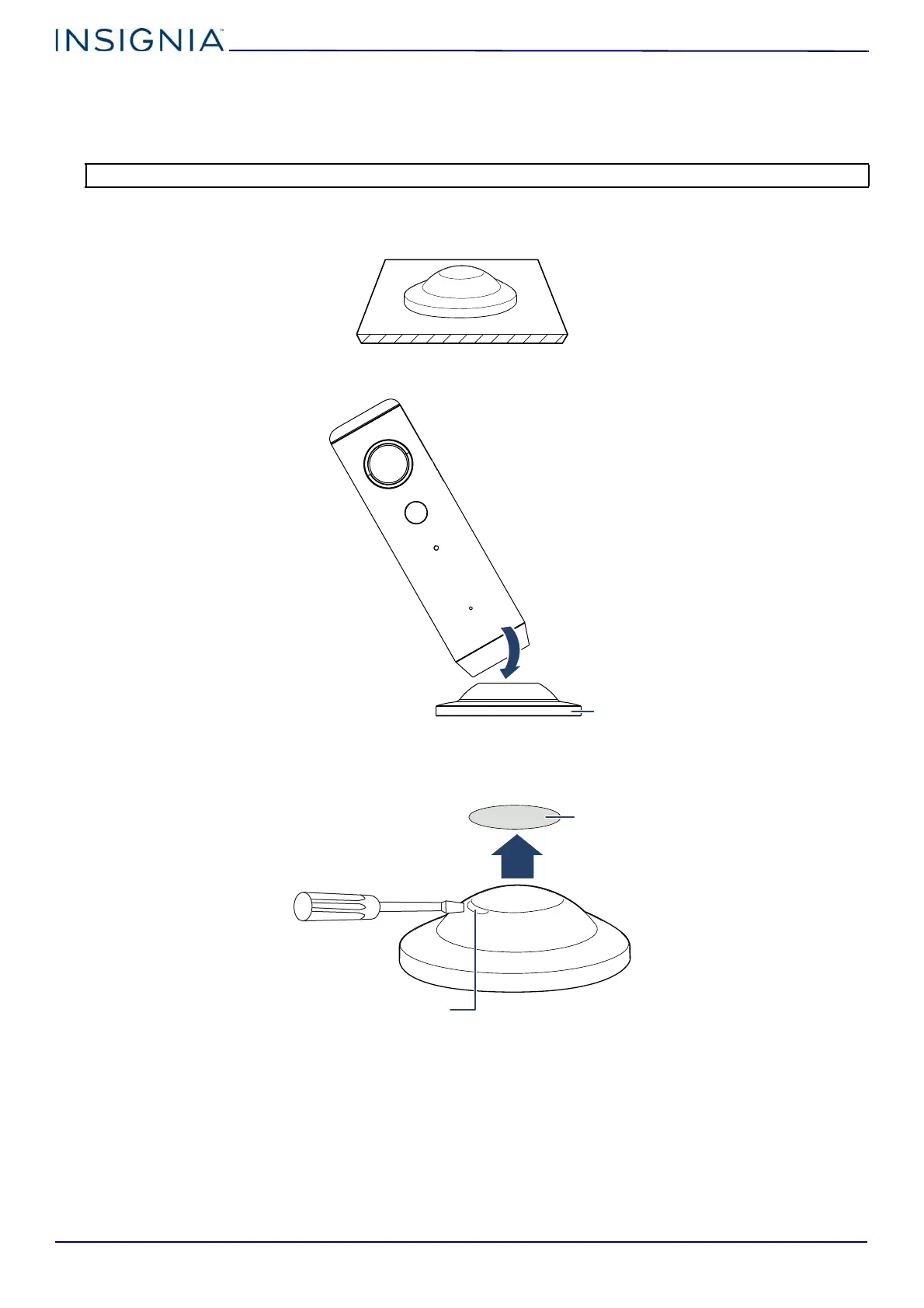
1 Place the magnetic base on a flat surface.
2 Attach the camera to the magnetic base.
Mounting to the ceiling
1 Insert a screwdriver into the tab on the magnetic base, then pry the cover from the magnetic base.
2 Drill a hole in the ceiling with a 4.2 mm drill bit where you want to mount your camera.
Note: Only install your Wi-Fi camera in a dry, indoor area. Your Wi-Fi camera must not get damp or wet.


 To Next Page