EasyManua.ls Logo

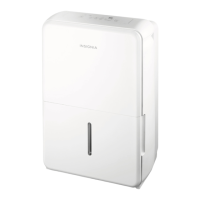
Insignia NS-DH35WH1 - User Manual

Insignia NS-DH35WH1
16 pages
Print Icon
To Next Page IconTo Next Page
Loading...
Before using your new product, please read these instructions to prevent any damage.
USER GUIDE
20-, 35-, or 50-Pint
Dehumidifier
NS-DH20WH1-C/NS-DH35WH1/NS-DH35WH1-C/NS-DH50WH1

Questions and Answers

  • D
    Donna JonesAug 7, 2025
    Why is my Insignia NS-DH35WH1 not drying the air as it should?
    • M
      Michelle KnightAug 7, 2025
      The Insignia Dehumidifier might not be drying the air properly if it hasn't been given enough time to remove moisture, or if curtains, blinds, or furniture are blocking the front or back of the unit. Ensure all doors, windows, and openings are closed, and that the room temperature is not below 41° F (5° C). Also, make sure there isn’t a water vapor source in your room. Try lowering the humidity level.
  • N
    nwardAug 13, 2025
    How to fix Insignia NS-DH35WH1 Dehumidifier that does not start?
    • R
      Richard WilliamsAug 13, 2025
      Your Insignia Dehumidifier might not start because it is not properly plugged in, the water tank is not in the correct position, or the water tank is full. Also, the dehumidifier might have reached your set humidity level, or there may be an issue with the house fuse/circuit breaker box.
  • J
    Jose GriffinAug 17, 2025
    Why does my Insignia NS-DH35WH1 Dehumidifier make a loud noise when operating?
    • C
      cynthia26Aug 18, 2025
      If your Insignia Dehumidifier is making a loud noise, ensure the air filter is clean and that the unit is upright on a level floor. Note that the dehumidifier may sound loud for the first few minutes as the compressor starts.
  • P
    Paul DoyleAug 22, 2025
    What to do if there is water on my floor from Insignia NS-DH35WH1?
    • K
      Kenneth NewmanAug 22, 2025
      If there is water on the floor, ensure that the back drain plug is in place if you are using the water tank. If you are using a drain hose with your Insignia Dehumidifier, make sure it is securely connected to the unit.
  • K
    Kelly GrahamAug 28, 2025
    What does P2 mean on my Insignia NS-DH35WH1?
    • J
      Jessica BakerAug 28, 2025
      If your Insignia Dehumidifier is displaying the error code P2, it means the water tank is full or not in the correct position. Empty the tank and ensure it is properly placed. On units with a pump feature, it indicates that the water tank is full and needs to be emptied.
  • L
    Latoya MartinSep 1, 2025
    Why is my Insignia NS-DH35WH1 Dehumidifier making a gurgling noise when operating?
    • A
      Adam SheppardSep 1, 2025
      If your Insignia Dehumidifier is making a gurgling noise, make sure that it is upright and placed on a level floor.

Summary

Important Safety Instructions

Electrical Information

Details about the appliance's electrical requirements and grounding.

Cautions

Important safety precautions for using the appliance, especially with children.

Save These Instructions

Reminder to keep the user manual for future reference.

Control Panel

Setting Up Your Dehumidifier

Preparing Your Dehumidifier

Steps for unpacking and initial cleaning of the dehumidifier.

Connecting to Power

Instructions for safely connecting the dehumidifier to a power outlet.

Using Your Dehumidifier

Maintaining Your Dehumidifier

Cleaning the Air Filter

Guide on how to clean the air filter for optimal performance.

Troubleshooting

Understanding the LED Display Codes

Specifications

One-Year Limited Warranty

Insignia NS-DH35WH1 Specifications

General IconGeneral
TypeDehumidifier
Capacity35 pints
Energy Star CertifiedYes
Fan Speeds2
Noise Level51 dB
Filter TypeWashable
Coverage Area1, 500 sq. ft.
Operating Temperature41°F - 95°F

Related product manuals