
 To Next Page

K
Kyle ThomasAug 12, 2025
What to do if my Insignia Media Converter has no power?
- HHeather CruzAug 12, 2025
Ensure that the power cord is securely plugged into a power outlet.

What to do if my Insignia Media Converter has no power?
Ensure that the power cord is securely plugged into a power outlet.
Why is there normal picture but no sound on my Insignia Media Converter?
First, check the volume levels and make sure that the TV sound is not muted. Also, verify that your converter box is connected correctly.
What to do if my Insignia Media Converter remote control does not work correctly?
Try the following: 1. Point the remote control at the remote sensor on your converter box. 2. Make sure you are within 23 feet (7 meters) of the remote sensor. 3. Remove any obstacles between the remote control and the remote sensor. 4. Replace dead batteries with new ones.
What to do if my Insignia Media Converter has no picture?
If you haven't already, select the Auto Tuning or Manual Scan functions. Ensure all cables are correctly installed and the correct source is selected on your TV (e.g., CH 3, CH 4, Video 1, or Video 2). The antenna signal strength may be low, so check it and adjust the antenna's location and direction.
How to find missing channels on Insignia Media Converter?
You can locate all available channels by running the Auto Tuning or EZ Add feature in the on-screen menu system. You may also need to adjust the antenna or check the antenna’s signal strength.
What to do if the picture is distorted on my Insignia Media Converter?
Make sure that the correct aspect ratio is selected. Also, ensure that the video output is properly connected to the TV.
Why is the picture fragmented and the sound unclear on my Insignia Media Converter?
Check your antenna input, location, and signal strength.
How to reset a forgotten password on Insignia Media Converter?
Enter the master password 7777.
Key safety guidelines for operating the converter box, emphasizing reading instructions and avoiding water.
Instructions for connecting an antenna to the converter box using a coaxial cable.
Steps to configure initial settings like menu language and aspect ratio during first-time setup.
Procedures to scan for available channels, especially after moving the box or antenna.
Guide to setting the converter box to match your TV's aspect ratio, e.g., 4:3 or 16:9.
How to enable or disable the system lock, set passwords, and manage channel blocking features.
Explains how to block TV programs and movies based on various content rating categories.
Options for enabling/disabling, selecting analog/digital, and customizing closed caption appearance.
How to enable or disable the parental control lock system.
Procedure to change the default password for accessing lock features.
How to block individual channels to prevent them from being viewed.
Addresses common problems like no power, picture/sound issues, missing channels, and remote control malfunctions with solutions.
 General
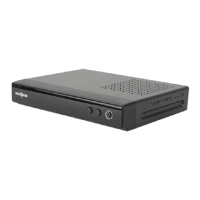
| Type | Digital TV Converter Box |
|---|---|
| Tuner Type | ATSC |
| Input | RF Coaxial |
| Output | RF |
| Supported Resolutions | 480i |
| Features | Closed captioning |
| Power Supply | AC 120V |
