EasyManua.ls Logo

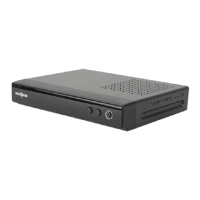
Insignia NS-DXA1-APT - User Manual

Insignia NS-DXA1-APT
24 pages
Print Icon
To Next Page IconTo Next Page
Loading...
Coupon Eligible Converter Box with Analog Pass through
NS-DXA1-APT
User Guide

Questions and Answers

  • E
    Erin YoungAug 13, 2025
    What to do if my Insignia NS-DXA1-APT TV Converter Box has no picture?
    • J
      jason42Aug 13, 2025
      If your Insignia TV Converter Box shows no picture, try the following: * Select the Auto Tuning or Manual Scan functions. * Ensure all cables are correctly installed and the correct source is selected on your TV (e.g., CH 3, CH 4, Video 1, or Video 2). * Check the antenna signal strength and adjust the antenna location and direction if the signal is low.
  • R
    Rebecca OliverAug 16, 2025
    How to fix Insignia NS-DXA1-APT TV Converter Box remote control that is not working?
    • M
      Melvin JohnsonAug 17, 2025
      If the remote control for your Insignia TV Converter Box isn't working correctly, try these steps: * Point the remote control at the remote sensor on your converter box. * Make sure you are within 23 feet (7 meters) of the remote sensor. * Remove any obstacles between the remote control and the remote sensor. * Replace the batteries with new ones.
  • R
    Robert BaileyAug 20, 2025
    How to restore forgotten password on Insignia TV Converter Box?
    • J
      Jessica JohnsonAug 20, 2025
      If you forgot your password for the Insignia TV Converter Box, enter the master password 7777.
  • D
    Deborah PerryAug 25, 2025
    What to do if my Insignia TV Converter Box has normal picture but no sound?
    • C
      Christopher SpearsAug 25, 2025
      If your Insignia TV Converter Box has a normal picture but no sound, check the following: * Check the volume levels. * Make sure that the TV sound is not muted. * Ensure that your converter box is connected correctly.
  • B
    briandorseyAug 27, 2025
    How do I find missing channels on my Insignia NS-DXA1-APT TV Converter Box?
    • J
      James WalshAug 28, 2025
      If you are missing available channels on your Insignia TV Converter Box, you can find them by running the Auto Tuning or EZ Add in the on-screen menu system. Also, try adjusting the antenna and checking the antenna’s signal strength.
  • A
    Andrew GibbsAug 31, 2025
    Why is my Insignia TV Converter Box showing a distorted picture?
    • L
      Lawrence ColonSep 1, 2025
      If the picture on your Insignia TV Converter Box is distorted, ensure that the correct aspect ratio is selected and that the video output is connected to the TV.
  • K
    Kristen BestSep 4, 2025
    Why Insignia NS-DXA1-APT has no power?
    • J
      Jacob BowenSep 4, 2025
      Make sure that the power cord is plugged securely into a power outlet.
  • C
    Charles MirandaSep 8, 2025
    What to do if my Insignia NS-DXA1-APT TV Converter Box has fragmented picture and unclear sound?
    • M
      Misty MarshallSep 8, 2025
      If your Insignia TV Converter Box displays a fragmented picture and unclear sound, check your antenna input, location, and signal strength.

Summary

Welcome

TV Converter Box Coupon Program

Information on applying the converter box coupon.

Safety Information

Essential safety precautions and warnings for using the converter box.

Introduction to Digital TV

Analog vs. Digital TV Signals

Details how digital TV signals differ and affect analog TVs.

Features and Package Contents

Front Panel Overview

Identifies and describes the front panel components and indicators.

Back Panel Connections

Details the input and output ports on the rear of the converter box.

Remote Control Operation

Installing Remote Control Battery

Step-by-step guide for inserting AAA batteries into the remote.

Setting Up Your Converter Box

Antenna Connection Guide

Instructions for connecting an antenna to the converter box.

Connecting to VCR or DVD Player

Steps for connecting the converter box to video recording devices.

Initial Setup Options

Guidance on selecting language, aspect ratio, and scanning channels during first use.

Using Your Converter Box

Powering On;Off and Setting Output Channel

Explains how to power the unit and select the RF output channel.

Channel Management

Adjusting Volume and Tuning Channels

Controls for audio levels and navigating through available channels.

Searching and Adding Channels

Procedures for automatically finding and manually adding channels.

Favorites Lists and Manual Channel Editing

Creating and Managing Favorites

Steps to add channels to a personalized favorites list.

Editing Memorized Channel List

Clock and Display Settings

Setting the Clock and Time Zone

How to manually set the clock or use time zone auto-detection.

Selecting TV Aspect Ratio and Type

Options for choosing screen aspect ratio and TV type.

Viewing Information and Timers

Setting Sleep Timer and Displaying Banners

How to set the sleep timer and view channel information banners.

Using Simple Guide and Program Information

Accessing program schedules and detailed viewing information.

Closed Captions and Lock System

Controlling Closed Captions

Options for enabling, disabling, and customizing closed caption display.

Lock System and Password Management

Setting up the lock system and changing the access password.

Channel Blocking Functions

Blocking Specific Channels

Procedure to lock individual channels to prevent viewing.

Blocking Childrens Programs

Using ratings to block content suitable for children.

Program Rating Blocking

Blocking General TV Programs

Blocking content by general TV rating categories (Age, Dialogue, etc.).

Blocking Movies and Canadian Programs

Methods for blocking movies by rating and Canadian TV programs.

Rating Information and On-Screen Menus

Downloading Rating Information

Updating program rating data from broadcast stations.

Using the On-Screen Menu System

Navigating the device's main menu for various settings.

Remote Control Programming

Programming a Universal Remote Control

Steps to configure third-party universal remotes for the converter box.

Controllable TV Brands

Troubleshooting and Specifications

Legal Notices

FCC warnings, compliance information, and Energy Star details.

90-Day Limited Warranty

Insignia NS-DXA1-APT Specifications

General IconGeneral
BrandInsignia
ModelNS-DXA1-APT
CategoryTV Converter Box
LanguageEnglish

Related product manuals