EasyManua.ls Logo

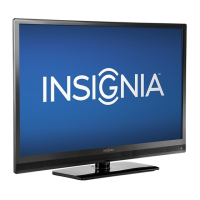
Insignia NS-F27TV - User Manual

Insignia NS-F27TV
66 pages
Print Icon
To Next Page IconTo Next Page
Loading...
Television | Téléviseur | Televisor
NS-F27TV
User Guide | Guide de l’utilisateur | Guía del Usuario

Questions and Answers

  • R
    ryanrandyAug 12, 2025
    How to fix an Insignia NS-F27TV TV remote that is not working?
    • D
      David GillespieAug 12, 2025
      If the Insignia TV remote control isn't working, make sure you're aiming it directly at the remote sensor on the TV within a 15-foot range, and that there are no obstacles blocking the signal. Try reducing the amount of light in the room. Also, check the batteries: ensure they are correctly inserted and replace them if they are weak.
  • J
    jamesbrooksAug 16, 2025
    Why does my Insignia NS-F27TV have poor or no picture?
    • J
      johnmirandaAug 16, 2025
      If your Insignia TV has a poor or no picture, try switching to another channel in case the TV station is experiencing problems. Also, check the picture control adjustments. Ensure that the antenna or cable connector is properly connected. Check for any local interference that might be affecting the reception.
  • A
    Angela MorganAug 19, 2025
    Why is there poor or no sound on my Insignia TV?
    • S
      Shawn HerringAug 20, 2025
      If your Insignia TV has poor or no sound, first try switching to another channel to rule out issues with the TV station. Make sure the 'MUTE' button hasn't been accidentally pressed. Check the volume level and increase it if it's set too low. Ensure the antenna or cable connector is properly connected. Finally, check for any local interference that might be affecting the sound.
  • Y
    Yolanda MasonAug 23, 2025
    What to do if my Insignia NS-F27TV has no cable reception?
    • E
      Eric BarnesAug 23, 2025
      If your Insignia TV isn't receiving cable, check all cable connections to ensure they are secure. Also, make sure the Air/Cable setting is set to 'Cable,' not 'Air'.
  • P
    palmerjacobAug 27, 2025
    How to fix closed captioning not working on Insignia TV?
    • T
      Timothy MartinAug 27, 2025
      If closed captioning is not working on your Insignia TV, check the cable or VHF/UHG antenna to ensure the TV signal is strong. Try another channel to see if the TV station is experiencing problems or if the program is not closed captioned. Ensure that closed captioning is turned on by pressing the CCD button.
  • R
    Richard AndersonAug 31, 2025
    Why does the picture on my Insignia TV wobble or drift?
    • T
      Teresa ButlerAug 31, 2025
      If the picture on your Insignia TV wobbles or drifts, try changing the channel in case the TV station is having issues. If you're using cable, the channel might be scrambled, and you'll need a cable box to receive it. Also, check for any local interference that might be causing the problem.
  • D
    Daniel JohnsonSep 4, 2025
    Why is parental control not working on my Insignia TV?
    • M
      Matthew DavisSep 4, 2025
      If parental control is not working correctly on your Insignia TV, ensure that parental control is set to ON. Note that parental control does not work with news or sporting events. Also, ensure that the ratings are properly set.
  • N
    Nicole SmithSep 7, 2025
    Why does my Insignia NS-F27TV have no reception above CH13?
    • D
      Derrick LopezSep 8, 2025
      If your Insignia TV is not getting reception above CH13, set Air/Cable to Cable.

Summary

Safety Information

Important Safeguards

Critical safety rules and precautions for device usage to prevent hazards.

Specific Warnings and Symbols

Explanations of safety warnings, electric shock risks, and warning symbols.

Grounding and Antenna Safety

Grounding Guidelines

Instructions and requirements for proper electrical grounding of the television and antenna.

Installer Note

Specific guidance for cable television system installers regarding grounding connections.

Television Features Overview

Front Panel Controls

Description of buttons and indicators located on the front of the television.

Rear Panel Connectivity

Details of input/output ports and connection options on the back of the television.

Remote Control Guide

Button Functions Explained

Explanation of the function for each button on the television's remote control.

Installing Remote Batteries

Step-by-step instructions for installing batteries in the remote control.

Television Setup Procedures

Unpacking and Placement Advice

Guidance on unpacking the television and choosing an optimal viewing location.

Antenna and Cable Connections

Instructions for connecting the television to an antenna or cable system.

Video and Audio Equipment Connection

Steps for connecting external video and audio devices like VCRs or DVD players.

Connecting External Devices

Rear AV Input Terminal Usage

Guide to using rear AV input terminals for permanent equipment connections.

Component Terminal Connection

Instructions for connecting devices using component video and audio inputs.

Using Your Television Functions

Powering On and Off

Steps to turn the television on and off, including standby mode operation.

Navigating the Menu System

Overview of the on-screen menu system and how to navigate its options.

Program Viewing and Information

Selecting AV Input Sources

How to select the correct input source for external AV devices.

Accessing Program Guide

Instructions on how to access and use the program guide for channel information.

Channel Tuning and Management

Automatic Channel Programming

Steps to automatically scan and store available TV channels.

Skipping Unwanted Channels

Method to skip channels not desired during channel browsing via CH+/- buttons.

DTV Signal Strength Check

How to check DTV signal strength for optimal picture quality.

Picture and Sound Adjustments

Adjusting Picture Settings

Guide to adjusting picture settings like contrast, brightness, color, and sharpness.

Sound Control Options

How to adjust volume, mute sound, and select stereo/SAP broadcast modes.

Clock and Timer Settings

Setting the Television Clock

Instructions for setting the clock automatically or manually via the menu.

Automatic TV Turn-On Timer

How to set the television to turn on automatically at a specific time.

Sleep Timer Functionality

How to set the sleep timer to automatically turn off the television.

System Settings and Customization

OSD Menu Language Selection

How to change the language of the on-screen display menu.

Audio Language Options

How to select different audio tracks for programs, if available.

Closed Captioning Setup

Steps to turn closed captioning on/off and select caption display options.

Parental Controls and Ratings

Customizing Digital Captions

How to customize the appearance and style of digital closed captions.

Setting Up Parental Lock

Instructions for setting up a password and enabling parental controls.

Resetting Forgotten Password

Procedure to reset the parental control password if it is forgotten.

Rating System Configuration

MPAA and TV Rating Setup

How to set parental rating limits for MPAA and TV broadcast content.

Canadian English Rating Setup

How to configure parental controls based on Canadian English rating systems.

Broadcast Rating Management

Canadian French Rating Setup

How to set parental controls using Canadian French rating guidelines.

RRT5 Criteria Ratings Setup

How to set up parental controls using RRT5 rating criteria.

Maintenance and Troubleshooting

Cleaning and Care Instructions

Guidelines for cleaning the television safely to prevent damage.

Troubleshooting Common Issues

Introduction to troubleshooting and a table of common problems and solutions.

Troubleshooting Picture and Reception

Resolving Picture and Sound Problems

Solutions for common issues like no picture, poor picture, or no sound.

Understanding Reception Disturbances

Explanations of common interference types and how to improve TV reception.

Product Specifications and Legal

Technical Specifications

Detailed technical specifications and physical dimensions of the television.

Regulatory Compliance and Copyright

Information regarding FCC compliance, safety certifications, and copyright.

Warranty and Service Information

Limited Warranty Coverage Details

Details of the 1-year limited warranty, what it covers, and exclusions.

Obtaining Warranty Service

How to get warranty service and where the warranty is valid.

Insignia NS-F27TV Specifications

General IconGeneral
BrandInsignia
ModelNS-F27TV
CategoryTV
LanguageEnglish

Related product manuals